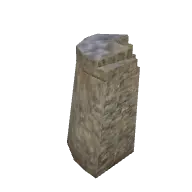
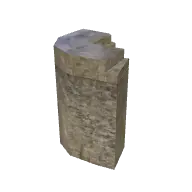
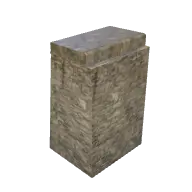
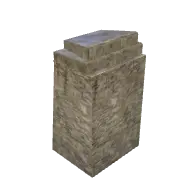
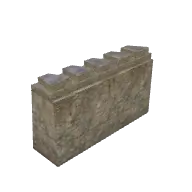
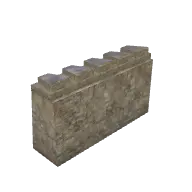
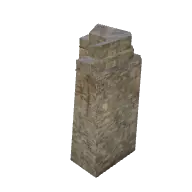
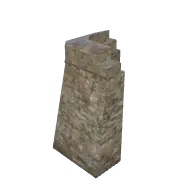
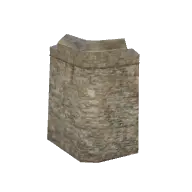
Fort Wall Thick Thin Transition 3D model
Fort Wall Thick Thin Transition from the Poly Haven Props pack in TerrainTale's library. Walls snap onto grid edges; the room tool places them around a rectangle in one motion.
- Folder
- Walls, doors and windows
- Pack
- Poly Haven Props
- Author
- Poly Haven
- Licence
- CC0 1.0 (public domain)
- Size
- 15 ft by 13 ft, 31 ft tall (covers about 3 by 3 squares)
- Format
- GLB (binary glTF 2.0)
- File size
- 1.4 MB
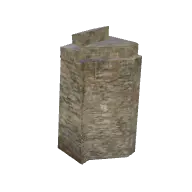
About this model
A transition section that joins a thick fortress wall to a thinner one, stepping down in width with a raised block at the join. It is about 15 ft by 13 ft and 31 ft tall.
Use it where a heavy outer wall meets a lighter inner wall, or where a fortress grows in stages. It is impassable and blocks sight. The step in the wall creates an awkward corner that attackers can use as a blind spot, which makes it a good point for an infiltration. It lets a builder change wall weights without an ugly gap.
Ideas for the table
- The join between old and new walls hides a gap just wide enough for a halfling.
- Defenders at the transition can shoot down both the thick and thin walls.
- An ancient wall meets a newer one, and the older stones bear carvings of a forgotten god.
From the blog
The best free virtual tabletops in 2026
What each free VTT is actually good at — Roll20, Foundry, Owlbear Rodeo, Alchemy, TerrainTale — and how to pick by what your table does on a Tuesday night rather than by feature count.
· 9 min read
3D vs 2D battle maps: what actually changes at the table
Where a 3D battle map earns its keep (height, cover, reading a room at a glance) and where a flat map is still the right answer. A practical comparison, not a graphics argument.
· 7 min read
The 5-foot square, and why every grid rule comes back to it
Squares, creature sizes, reach, squeezing and difficult terrain, explained as one system built on the 5-foot cell — and what breaks when a map is not authored to it.
· 6 min read
All articles on battle maps, grid rules and running the game
Ready to put a map on the table?
Open the builder and start, no account needed. Sixteen starter scenes are on the welcome screen; sign up free when you want to save one or play it with your group.