A library built to look real, not stylised
Most map builders ship a cartoon asset pack. TerrainTale's library is generated and photoscanned instead: floors and walls from real material scans, furniture and clutter that were photographed, minis made in Meshy to read like painted miniatures. Everything is free to use, and everything fits the same 5-foot grid.
Surfaces and structure, generated from real materials
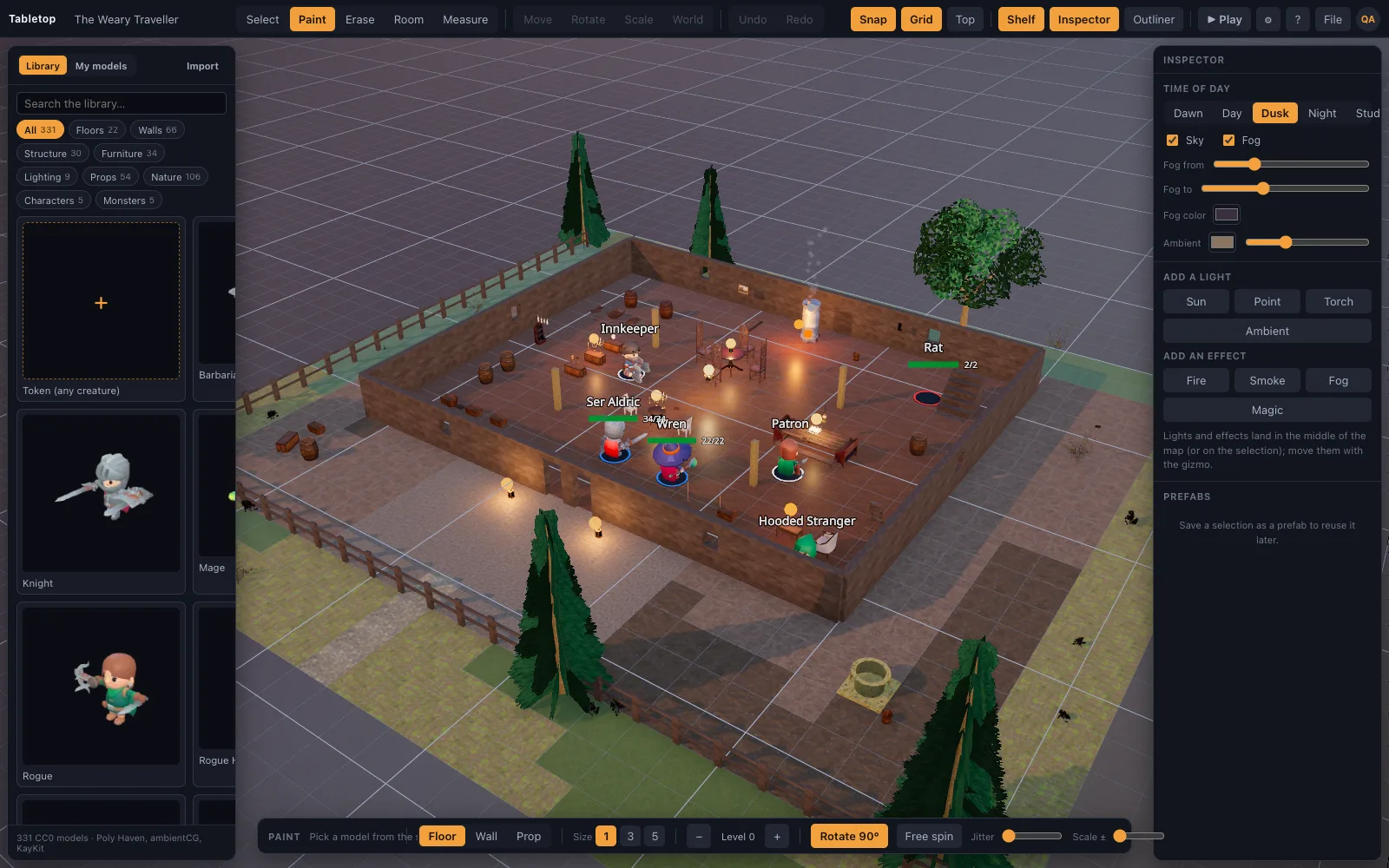
96 pieces (`realistic-surfaces`) built by `scripts/build-surfaces.mjs` from ambientCG materials: PBR floor tiles (grass, forest floor, mud, cobbles, flagstones, marble, planks and more), and wall families (stone, stone brick, dungeon, brick, plaster, timber, cave, castle) with matching doorways, archways, windows, parapets and battlements so an opening always lines up with the wall it replaces. Pillars, columns, stairs, a dais, fences, gravestones, an altar, a sarcophagus, a well, and trees round it out. Every piece is authored to the same 5-foot cell: a floor tile is one square, a wall segment runs along one square edge, and a doorway takes the place of exactly one wall segment. That is why a room built from them measures correctly with the ruler. A tavern hall of 30 by 20 feet is six by four tiles, with wall segments on the twenty edges around it.
Props that were actually photographed
About 225 photoscanned props from Poly Haven: furniture, barrels, crates, chests, lanterns, candles, tools, weapons, statues, paintings, shrubs, plants, flowers, rocks, cliffs, a modular fort and a pier. They carry real wear and lighting response instead of a flat cartoon texture. Use them for the clutter that makes a room look lived in: a crate stack by a tavern door, barrels in a cellar, candles on an altar, tools in a smithy. Because they are scans, they respond to light the way real objects do, so a lantern on a table throws believable shadows across them at night. Most sit at their real size, so a table and four chairs fill a couple of squares.
Minis painted like the real thing
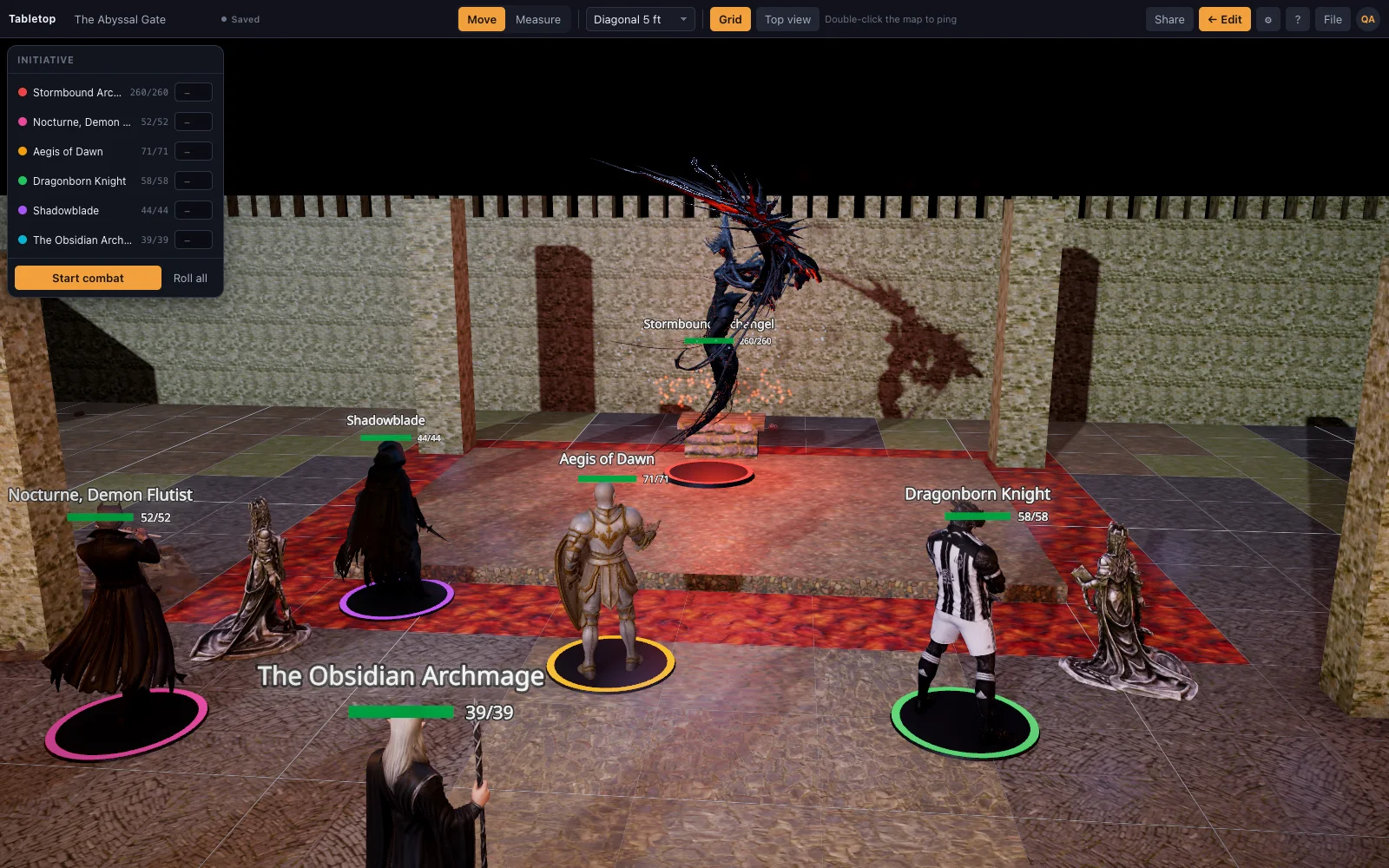
Thirty realistic minis made in Meshy in one art direction: a twelve-strong adventuring party, a dozen low-CR monsters from goblin to giant spider, and the six heroes and villain of the Abyssal Gate. Each stands at its D&D size on a base. Sizes follow the 2024 rules and PF2e: a Medium hero takes one square and a Large creature a 2 by 2 space. For a creature the library lacks, such as a dragon or a named villain, import your own model or use an image as a standee. Both are Premium on the hosted site and open on every plan of a self-hosted copy.
Why realistic-only
The library is deliberately one style: nothing here is a stylised low-poly pack, so a dungeon corridor, a tavern and a forest road all sit together believably in the same scene, and under the same lighting. The benefit shows when settings mix. A tavern cellar that opens onto a cave, or a castle wall that drops to a forest road, uses pieces from different groups, and they still match in scale, texture detail and response to light. A cartoon barrel beside a scanned stone wall would break that. One style also keeps the shelf smaller and easier to search.
Questions
Is the library really free to use?
Yes. Surfaces are generated from ambientCG materials and props are Poly Haven scans, both CC0; the minis and furniture were made by TerrainTale in Meshy and ship with the app. Free here means usable in your games on every plan, including the free plan; you do not buy packs.
How many pieces are in it?
About 100 surface and structure pieces, about 225 props, 30 D&D minis and 13 pieces of tavern and dungeon dressing, plus the sixteen starter scenes built from them. That is enough floor, wall and prop variety to build each starter scene without importing anything.
Can I add my own models alongside the library?
Yes. Drop a .glb, .obj, .fbx, .stl and more onto the window (Premium on the hosted site, every plan on a self-hosted copy) and it sits on the table next to the built-in pieces. Imports are simplified to the detail budget, so a dense scan does not slow the table. In a shared room, players do not see models you imported from your own files.
Will you add stylised or low-poly packs?
No. The library stays realistic-only by design, so everything continues to match. If you want a stylised look for one creature, you can still import your own model; the rule covers what ships with the app.
Keep reading
3D Battle Maps for Tabletop RPGs
Make 3D battle maps in the browser from a realistic, CC0/CC BY library: PBR floors and walls, photoscanned props, trees and lights.
D&D Virtual Tabletop in 3D
A 3D virtual tabletop built for Dungeons & Dragons: realistic battle maps, painted-miniature figures, a ruler in feet, initiative and HP.
Import Your Own 3D Models Into the VTT
Drop your own .glb, .obj, .fbx, .stl and more onto the table: Meshy, Sketchfab and Blender exports, Draco/meshopt files.
3D Lighting and Dynamic Shadows for D&D Maps
Battle maps with real light: a time-of-day slider that moves the sun and every shadow with it, a moon at night, torch lights on lamps and bloom on flames.
From the blog
What Hero Forge actually exports
Hero Forge's three exports explained plainly — the free screenshot, the paid 3D Digital download, and the paid STL — and which ones a general 3D virtual tabletop can actually import.
· 6 min read
Bring your own miniatures: importing .glb, .obj, .fbx and .stl
Which 3D model formats a virtual tabletop can take directly, what happens to a heavy file on import, and where model import sits on the free and Premium plans.
· 5 min read
PBR materials vs. flat textures: why the floors look real
What separates a PBR-generated floor from a flat cartoon texture, and why TerrainTale's 96-piece surface library reads as real stone and marble instead of a painted pattern.
· 5 min read
All articles on battle maps, grid rules and running the game
Ready to put a map on the table?
Open the builder and start, no account needed. Sixteen starter scenes are on the welcome screen; sign up free when you want to save one or play it with your group.