A ruler that counts squares the way your table does
Distance arguments end at the table when the ruler agrees with your rules. TerrainTale's ruler counts the grid in feet with the diagonal rule you pick, follows waypoints around a pillar, and reads out height along with distance.
Feet, not abstract squares
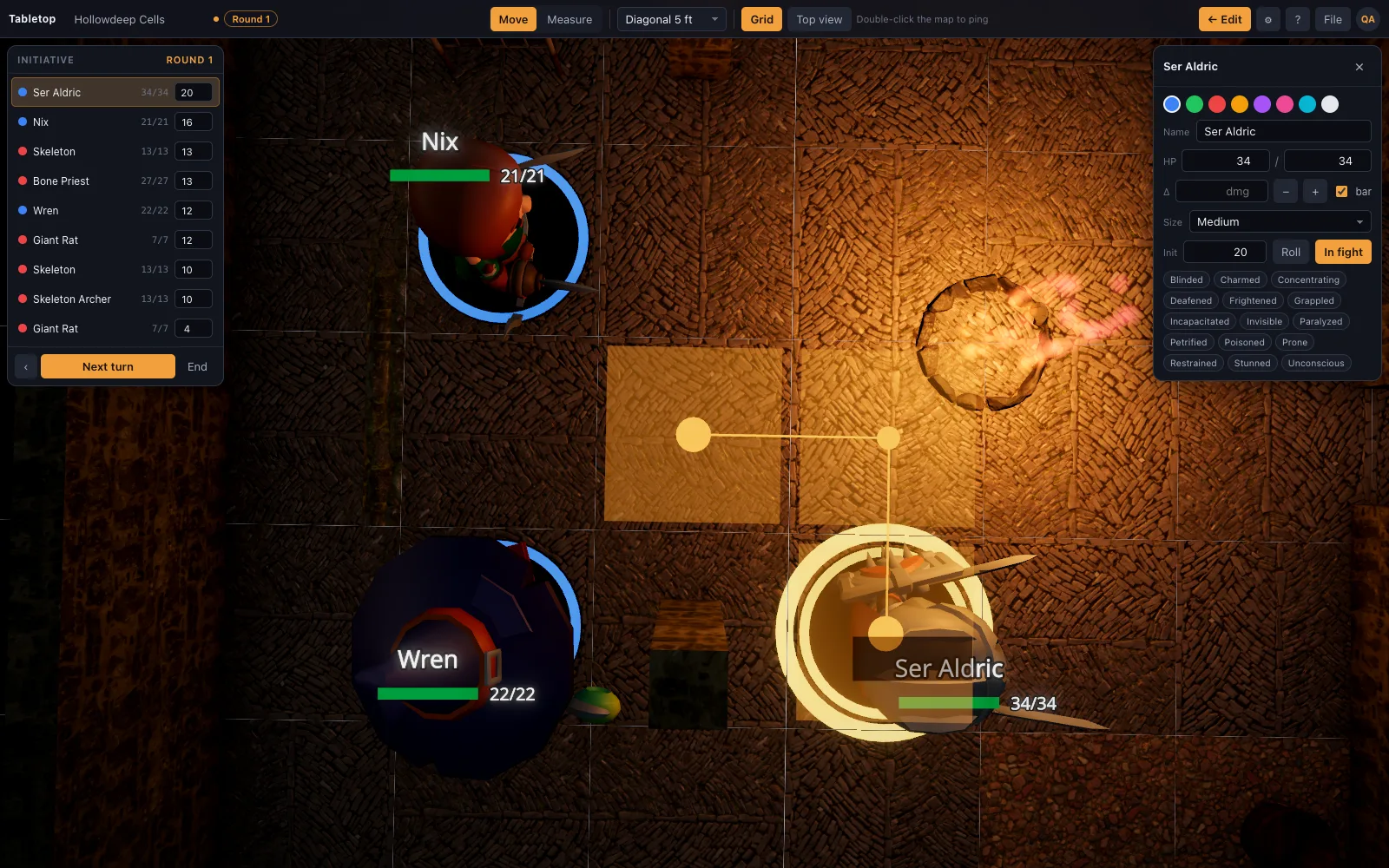
Every model is authored to the same 5-foot cell, so the ruler always reports feet, not "3 squares." Drag a mini and the readout tracks along the drag in real time.
Your table's diagonal rule
Pick the diagonal rule as a setting: every diagonal costs 5 ft (the 5e default), the 5/10/5 pattern (the DMG variant and Pathfinder), or true distance. Change it once and every measurement on the table follows.
- Waypoint a route with Space or right-click mid-drag, to measure fairly around a pillar
- Elevation-aware readout, e.g. "30 ft · 10 ft up"
- Movement is charged per turn as a mini is dragged
Same ruler for the DM and every player
In a shared room, a player's own ruler (M) is visible to everyone at the table in their colour, alongside the host's — so "can I make it" is answered without asking.
Questions
Does it support the DMG's optional diagonal rule?
Yes — 5/10/5 alternating diagonals is a setting, alongside every-diagonal-5-ft and true (Euclidean) distance.
Does height count?
Yes, the readout adds elevation to the distance, e.g. "30 ft · 10 ft up," for an archer on a parapet or a pit.
Can I measure around an obstacle?
Yes, add a waypoint mid-drag (Space or right-click) to route the measurement around a pillar or a wall corner.
Does the ruler work for players, not just the DM?
Yes, in a shared room every player has their own ruler and every ruler is visible to the whole table.
Keep reading
D&D Virtual Tabletop in 3D
A 3D virtual tabletop built for Dungeons & Dragons: realistic battle maps, animated miniatures, a ruler in feet, initiative and HP.
D&D Initiative Tracker on the 3D Table
An initiative tracker that lives on the same 3D map as your minis: turn order, a round counter, HP with damage and heal buttons, conditions, size, and hostile/ally/neutral rings — no separate app.
3D Battle Maps for Tabletop RPGs
Make 3D battle maps in the browser from a realistic, CC0 library: PBR floors and walls, photoscanned props, trees and lights.
Play D&D with Friends: Start a Group and Run Your First Night
How to get a D&D group going with friends: who runs it, what to buy (almost nothing), a first adventure, a schedule that survives adult life, and a free 3D battle map for the first fight.
From the blog
5e vs Pathfinder diagonal movement, and the rule in between
Three ways tables measure a diagonal on a square grid — every diagonal costs 5 ft, the DMG's 5/10/5 alternating pattern, and true distance — and which one fits which table.
· 5 min read
How distance measuring actually works on a 3D table
How the ruler in a 3D virtual tabletop turns a drag across the grid into feet: counting squares, reporting the total live, and charging movement as a mini crosses the map.
· 5 min read
Measuring elevation in 3D combat
Why height needs its own number in a fight, how the elevation-aware readout works ("30 ft · 10 ft up"), and what a flat map has to fake that a 3D table just measures.
· 5 min read
All articles on battle maps, grid rules and running the game
Ready to put a map on the table?
Sign up in a minute, no card needed. Five starter scenes are waiting on the welcome screen.