A 3D table for the TV, with nothing to buy or install
Arkenforge is the specialist for in-person play on a screen: 2D animated maps, a dedicated player display with fog of war, and a one-time price. TerrainTale takes the same seat at the table with a different idea of the map: a realistic 3D place with torchlight and height, running in a browser tab, free.
Side by side
| Topic | TerrainTale | Arkenforge |
|---|---|---|
| The map | 3D: walls with height, torches that cast shadows, cover and elevation | 2D animated, high-resolution maps with dynamic lighting |
| Building | Room tool, tile brush and shelf on a realistic CC0/CC BY library; AI-written scene recipes | A map editor with its own asset packs, sold in bundles |
| TV or projector | One screen: play mode, top-down view, big grid, scaled to one-inch minis | A dedicated player display separate from the DM screen |
| Fog of war | Yes: a brush the DM paints; players are never sent what it hides; no automatic line of sight | Yes |
| Physical minis | Sit on the glass; nothing detects them | Touchscreen mini detection links minis to tokens |
| Remote play | Screen share, or shared rooms: a link, players sign in and see the table live | Screen share; not built for online play |
| Measuring | Feet on the grid with a diagonal rule and height | A ruler on the map |
| Initiative and HP | Built in: tracker, HP, conditions, round counter | Built in |
| Price | Free to build and play; Premium for more saved scenes and your own models | One-time purchase: the toolkit from about $35, asset bundles from about $49 to $250 |
| Install | Browser, any OS including ChromeOS and Linux | Download via a launcher for Windows and macOS |
Arkenforge is a trademark of its owners and is not affiliated with TerrainTale. Feature and price notes describe the other product in general terms as we understand it at the time of writing; check its site for current details.
The same seat at the table
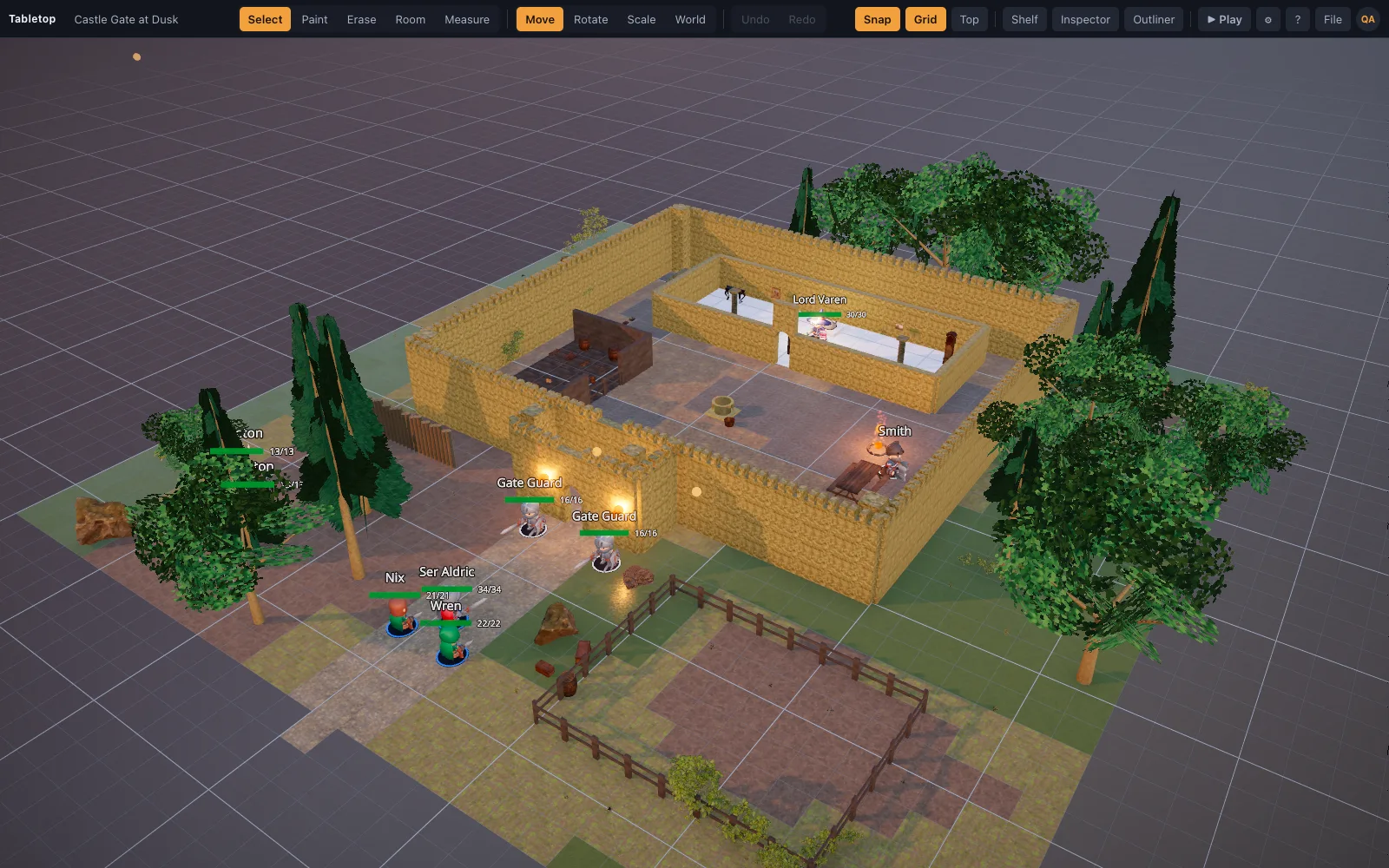
Both are built for the DM who runs the map on a screen the group looks at. TerrainTale's play mode hides the editor and leaves the map, Move and Measure, the grid, the top-down view and initiative. Zoom the top-down view until a square is one inch and painted minis go on the glass; the ruler and the pings still work. Any laptop, Chromebook or mini PC with a browser drives the screen.
What the third dimension changes
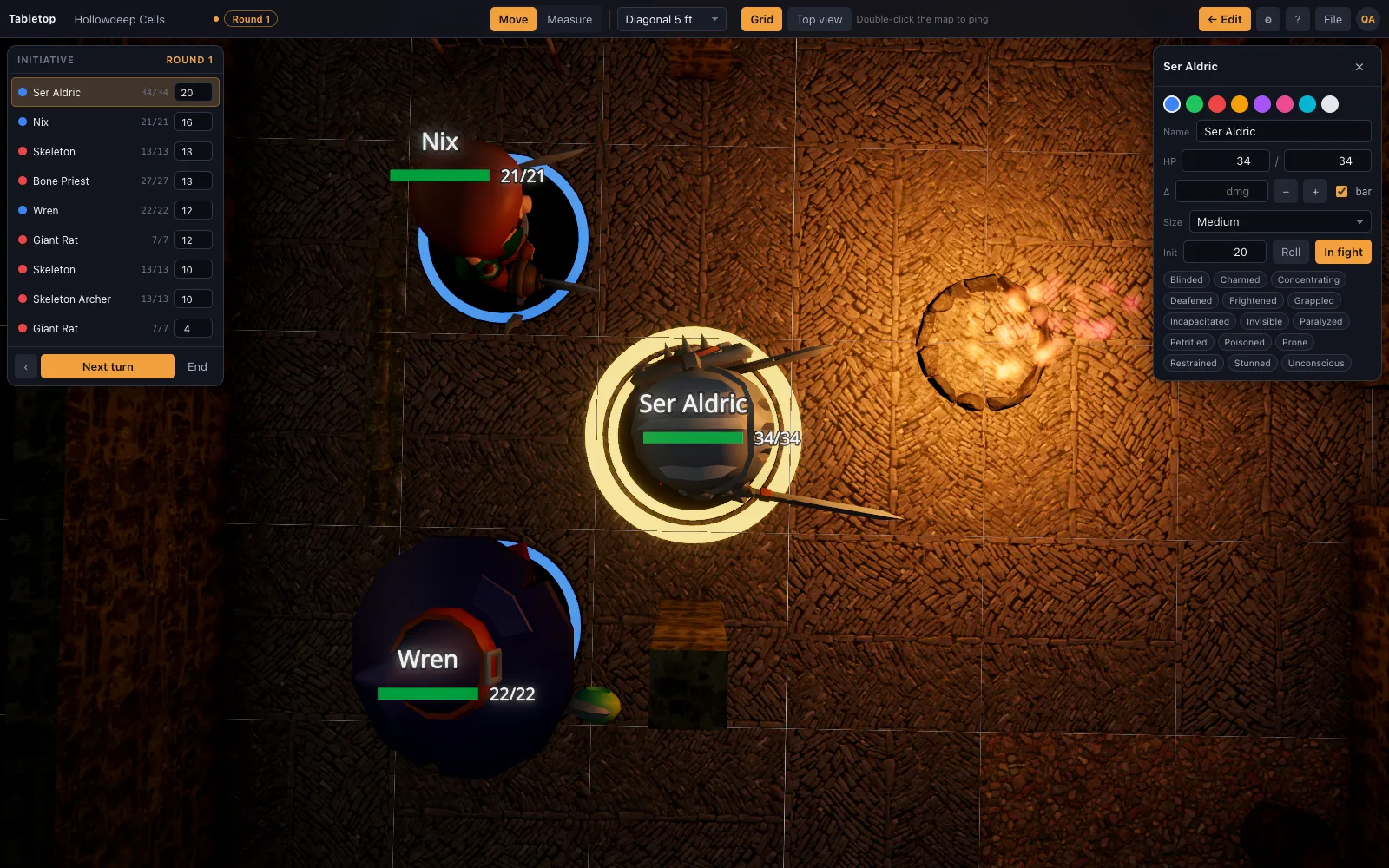
An Arkenforge map is a beautiful picture with light effects. A TerrainTale map is a place: the archer on the parapet is ten feet up and the ruler says so, the crate is cover because it has a height, and the torch in the corridor throws a real shadow. Between fights, tilt the camera and the players see the room they are standing in rather than its floor plan.
Where Arkenforge is still the better pick
A second, separate player screen is the feature Arkenforge is built around, and TerrainTale does not have it; its fog brush hides rooms from players in a shared room, but on a single TV the DM's view is the table's view. Touchscreen mini detection, offline operation with everything stored locally, and the depth of its purchasable map and audio packs are all real advantages. If fog of war on the TV is the point of your setup, Arkenforge is the tool. If you want a 3D table for free that works tonight on any machine, start here.
Questions
Can TerrainTale show a player view on a second screen?
Not a separate local display next to the DM screen. For a remote party, shared rooms give each player the table live on their own device; at one physical table, the TV the DM runs it on is still the one shared screen.
Does it have fog of war?
Yes. The DM brushes fog on and reveals it as the party explores; there is no automatic line of sight.
Does it work on a Chromebook or Linux box under the table?
Yes. It is a web page and runs on anything with a modern browser and WebGL 2.
Does it need the internet during a session?
It loads from the web and then runs in the tab; scenes are stored in the browser. Arkenforge is fully offline.
Can I import my Arkenforge maps?
Image maps are not a floor type yet. Any image works as a standee token, and .glb terrain imports directly.
Keep reading
D&D Map on a TV: Build a Digital Game Table for In-Person Play
How to put a digital D&D battle map on a TV or projector: three hardware setups that work, a cheap computer to drive it, matching the grid to one-inch minis, and a free 3D map in the browser.
A Virtual Tabletop for In-Person Games
Use a 3D virtual tabletop on a TV or projector for in-person D&D: top-down view, big grid, drag miniatures, measure in feet, run initiative.
Tabletop Simulator alternative
A Tabletop Simulator alternative for D&D: a 3D tabletop built around the 5-foot grid, with a ruler in feet, initiative and HP and realistic maps.
Free Virtual Tabletop: 3D Maps, No Download, No Seat Licences
A free virtual tabletop in the browser: open a 3D battle map, drag minis, measure in feet, run initiative.
From the blog
Diagonal movement in 5e: three rules, and when to use each
Every diagonal as 5 ft, the 5/10/5 variant, and true distance — how each one plays, which one your table probably wants, and how to stop arguing about it mid-fight.
· 5 min read
Session prep in thirty minutes: what to do and what to skip
A repeatable half-hour prep: the five beats, two maps, three names, one secret and a monster list. Everything else is optional, and most of it is procrastination in a nice hat.
· 6 min read
Height and verticality: using the third dimension in combat
Climbing, flying, falling, ranged attacks from above and the rules that govern them — and how to build maps with height that players actually use instead of ignore.
· 7 min read
All articles on battle maps, grid rules and running the game
Ready to put a map on the table?
Open the builder and start, no account needed. Sixteen starter scenes are on the welcome screen; sign up free when you want to save one or play it with your group.