Moving your table off Sigil before it closes
Wizards of the Coast announced that Sigil, D&D Beyond's 3D virtual tabletop, stops running at the end of October 2026, and its maps do not come with you. This guide is the practical part: what to save now, how to rebuild a map in TerrainTale in a few minutes, how to bring minis across, and how to get the group back to a live 3D table. It is honest about what does not carry over.
Step by step
- Capture what you cannot export. Before the servers go dark, screenshot every Sigil map from above and from a low angle, and write down room sizes in squares, door positions and where the elevation changes. Those notes are what you rebuild from; Sigil has no export.
- Make a free account. Sign up at TerrainTale with email, an email link or a social login. Nothing to install: it runs in the browser on Windows, macOS, Linux and ChromeOS.
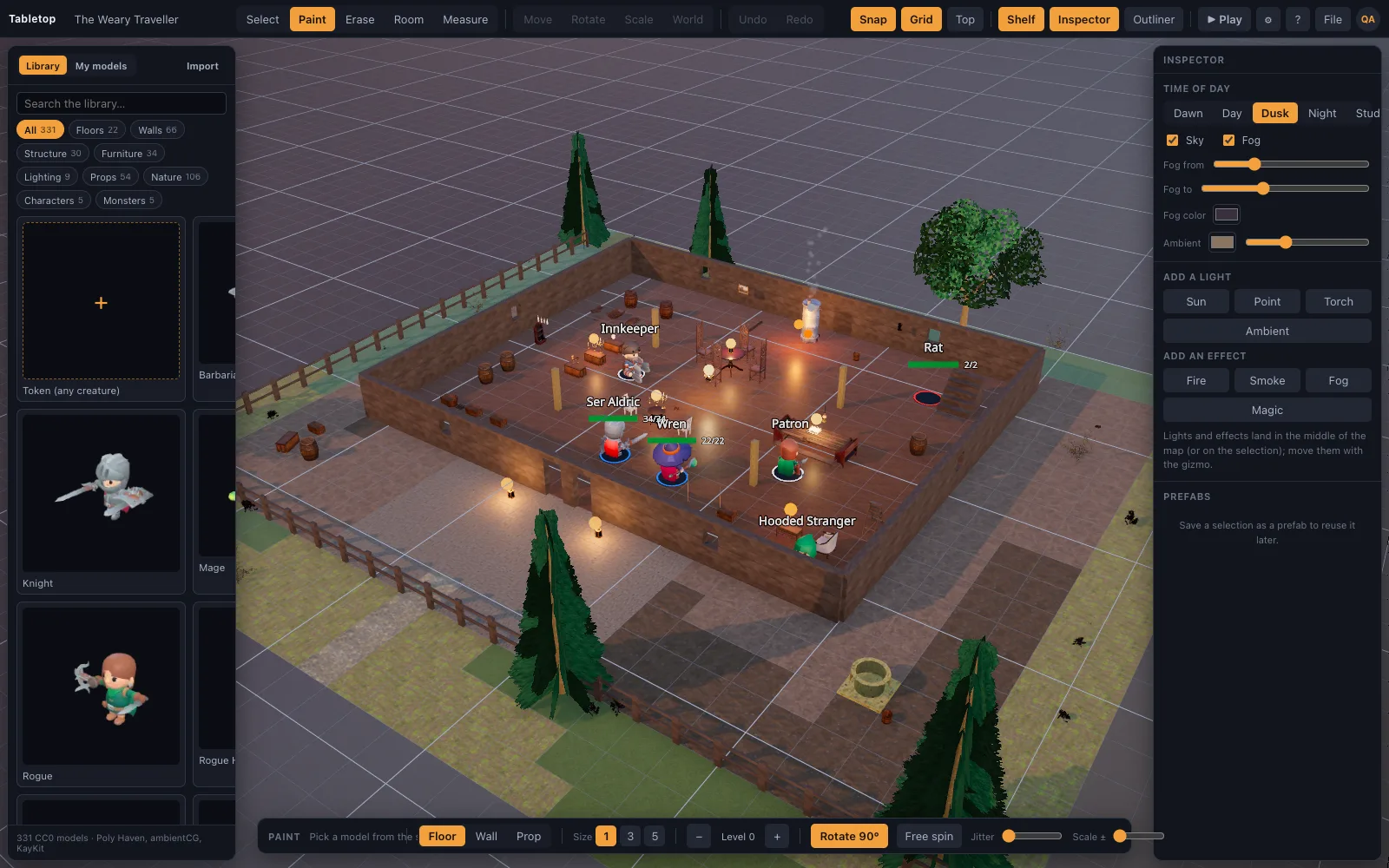
- Start from the closest starter scene. Open the scenes list and pick the starter nearest your map: tavern, dungeon cells, graveyard and crypt, forest road or castle gate. Editing a lit, finished scene is faster than starting empty.
- Block out the rooms. Use the room tool: pick a kit, drag a rectangle, and get a floored and walled room in one motion. Doors and windows snap onto walls. Raise ground with the terrain brush where your Sigil map had height.
- Or describe the map and import it. Describe the map to an AI assistant using the published scene-recipe format, then load the JSON with File, Import Scene JSON. Models download from the built-in library automatically.
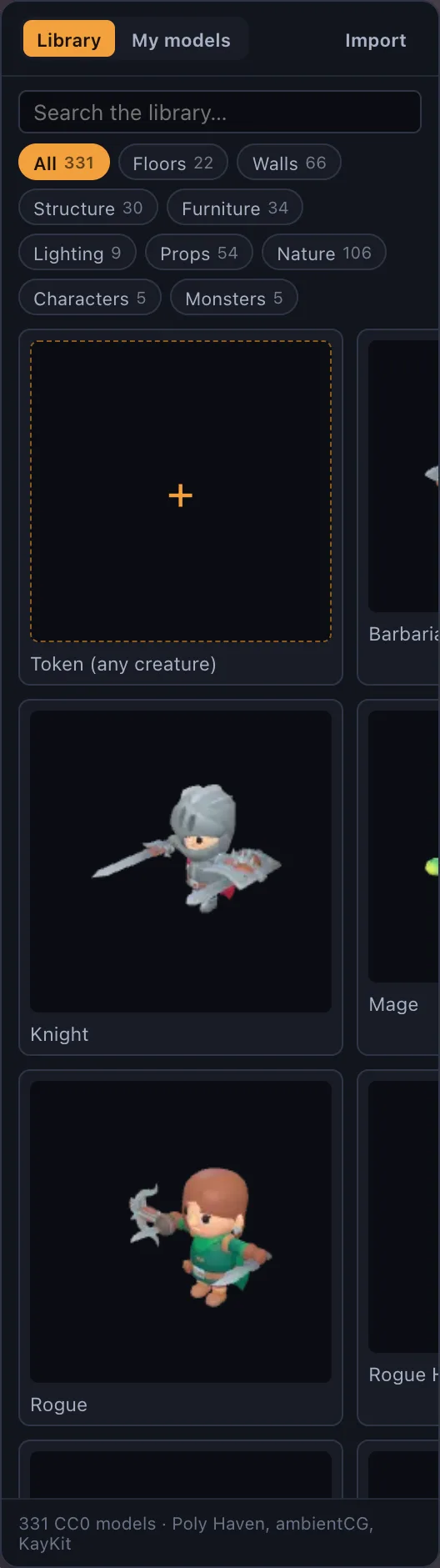
- Bring your miniatures. Place minis from the library, or turn any portrait into a standee. On Premium, drop your own .glb, .obj, .fbx or .stl files on the window, including Hero Forge exports.
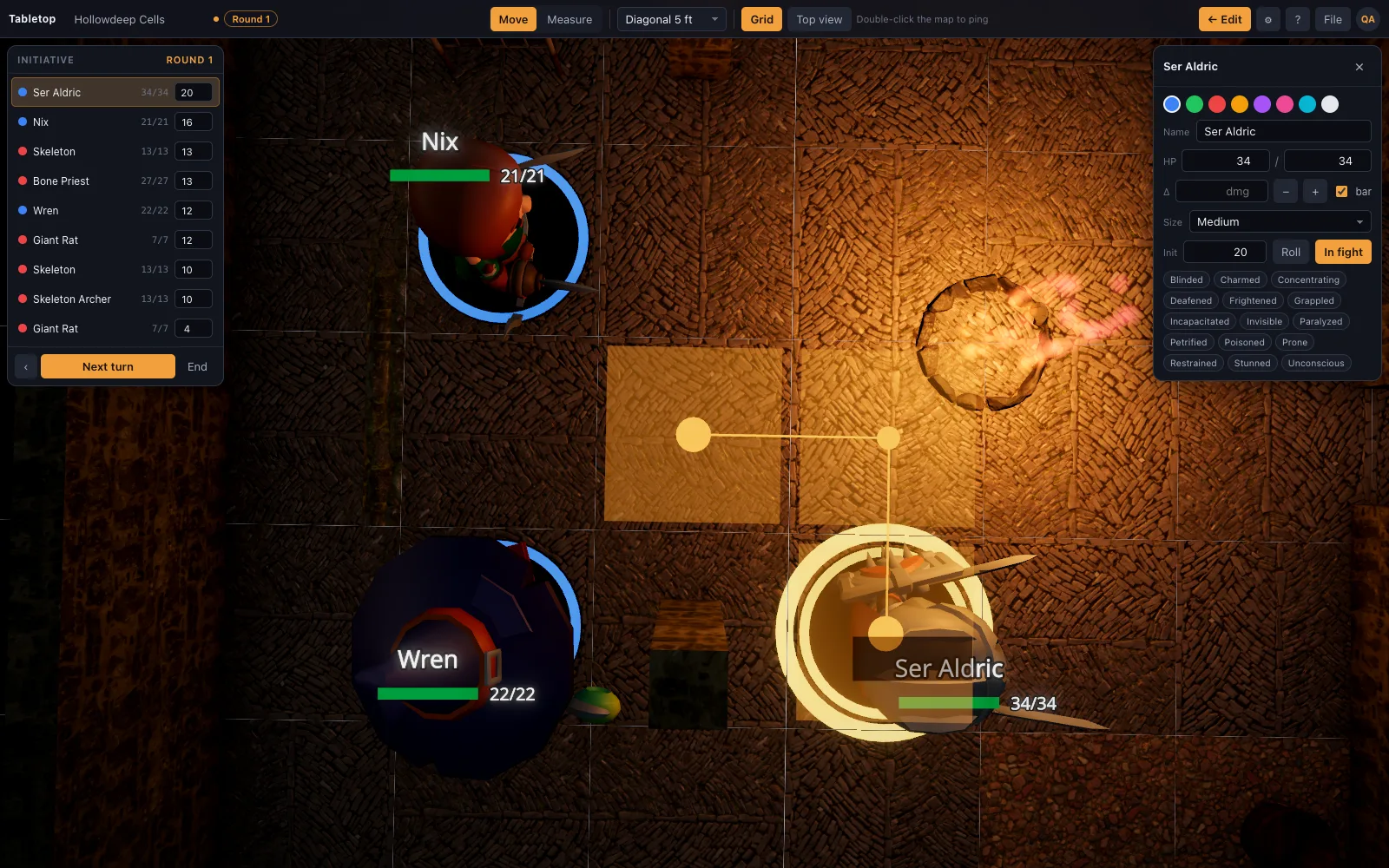
- Set the light. Set the hour on the time-of-day slider and place torches or braziers; the sun and every light cast real shadows, which is most of what made Sigil fights read well.
- Save, share and play. Save the scene, press Share to create a link, and let players in from the door card. Switch to Play: they see the table live and drag their own minis while the ruler counts feet, height included.
- Keep a copy you own. Export the scene as JSON from the File menu and keep it with your campaign notes. It imports into any copy of the app, including one you host yourself.
What happens to Sigil, and when
Sigil launched in March 2025 as a 3D tabletop tied to D&D Beyond. In October 2025 Wizards of the Coast announced it would close, with the servers switched off at the end of October 2026. D&D Beyond's flat Maps tool continues. Scenes and minis built inside Sigil live on its servers in its own format, so the safe assumption is that anything you have not written down or screenshotted is gone after the shutdown date.
What carries over, and what does not
The idea carries over intact: a fight on a real place with height, cover and light, minis you drag, a ruler that understands that the archer is on the wall. What does not carry over is the D&D Beyond integration. TerrainTale tracks HP, conditions and initiative and has a dice roller, but it does not read your character sheets or sync monsters, and it has no built-in voice. Fog of war is a brush the DM paints and reveals, with no automatic line of sight. Most groups pair it with the call they already use and keep sheets in D&D Beyond.
- Carries over: 3D maps with elevation, real-time lighting and shadows, realistic minis, shared play by link
- Changes: maps are rebuilt rather than imported; minis come from the library, standees or your own files
- Does not carry over: D&D Beyond character and monster sync, spell effects
How long a rebuild takes
A single combat room is a few minutes with the room tool. A multi-room dungeon is closer to half an hour by hand, or a few minutes if an AI assistant writes the recipe from your notes and you tidy the result. Rebuild the maps for the next two sessions first, not the whole campaign; the starter scenes cover a surprising number of one-off encounters.
What it costs
The free plan has the whole table, shared rooms included, and keeps one saved scene. Players never pay. Premium keeps up to 200 saved scenes and imports your own 3D models; the price is on the pricing page, and cancelling never deletes a scene. Self-hosting the server is free, with no billing at all on your own copy.
Not locked in this time
The worry after a shutdown is that it will happen again. Every TerrainTale scene exports as a JSON file you keep, the built-in library ships with the app, and the server is self-hostable, so a group can keep running its own copy whatever happens to the hosted one.
Questions
When exactly does Sigil shut down?
Wizards of the Coast announced the servers would be switched off at the end of October 2026. Check D&D Beyond for the exact date and any changes.
Can I export my Sigil maps?
Not as files that another tabletop can read. Screenshot each map and note its layout and elevation, then rebuild it; a scene recipe written by an AI assistant from those notes is the fastest way.
Will my Sigil minis work?
Sigil minis stay in Sigil. Any model you have as a .glb, .obj, .fbx or .stl file, including Hero Forge exports, drops onto a TerrainTale table on Premium, and any image becomes a standee.
Do my players need to pay or install anything?
No. They open the share link in a browser, sign in, and you let them in. Shared rooms are on the free plan.
Does D&D Beyond Maps replace Sigil?
It is D&D Beyond's flat 2D map tool and continues after Sigil closes. If your group wants to stay in 3D, a 3D tabletop is the closer replacement.
Keep reading
Sigil alternative
D&D Beyond's Sigil 3D VTT closes at the end of October 2026.
D&D Beyond Maps alternative
Want more than a flat map? A D&D Beyond Maps alternative that builds the battle map in 3D: real walls, torchlight and height, realistic minis, a ruler in feet and initiative.
3D Virtual Tabletop (3D VTT): Free, in the Browser
A 3D virtual tabletop that runs in a browser tab: realistic battle maps with walls, light and height, painted-miniature figures, a ruler in feet and initiative.
Build with AI
Scene recipes, and how an assistant writes them.
Hero Forge Minis in a VTT: Use Your Character on a 3D Table
How to get a Hero Forge character onto a virtual tabletop: the PNG screenshot as a standee token or a purchased STL as a full 3D mini (both Premium), and what Hero Forge actually exports.
From the blog
Throne room battle maps: the audience chamber as an arena
How to build a throne room battle map for D&D: the dais, the columns, the long approach, guards at the doors and where a fleeing monarch goes, with sizes in 5-foot squares.
· 5 min read
Climbing rules in 5e combat: what it costs, when to roll, and fighting from a ledge
The D&D 2024 climbing rules in combat: 1 extra foot per foot climbed, when a DC 15 Athletics check is warranted, what a ledge gives the creature on it, and what happens when a climber is shoved.
· 5 min read
Invisible creatures on a grid: the 2024 rules and how to run them without cheating
The D&D 2024 rules for invisible creatures on a battle map: advantage and disadvantage, guessing a square, why invisible is not hidden, and how to track an unseen enemy on the grid fairly.
· 5 min read
All articles on battle maps, grid rules and running the game
Ready to put a map on the table?
Open the builder and start, no account needed. Sixteen starter scenes are on the welcome screen; sign up free when you want to save one or play it with your group.