The 3D scenes without the module stack
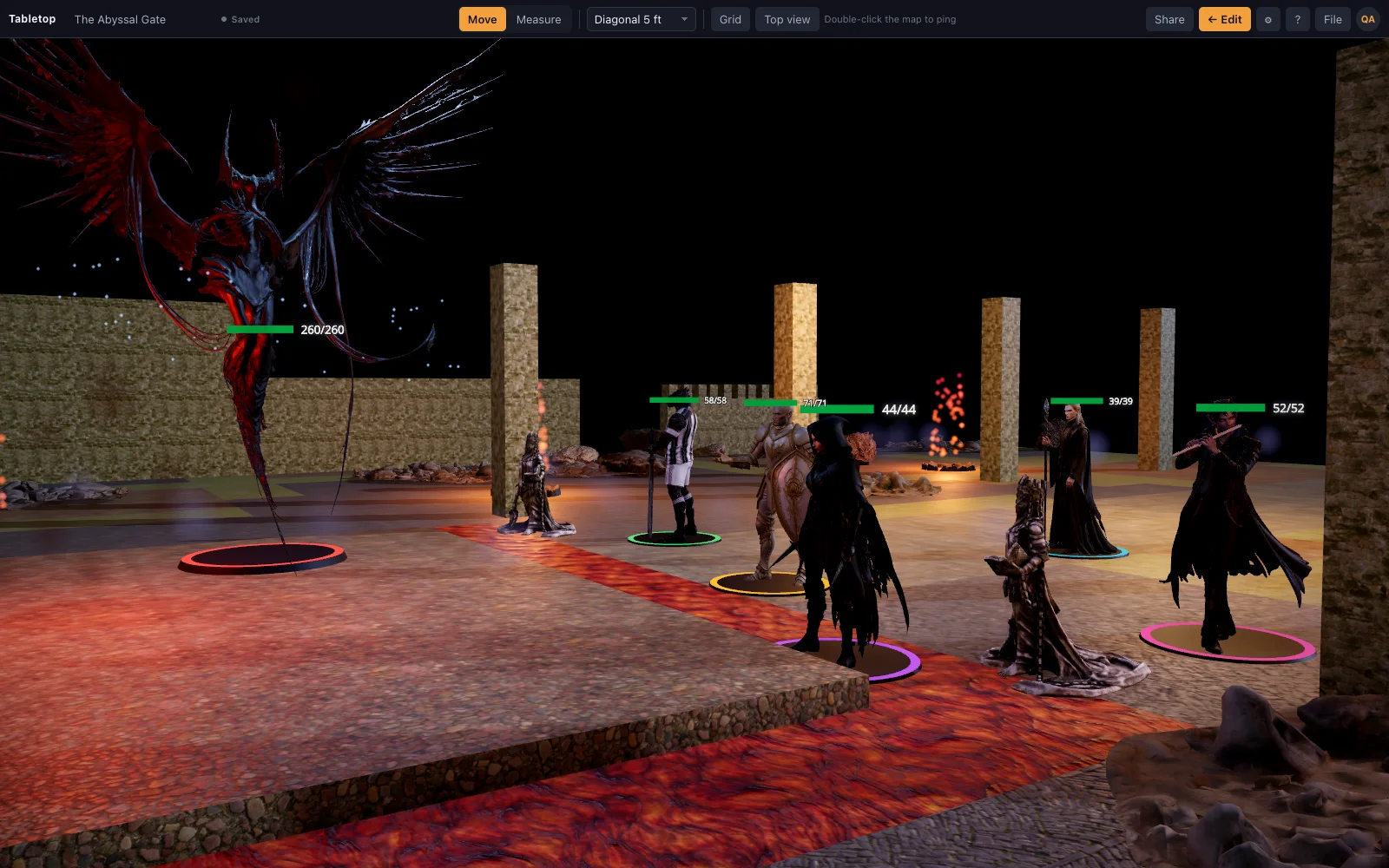
Foundry can do almost anything with the right modules, including 3D, and maintaining that stack is a hobby of its own. TerrainTale ships 3D as the default and nothing else to manage: a library, a builder, a ruler and a tracker.
Side by side
| Topic | TerrainTale | Foundry VTT |
|---|---|---|
| 3D | Native: every scene is 3D | Via community modules |
| Content | A CC0/CC BY realistic library built in, plus your own .glb files | Bring or buy content; module ecosystem |
| Setup | Sign up, or run one Node process to self-host | Licence, a host, worlds, systems and modules |
| Rules automation | None | Deep, per system |
| Remote play | Shared rooms: a link, players sign in and see the table live | Yes |
| Price | Free sign-up; open self-hosting | One-time licence |
| Fog of war and vision | A fog brush the DM paints; no line of sight or per-token vision | Walls block line of sight; per-player fog |
| Building the map | Room tool, tile brush and scene recipes, built in | Scene editor plus mapping modules and asset packs |
| Maintenance | Nothing to update: the library and builder ship with the app | Modules, systems and Foundry core versions to keep compatible |
| Self-hosting the server | One Node process, no native dependencies, behind any reverse proxy | A licensed server you run and keep patched |
| Custom systems | System-agnostic: any 5-foot-grid game works as-is | A system module per game, with its own sheets and rules |
Foundry Virtual Tabletop is a trademark of its owners and is not affiliated with TerrainTale. Feature notes describe the other product in general terms as we understand it at the time of writing; check its site for current details.
Self-host in one process
The server is a single Node process with no native dependencies: it serves the site, the app and the accounts. Put it behind any reverse proxy and you are done. Accounts support email and password, magic links, and Google, GitHub and Discord sign-in.
Build with a recipe, or with an AI
Scene recipes describe maps at a high level and compile to grid-correct geometry. The repository includes a guide and catalog written for AI assistants so a scene can be authored from a sentence.
Where Foundry is still the better pick
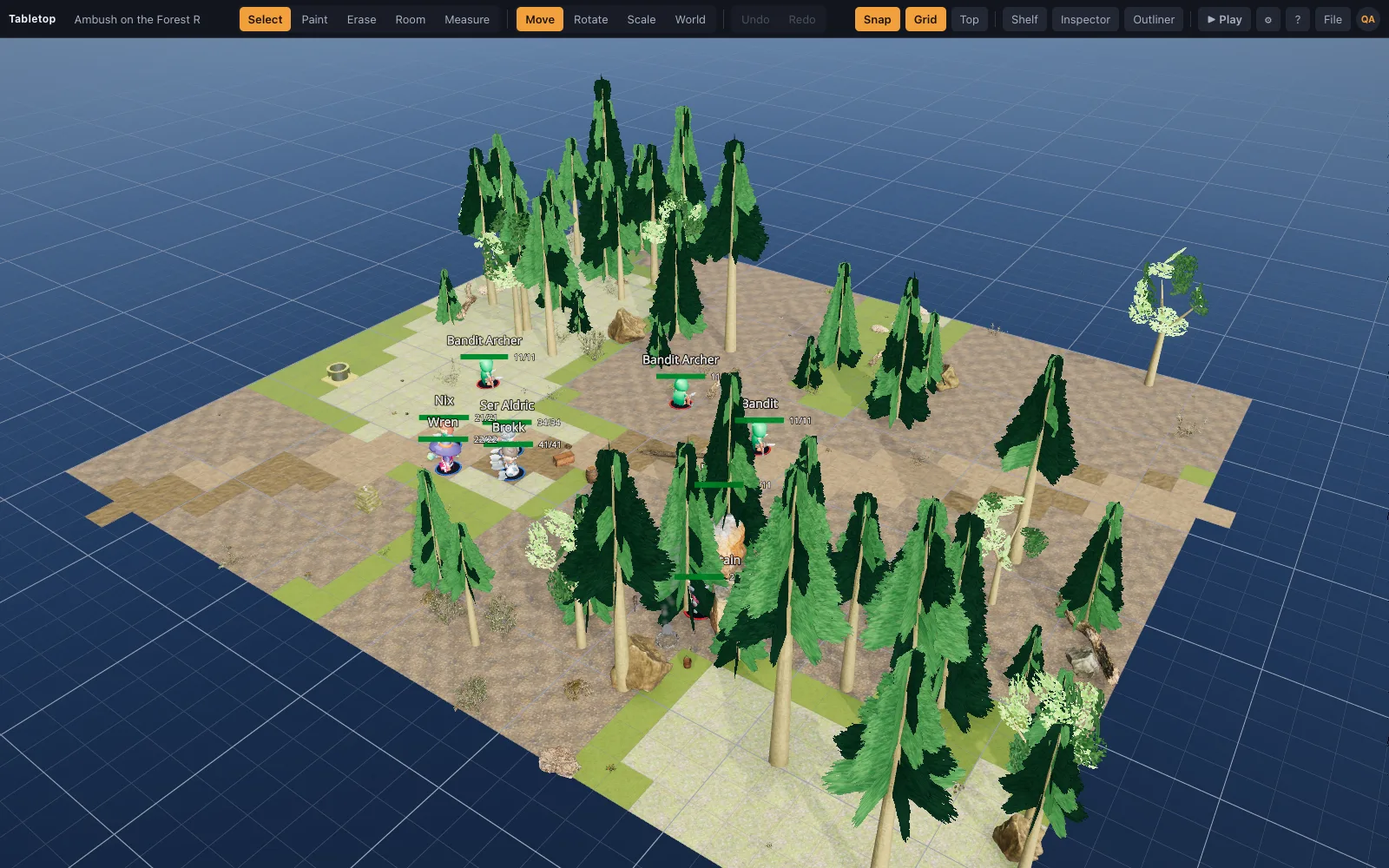
Anything needing rules automation, walls that block vision and per-player fog of war, or a specific module you rely on. TerrainTale trades all of that for speed and a table that looks painted; its shared rooms cover a live remote party, without Foundry's vision and lighting simulation underneath them.
Why people switch from Foundry
Foundry rewards the DM who enjoys building a toolkit: picking modules, keeping them compatible across core updates, and assembling a 3D pipeline from parts not designed together. Some DMs want that. Others want the fight on Saturday to look good without a Friday spent on module compatibility. TerrainTale ships 3D as the only mode, with a library, a builder and a tracker that never need an update to keep working together.
Moving your maps across
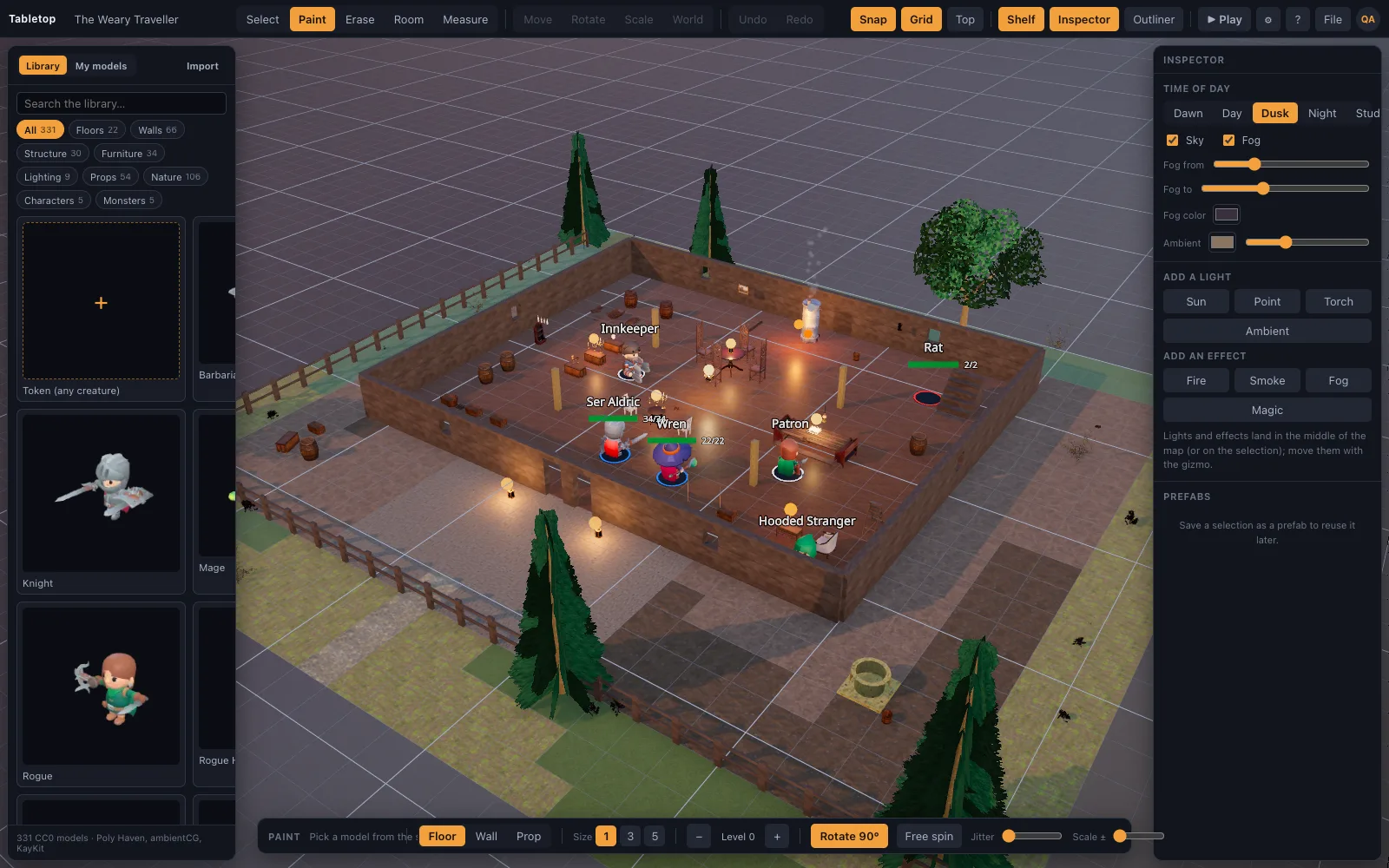
There is no Foundry scene importer; its scene, actor and module data stay in Foundry's own format. Rebuilding is usually faster than it sounds: the room tool drags a floored, walled room with a kit in one motion, the tile brush handles anything irregular, and a scene recipe written by hand or by an AI assistant from a description of the map compiles to grid-correct geometry in one import. Any 3D asset you already collected for Foundry, if it is a .glb, .obj, .fbx or similar file, drops onto the table directly (Premium); a token image becomes a standee the same way.
Questions
Can TerrainTale import Foundry scenes?
No. It has its own scene JSON and recipe formats.
Is there a module API?
No plugin system. The code is open and small enough to change directly.
Does TerrainTale do vision-blocking walls and fog of war like Foundry?
Fog of war, yes: the DM brushes it on and reveals it by hand. Vision-blocking walls, no: walls cast shadows, but there is no automatic line of sight.
Can my Foundry group play remotely in TerrainTale?
Yes, for the map: share a saved scene by link, players sign in and join, and see the table live, dragging their own minis. Rules, sheets and per-system automation stay in Foundry.
Can I bring my own 3D assets from a Foundry module?
Any .glb, .obj, .fbx, .stl or similar model file you have the rights to drops onto the table on Premium, simplified to a detail budget so a heavy file does not stall the scene.
Keep reading
Owlbear Rodeo alternative
Looking for an Owlbear Rodeo alternative with 3D maps? TerrainTale keeps the simplicity (no rules engine, nothing to install) and adds real miniatures, light and height.
TaleSpire alternative
A browser-based TaleSpire alternative: realistic 3D battle maps with photoscanned props, no download or purchase, a free sign-up, and a builder that makes a map in minutes.
3D Virtual Tabletop (3D VTT): Free, in the Browser
A 3D virtual tabletop that runs in a browser tab: realistic battle maps with walls, light and height, painted-miniature figures, a ruler in feet and initiative.
Build with AI
Scene recipes, and how an assistant writes them.
Import Your Own 3D Models Into the VTT
Drop your own .glb, .obj, .fbx, .stl and more onto the table: Meshy, Sketchfab and Blender exports, Draco/meshopt files.
Foundry VTT vs Fantasy Grounds
Foundry VTT vs Fantasy Grounds: two automation-heavy virtual tabletops compared on price, hosting, official content and learning curve.
From the blog
Castle and siege battle maps: gates, walls and the courtyard fight
How to build a castle map that plays well — the gatehouse, the parapet, the killing ground, the postern — and how to run a siege without tracking a hundred soldiers.
· 7 min read
How long is a round in D&D 5e, in the game and at the table
A round in D&D 5e lasts six seconds of game time, so a minute is 10 rounds. How long a round really takes at the table, and practical ways a DM can make it shorter without rushing.
· 5 min read
Lair actions in 5e: what changed in 2024, and how to use the map
How lair actions work in 5e, what the 2024 Monster Manual changed about initiative count 20, and how to write three lair effects that use the terrain on your battle map and move the party.
· 5 min read
All articles on battle maps, grid rules and running the game
Ready to put a map on the table?
Open the builder and start, no account needed. Sixteen starter scenes are on the welcome screen; sign up free when you want to save one or play it with your group.