A 3D virtual tabletop you open in a tab
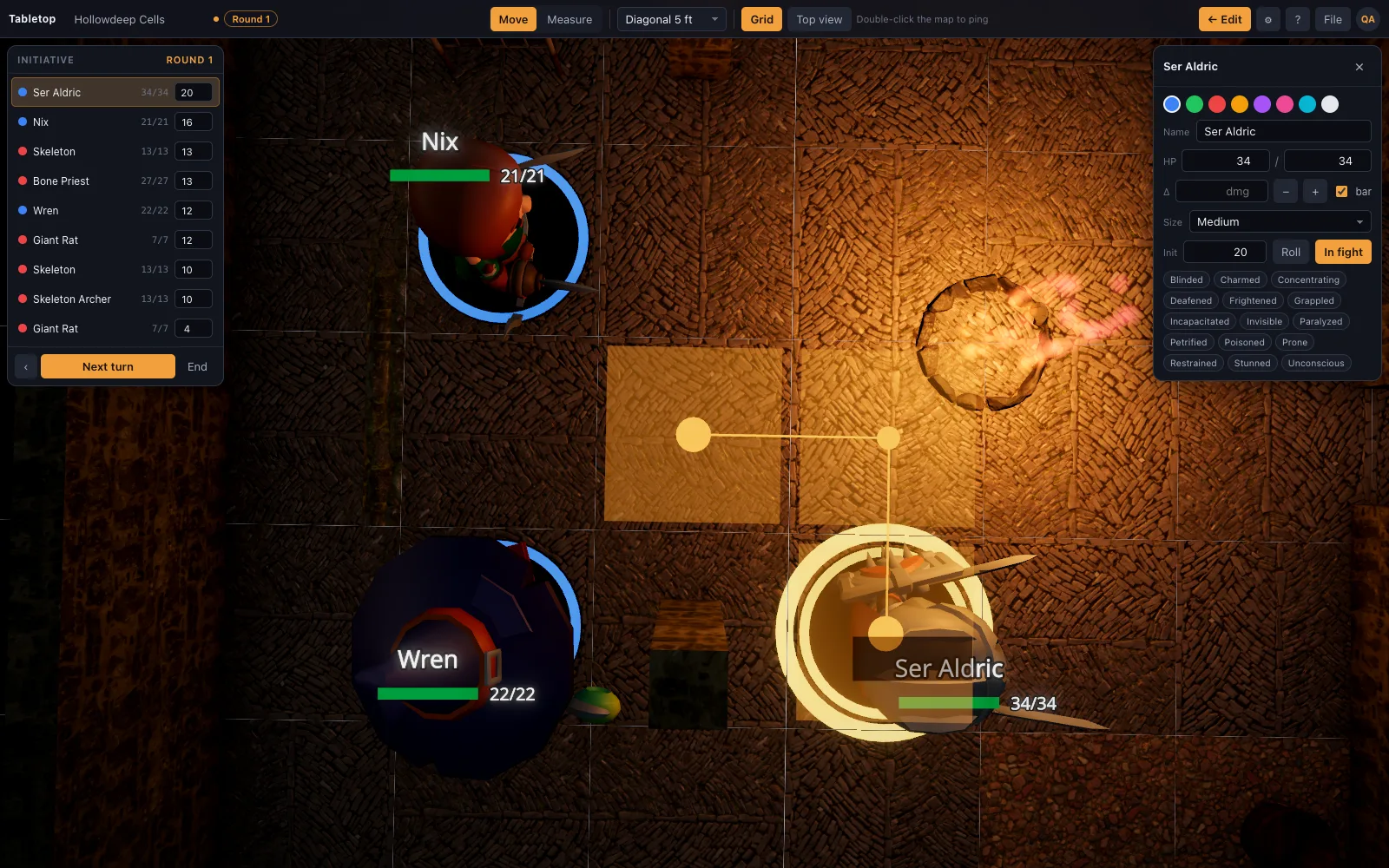
Most 3D VTTs are desktop applications with a price per seat and a stylised look. TerrainTale is a web page: a realistic miniature table with torchlight, height and cover, drag-and-drop minis, a ruler that counts feet, and an initiative tracker. Sign up, open a starter scene, and the fight is on the table in a minute.
What the third dimension changes at the table
A flat map answers "where is everyone". A 3D table answers the questions that make a fight interesting: does the archer on the parapet have line of sight, is the crate cover, how far is the drop from the balcony. The ruler measures between any two points on any surface and reports the height difference alongside the distance, so "30 ft · 10 ft up" is a readout, not a debate.
Light is part of the map. Torches cast real shadows down a corridor, a hearth glows, and one drag of the time-of-day slider moves the sun and turns the same scene from noon to dusk to night.
A browser tab, not a game engine download
Nothing to install and no launcher to keep updated. It runs on macOS, Windows, Linux and ChromeOS in any modern browser with WebGL 2. Rendering quality is picked from the GPU: integrated graphics get a lighter path that still has soft lighting and shadowed minis; discrete GPUs get ambient occlusion, MSAA and 4K shadows.
- No seat licences: one account for the DM, free with one saved scene, Premium for a whole campaign of them
- Scenes save to your account and export as JSON
- Self-hostable as a single Node process
Realistic, and everything fits the grid
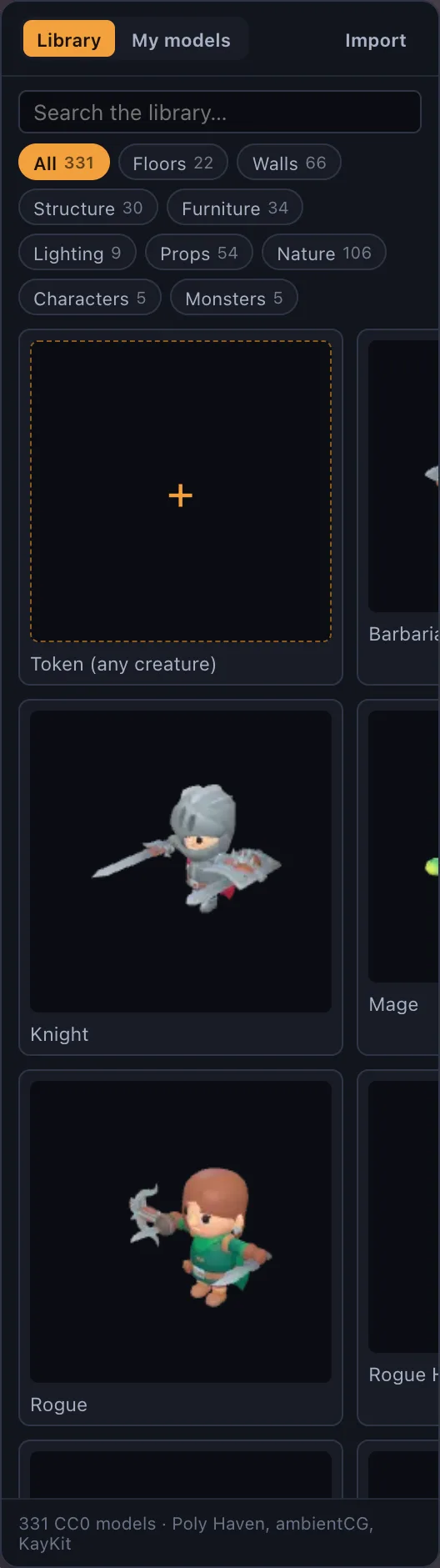
The library is PBR surfaces generated from scanned materials, photoscanned props from Poly Haven, and D&D characters, monsters and furniture made in Meshy, all authored to the same 5-foot cell. A doorway replaces a wall segment and lines up. A Large creature takes two squares by two. Drop your own .glb (Meshy, Sketchfab, Blender) and it is on the table; any image becomes a standee token.
How it sits next to the other 3D tabletops
Each 3D VTT makes a different trade. In general terms, as we understand them at the time of writing:
- TaleSpire: a polished, stylised desktop app with shared boards, paid per player. TerrainTale is realistic, browser-based, free to start, and players never pay.
- Foundry with a 3D module: enormously capable once the module stack is set up and maintained. TerrainTale ships 3D as the only mode with nothing to configure.
- D&D Beyond Sigil: Windows-only and closing at the end of October 2026. TerrainTale runs on any OS and your scenes are JSON you keep.
- Tabletop Simulator: a physics sandbox for any board game. TerrainTale is built around the 5-foot grid, a ruler in feet and a turn tracker.
What it does not do yet
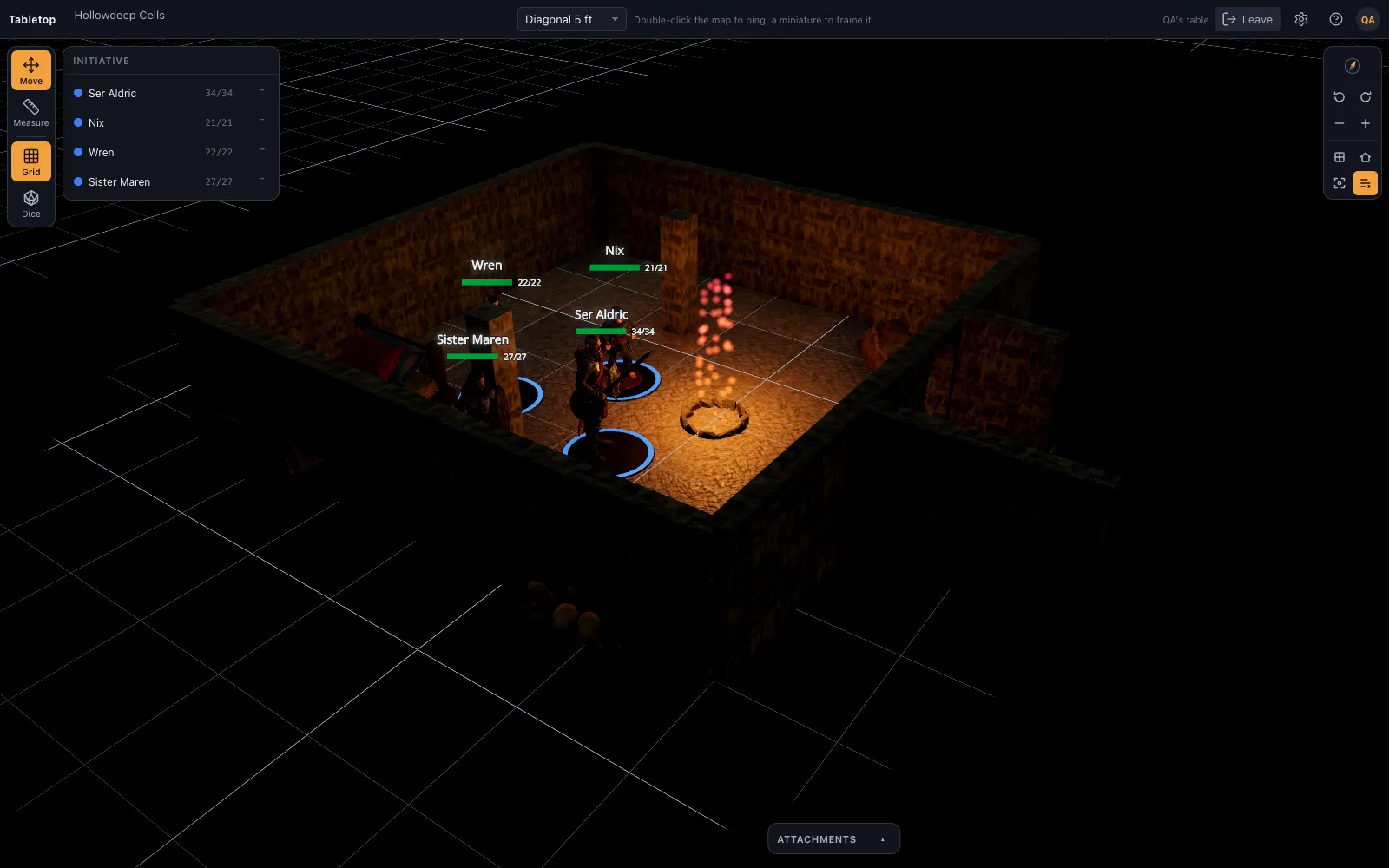
Fog of war is a brush the DM paints, not automatic line of sight, and there is no player-side scene editing and no built-in voice or chat. Shared rooms cover remote play: a link, players sign in, and once let in they see the table live and can drag their own miniatures; the DM still runs everything else. In person, a TV or projector on one screen is still the usual setup.
Questions
What is a 3D virtual tabletop?
A VTT where the battle map is a three-dimensional scene rather than a flat image: walls have height, light casts shadows, minis are models, and distance can include elevation. It replaces the picture-and-tokens map, not the rulebook.
Do players need to install anything?
No. Nothing is installed for anyone; it is a web page. The DM can run it on one screen the group looks at, in person or over a screen share, or share a link so remote players sign in and see the table live on their own devices.
Does it run on integrated graphics?
Yes. Quality tiers are chosen from the GPU. An Intel Iris laptop runs the low tier with lighting and shadowed minis; a discrete GPU adds ambient occlusion, MSAA and 4K shadows.
Can I use it for remote games?
Yes. Share a saved scene by link: players sign in, ask to join, and once let in they see the table live and can drag their own miniatures. There is no voice, video or chat built in, so pair it with a call.
Is it really free?
Sign-up is free and the whole table is included; the free plan keeps one saved scene and builds from the built-in library, and Premium ($6 a month) keeps up to 200 and imports your own models. The library is CC0/CC BY, and the server is open and self-hostable, so a group can run its own copy.
Keep reading
D&D Virtual Tabletop in 3D
A 3D virtual tabletop built for Dungeons & Dragons: realistic battle maps, painted-miniature figures, a ruler in feet, initiative and HP.
3D Battle Maps for Tabletop RPGs
Make 3D battle maps in the browser from a realistic, CC0/CC BY library: PBR floors and walls, photoscanned props, trees and lights.
TaleSpire alternative
A browser-based TaleSpire alternative: realistic 3D battle maps with photoscanned props, no download or purchase, a free sign-up, and a builder that makes a map in minutes.
Sigil alternative
D&D Beyond's Sigil 3D VTT closes at the end of October 2026.
Self-Hosted 3D Virtual Tabletop
Run TerrainTale yourself: one Node process serves the app, the API and the sign-in gate.
Best Virtual Tabletop in 2026: Picks by What Your Table Needs
The best virtual tabletop in 2026, grouped by need: free, automation, beginners, 3D, in-person on a TV, self-hosted and any system.
From the blog
Line of sight rules in 5e: seeing, targeting and corners on a battle map
How line of sight works in 5e on a battle map: what blocks a target, obscurement versus cover, corners and pillars, the corner method from the DMG, and judging it from a token's eye level.
· 5 min read
Sigil is shutting down. Here is what to do before the end of October
D&D Beyond's Sigil 3D VTT closes at the end of October 2026. A practical checklist: what to save, what cannot be exported, and how to rebuild your maps in a browser-based 3D tabletop.
· 6 min read
3D vs 2D battle maps: what actually changes at the table
Where a 3D battle map earns its keep (height, cover, reading a room at a glance) and where a flat map is still the right answer. A practical comparison, not a graphics argument.
· 7 min read
All articles on battle maps, grid rules and running the game
Ready to put a map on the table?
Open the builder and start, no account needed. Sixteen starter scenes are on the welcome screen; sign up free when you want to save one or play it with your group.