Miniatures you do not have to paint, store or carry
A box of painted minis is a joy and a hundred hours. Digital miniatures give the table the same thing, a figure that stands in a square and shows who is who, at no cost and with no shelf. TerrainTale ships realistic 3D minis and standee tokens, and on Premium turns any picture into a standee and takes your own models.
Painted minis in the library
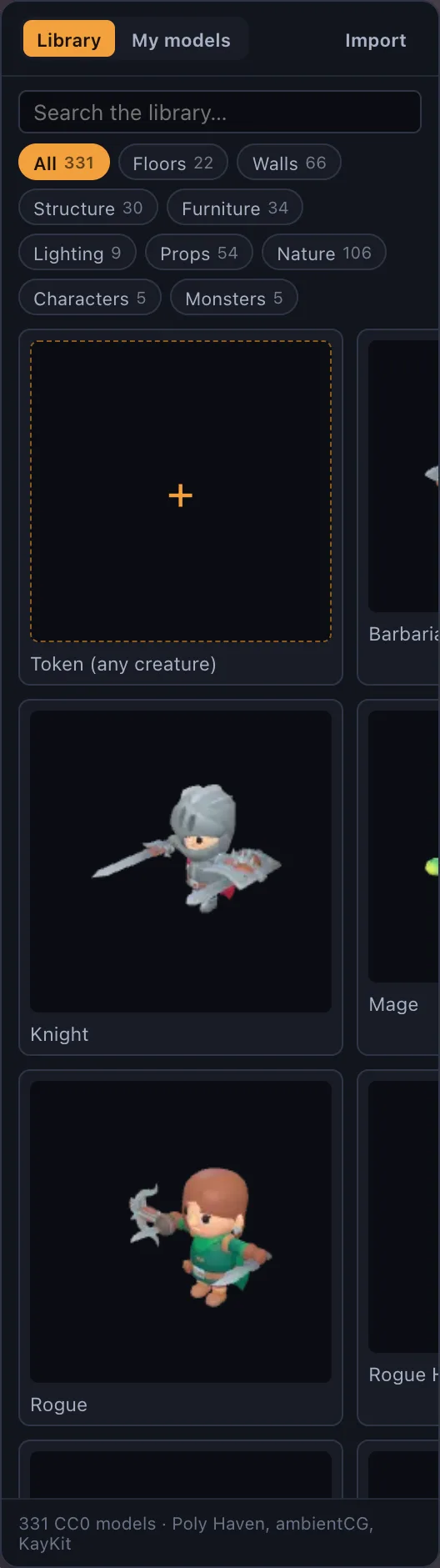
The built-in minis are realistic textured models TerrainTale made in Meshy, in one dark-fantasy art direction: a full party (fighter, cleric, ranger, druid, bard, warlock, monk, sorcerer, a dwarf, an elf, a halfling and a tiefling), a dozen low-CR monsters (goblins, kobolds, orcs, a bugbear, a gnoll, wolves, a zombie, a ghoul, a giant spider) and the heroes of the Abyssal Gate. Each stands at its D&D size against the five-foot cell, like a painted miniature on a base. Mark a library model as a mini and it gets a base, a name, HP and a place in initiative.
Any image is a standee
For the creature with no model, drop an image on the window and it becomes a standee token: a flat picture on a base that always faces the camera, the way a cardboard pawn does. Monster art from the book, a character portrait, a photo of a physical mini, a doodle on a napkin. It is how most tables fill out the monster manual without buying anything.
Your own models
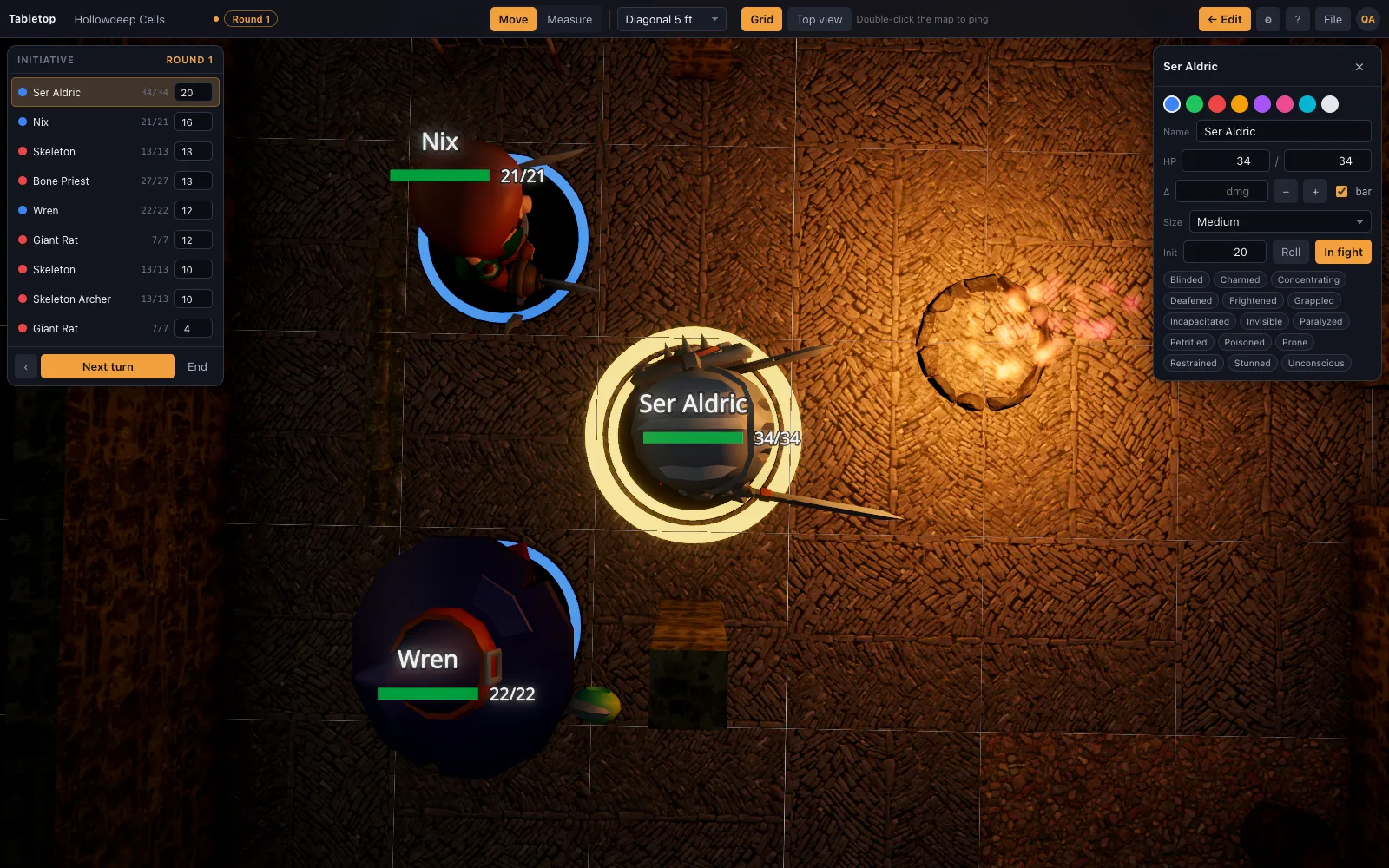
On Premium, drop any .glb on the window and it is on the table, Draco and meshopt compression included. Meshy generations, Sketchfab downloads, Blender exports and models converted from a printed mini's STL all work. Set its size to Small, Medium, Large or bigger and it occupies the right number of squares.
Readable from across the table
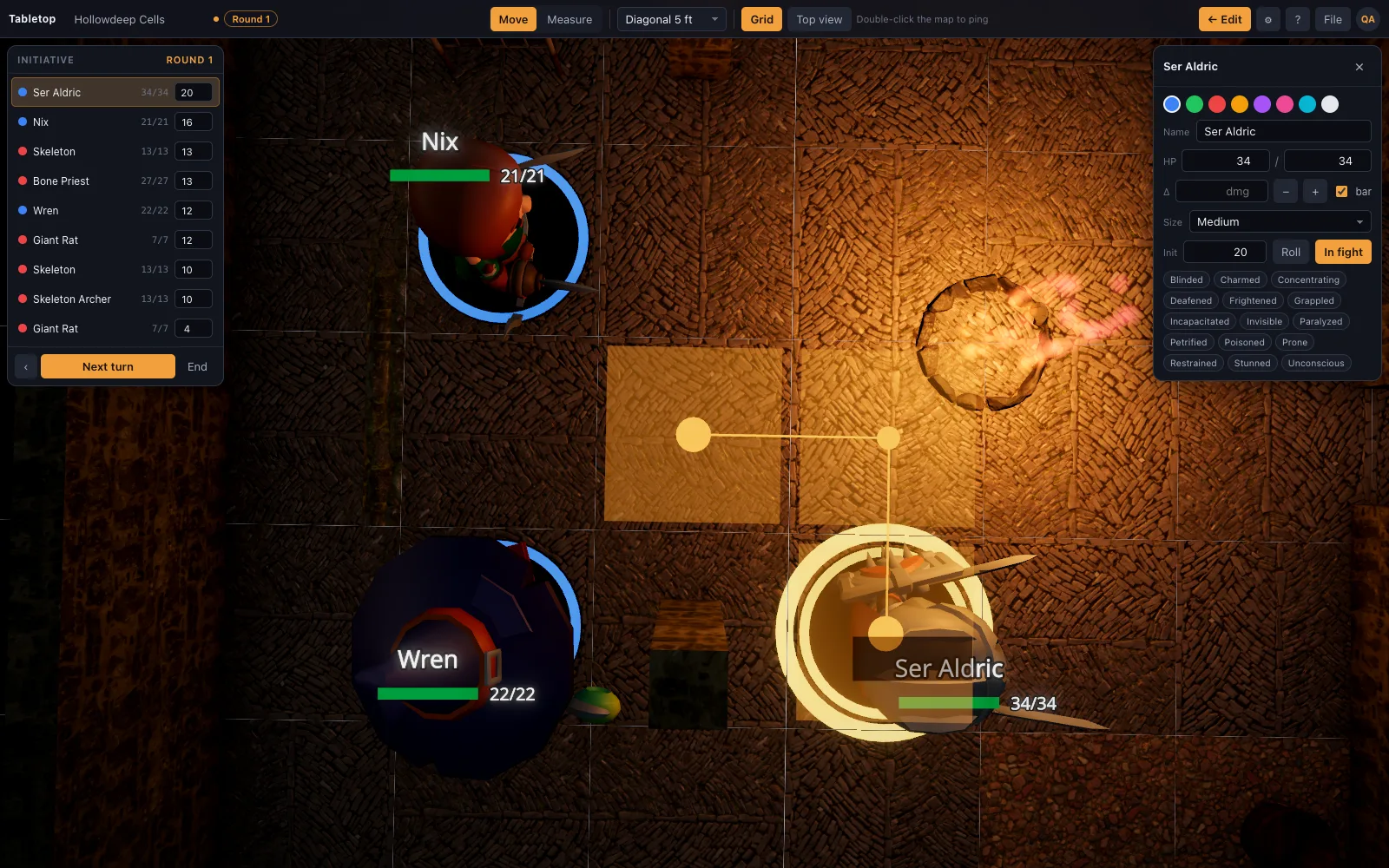
Base rings in ally, hostile and neutral colours; a name and HP beside the mini; a glow on whose turn it is; a size that takes the right footprint, so a Large ogre really does fill two squares by two. Dragging a mini shows the ruler, so movement is measured as it happens.
Digital map, physical minis
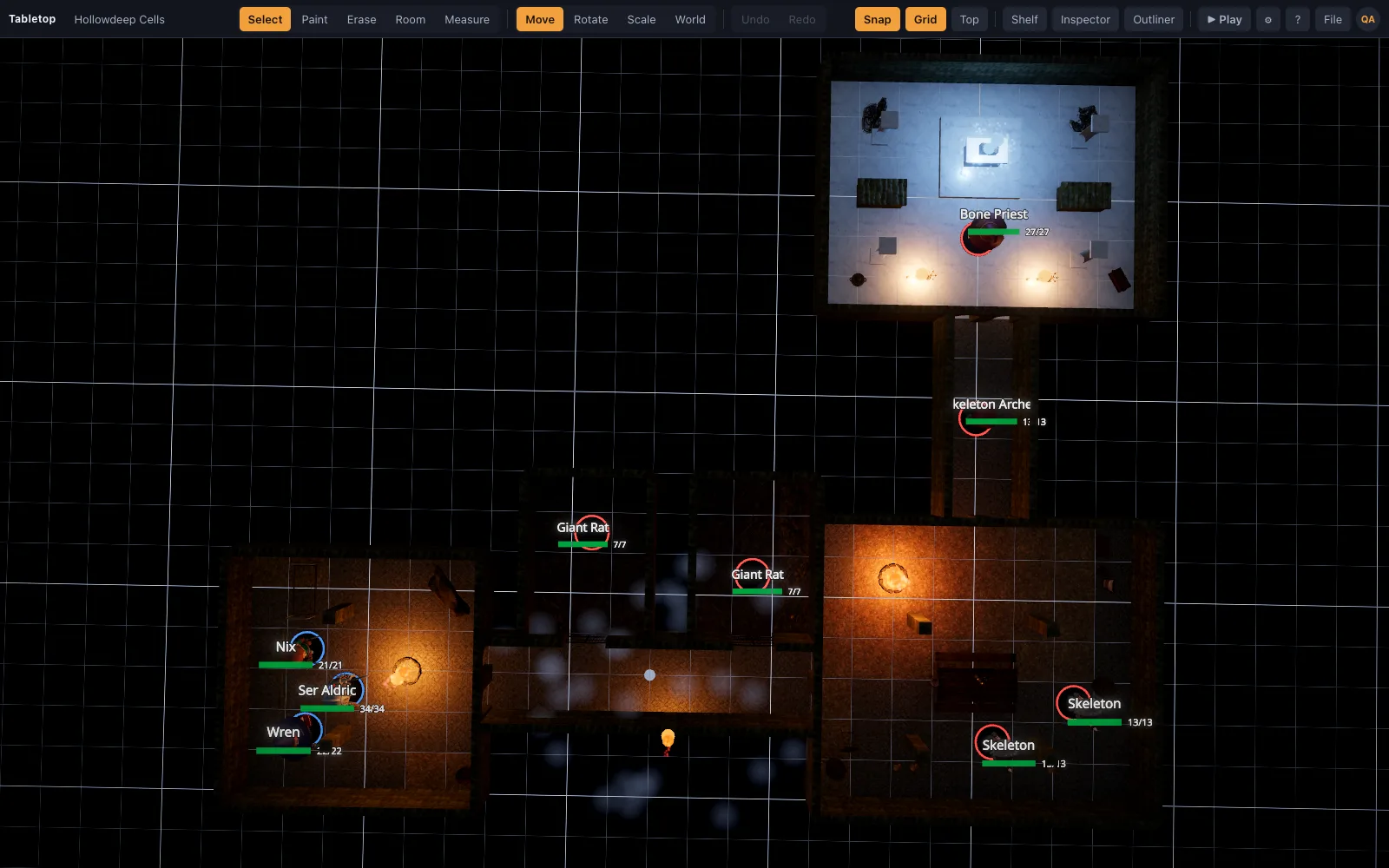
Groups who love their painted minis use the map on a TV lying flat and put the real figures on the screen. The top-down view with the grid on is a lit, textured battle mat; the digital minis stay in the box for the monsters nobody owns.
Questions
Are the miniatures free?
The library minis are: an adventuring party, low-CR monsters and the Abyssal Gate heroes, all made in Meshy and free on every plan; so are silhouette standee tokens. Your own pictures as portraits and .glb import are Premium.
Can I use my Hero Forge character?
On Premium, as a standee token from the free screenshot, or as a 3D model if you convert a purchased STL. There is a page on Hero Forge specifically.
Are imported models animated?
Library minis are static, like painted miniatures. An imported .glb (Premium) plays its own animation if it has one, and stands still if it does not.
How do I make a monster token?
Drop any image (art from the book, a portrait) onto the window and set the size. It becomes a standee with a base.
How many minis can be on the table?
A normal encounter, a dozen or two, runs fine on integrated graphics. Very large battles depend on your GPU.
Keep reading
Hero Forge Minis in a VTT: Use Your Character on a 3D Table
How to get a Hero Forge character onto a virtual tabletop: the PNG screenshot as a standee token or a purchased STL as a full 3D mini (both Premium), and what Hero Forge actually exports.
The library
Realistic, CC0/CC BY, and all on one grid.
3D Virtual Tabletop (3D VTT): Free, in the Browser
A 3D virtual tabletop that runs in a browser tab: realistic battle maps with walls, light and height, painted-miniature figures, a ruler in feet and initiative.
Import Your Own 3D Models Into the VTT
Drop your own .glb, .obj, .fbx, .stl and more onto the table: Meshy, Sketchfab and Blender exports, Draco/meshopt files.
D&D Initiative Tracker on the 3D Table
An initiative tracker that lives on the same 3D map as your minis: turn order, a round counter, HP with damage and heal buttons, conditions, size, and hostile/ally/neutral rings — no separate app.
Token maker
Turn any picture into a round token for Roll20, Foundry, Owlbear Rodeo or TerrainTale: crop, zoom, pick a ring colour, download a PNG.
From the blog
Moving through allies and enemies in D&D 2024
Can you move through an ally's space in 5e, or past an enemy? The 2024 rules for creature spaces, the size exception, why it costs double and where you cannot stop, square by square.
· 5 min read
Creature sizes on a grid: how many squares each token takes
Tiny to Gargantuan, in squares: the space each D&D creature occupies on a 5-foot grid, what reach means for a Large monster, how squeezing works, and how to size tokens in a VTT.
· 6 min read
Flanking in 5e: how the optional rule works and whether your table should use it
The DMG's optional flanking rule explained: what counts as opposite sides on a square grid, why it hands out advantage too freely, and the alternatives DMs use instead.
· 6 min read
All articles on battle maps, grid rules and running the game
Ready to put a map on the table?
Open the builder and start, no account needed. Sixteen starter scenes are on the welcome screen; sign up free when you want to save one or play it with your group.