How to put a D&D map on a TV (and what it costs)
A screen on the table is the biggest upgrade an in-person group can make, and it is cheaper than a shelf of terrain. This is the practical guide: which hardware setups work, what drives them, how to scale the grid to your miniatures, and how to run the fight on a free 3D map in a browser.
Three setups that work
In order of cost and commitment:
- A laptop or a monitor on the table: zero build, works tonight. A 27-inch monitor lying flat under a sheet of acrylic is the sweet spot for a four-player fight.
- A TV in the table: a 40- to 43-inch TV flat in a frame or a cut-out, with tempered glass or acrylic on top so minis and elbows are safe. The classic digital game table.
- A projector: mounted above the table, pointed down at a white mat. Any table size, minis cast no shadows on the map from below, and the room lights need to be low.
Drive it from anything with a browser
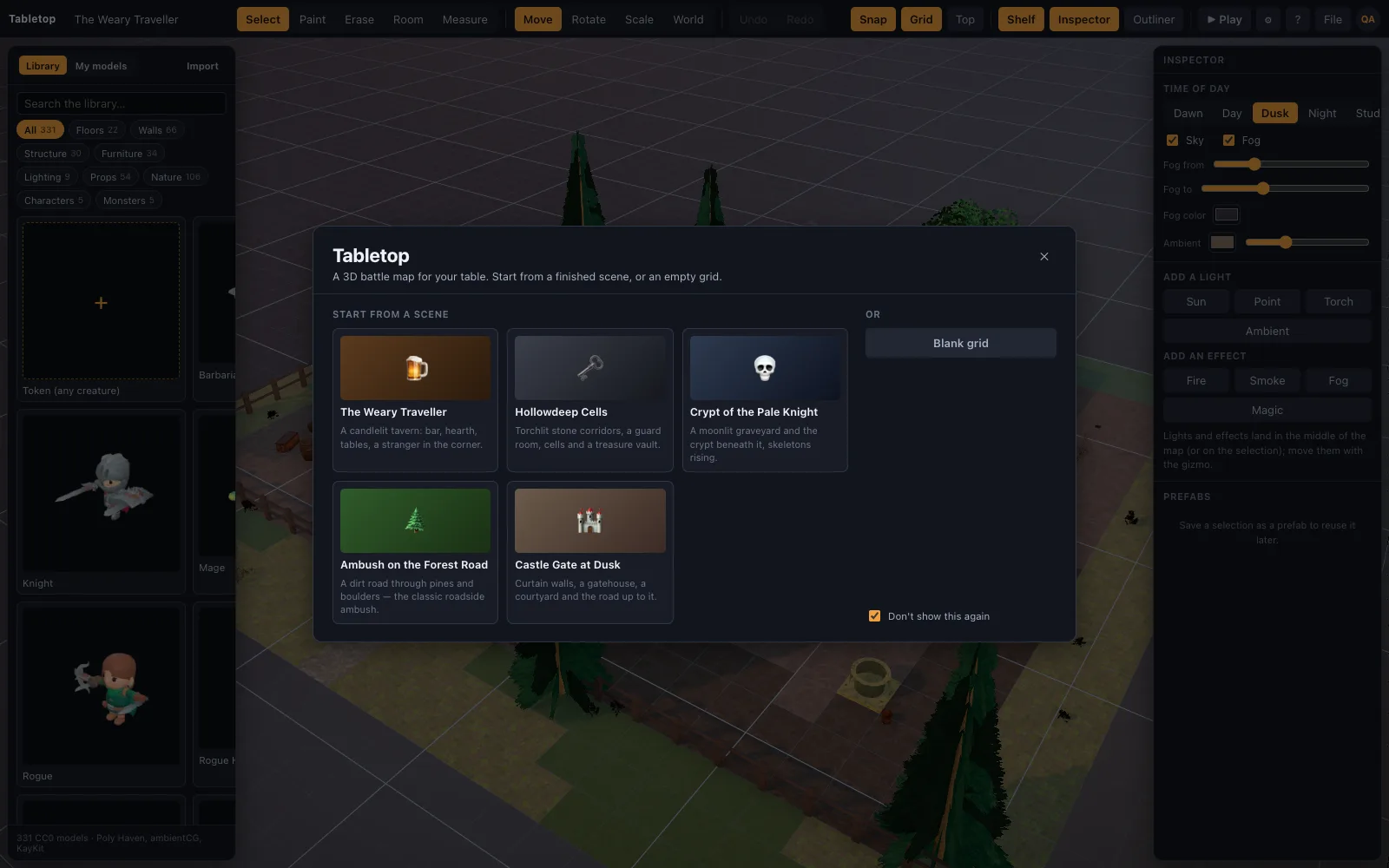
TerrainTale runs in a browser tab, so the computer can be whatever you have: the DM's laptop over HDMI, a Chromebook, a mini PC velcroed under the table. There is nothing to install and no launcher to update. The renderer picks a quality tier from the GPU, so integrated graphics still get soft lighting and shadowed minis; a discrete card adds shadows at 4K and ambient occlusion.
Match the grid to your minis
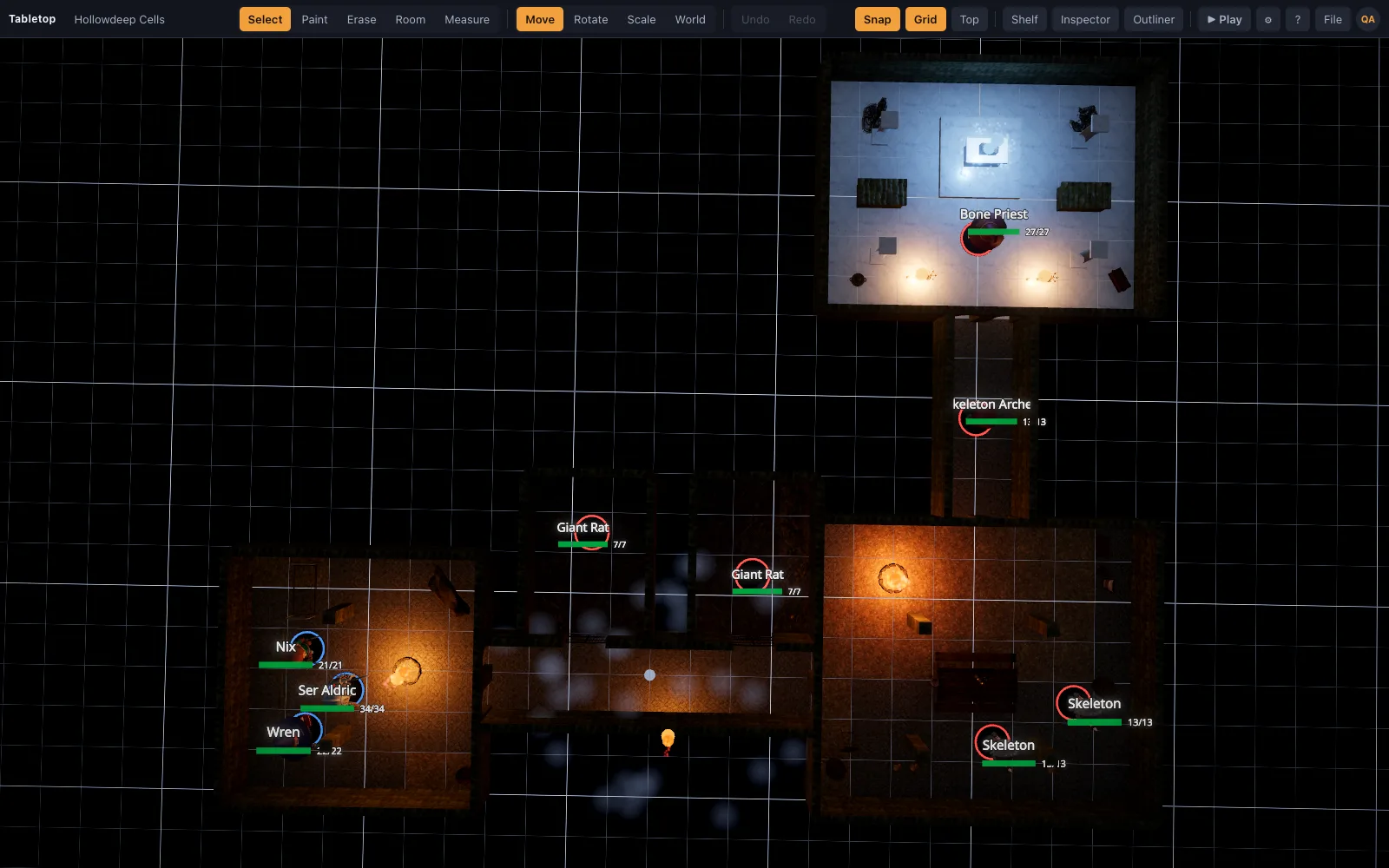
Switch to the top-down view, turn the grid on, and zoom until one square measures one inch on the screen (a ruler against the glass takes ten seconds; note the zoom for next time). Physical 28 mm minis now sit in their squares on a lit, textured map, and the digital ruler still works for distances. Groups that mix real and digital minis put the players' painted figures on the glass and use library minis for the monsters.
Light the room, not the screen
A screen at full brightness under a bright ceiling light washes out; a screen at moderate brightness in a dim room glows like a painted table. A scene's torches and hearths do the mood; the room's lamps do the reading of character sheets. A matte acrylic top reduces glare and fingerprints.
Run the fight
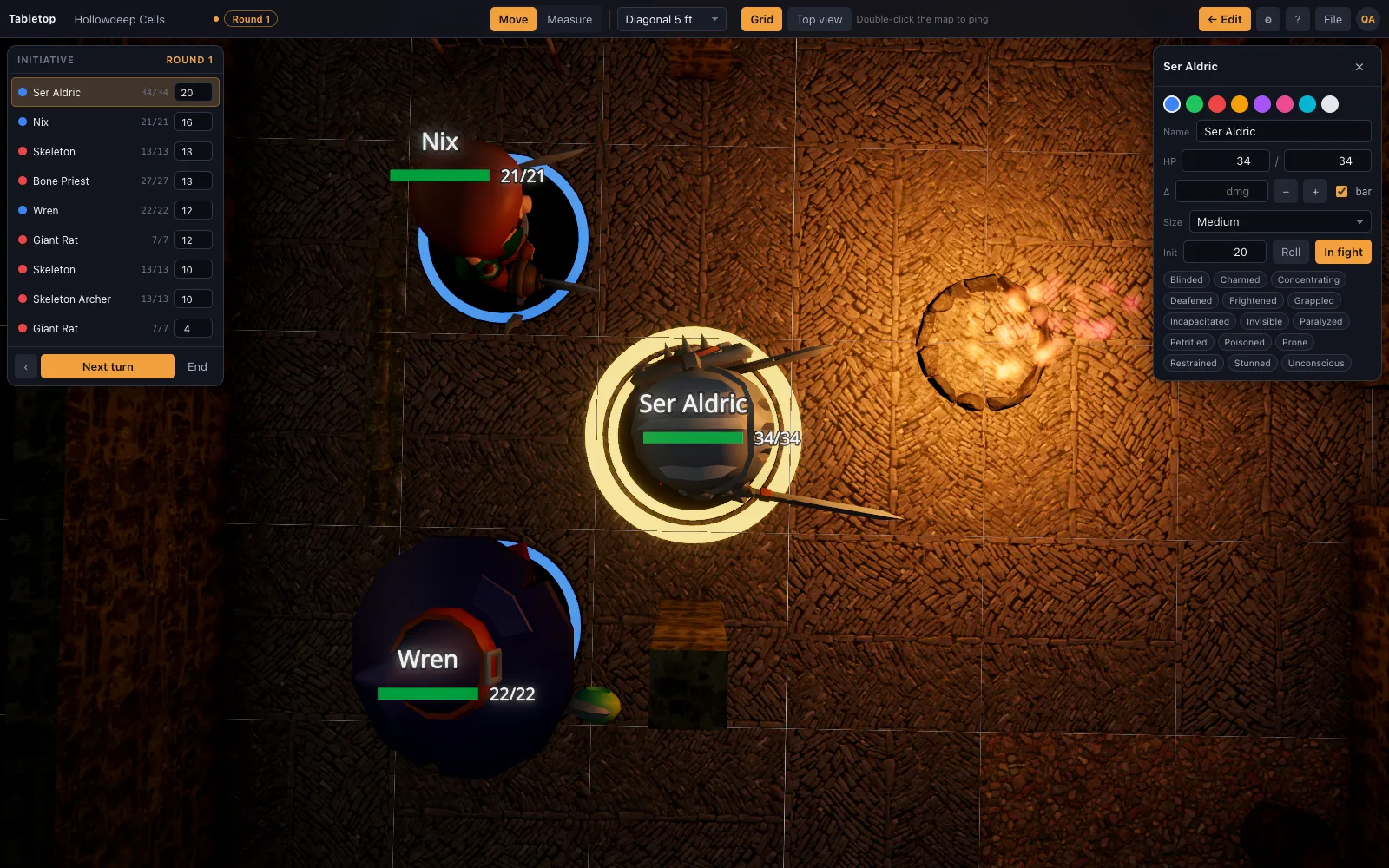
Press P for play mode and the editor disappears: the map, Move and Measure, the grid toggle, the top-down view and the initiative tracker are all that is left, so a player leaning over the table cannot bump the scene. Names and HP sit beside the minis in large type, and a double-click pings a spot. Between fights, switch to the perspective camera and let the table look at the place they are standing in.
Questions
What size TV for a D&D table?
40 to 43 inches flat gives a roughly 30-by-20 square grid at one inch per square, which covers most encounters. Bigger is nicer; a 27-inch monitor is fine for four players.
Do I need a touchscreen?
No. The DM moves minis with a mouse or trackpad; there is no mini detection, and a touchscreen adds nothing the table needs.
Does it need an internet connection?
The app loads from the web, then runs in the tab; scenes are stored in the browser. A phone hotspot is plenty.
Can I use physical minis on the screen?
Yes. The top-down view with the grid on is a lit battle mat; scale one square to one inch and set the minis on the glass.
What does the software cost?
Nothing. TerrainTale is free to build and play on; the hardware is whatever screen you already own.
Keep reading
A Virtual Tabletop for In-Person Games
Use a 3D virtual tabletop on a TV or projector for in-person D&D: top-down view, big grid, drag miniatures, measure in feet, run initiative.
Arkenforge alternative
An Arkenforge alternative for in-person D&D on a TV or projector: a 3D battle map with real light and height on the table, free, in the browser, on any OS.
Play D&D with Friends: Start a Group and Run Your First Night
How to get a D&D group going with friends: who runs it, what to buy (almost nothing), a first adventure, a schedule that survives adult life, and a free 3D battle map for the first fight.
Starter scenes
Sixteen finished battle maps with real screenshots.
From the blog
Running a D&D map from a ceiling projector instead of a TV
A projector aimed down at the table skips the size limit of a TV. Mounting height and throw distance, keeping the room dim without losing character sheets, and the mat it needs underneath.
· 5 min read
Lighting and vision: making darkness do tactical work
Bright, dim and darkness as game mechanics rather than mood — plus darkvision, light sources with real range, and how to light a map so players walk where you want them to.
· 6 min read
Using a virtual tabletop on a TV at an in-person game
A flat TV, a laptop and one HDMI cable gets you a digital battle map for a table that meets in person. Screen size, viewing angle, scale, glare and the settings that make it readable.
· 6 min read
All articles on battle maps, grid rules and running the game
Ready to put a map on the table?
Open the builder and start, no account needed. Sixteen starter scenes are on the welcome screen; sign up free when you want to save one or play it with your group.