The DM's tools for a fight, without the pile of tabs
A typical DM runs combat across a map tool, an initiative tracker, a monster page and a notes document, alt-tabbing between them while six people wait. TerrainTale folds the table-side part into one screen: the map, who is up, how hurt they are, how far it is, and a way to point at things.
Build the encounter in minutes, not the night before
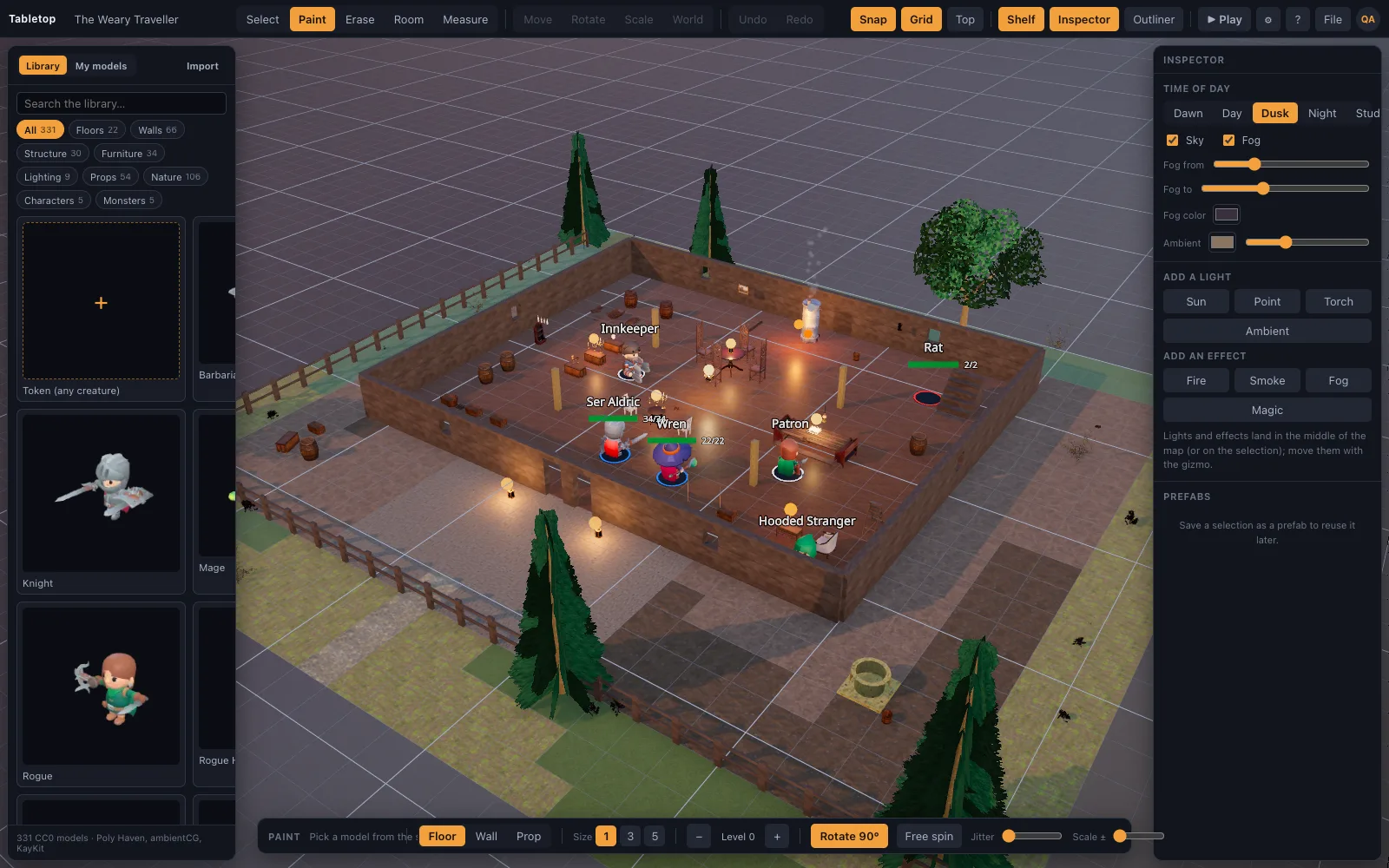
The room tool drags out a floored, walled room; the tile brush paints floor and wall materials; the shelf drops in doors, crates, torches, gravestones and minis, all snapped to the five-foot grid. Sixteen finished starter scenes (a tavern, a dungeon, a crypt, a forest road, a castle gate, a market town, a cemetery in a storm and more) cover the fights a first campaign actually has. Duplicate one, move a few walls, and the encounter you improvised is on the table before the players finish arguing about marching order.
Run it: initiative, HP, conditions
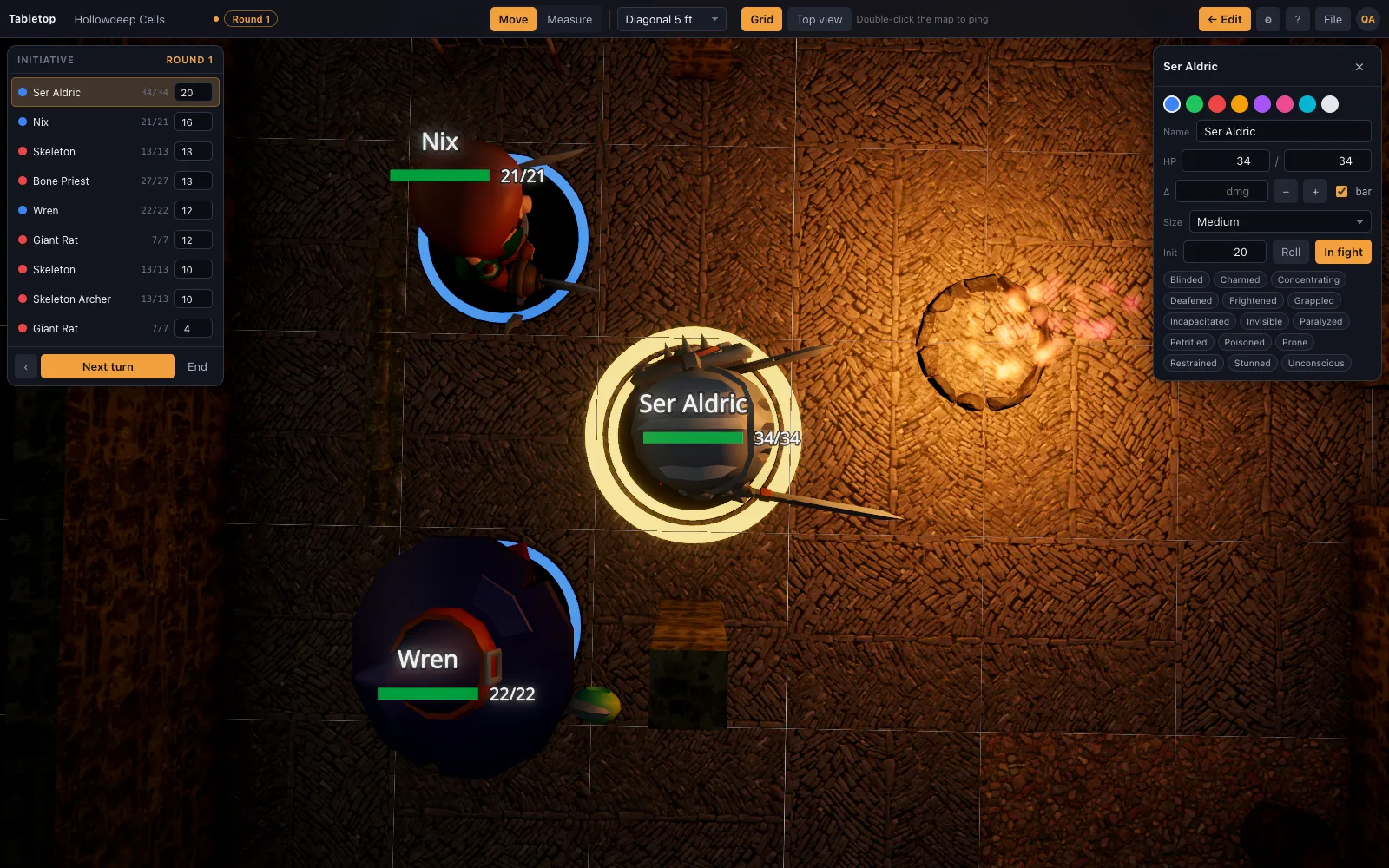
The initiative tracker lists every mini in order with a round counter; the mini whose turn it is glows on the map. Each mini has a card with HP, a damage and heal field, a size, and conditions you toggle as chips. Base rings show ally, hostile and neutral at a glance, and names and HP sit next to the mini so players can read the fight from across the table.
Measure and point
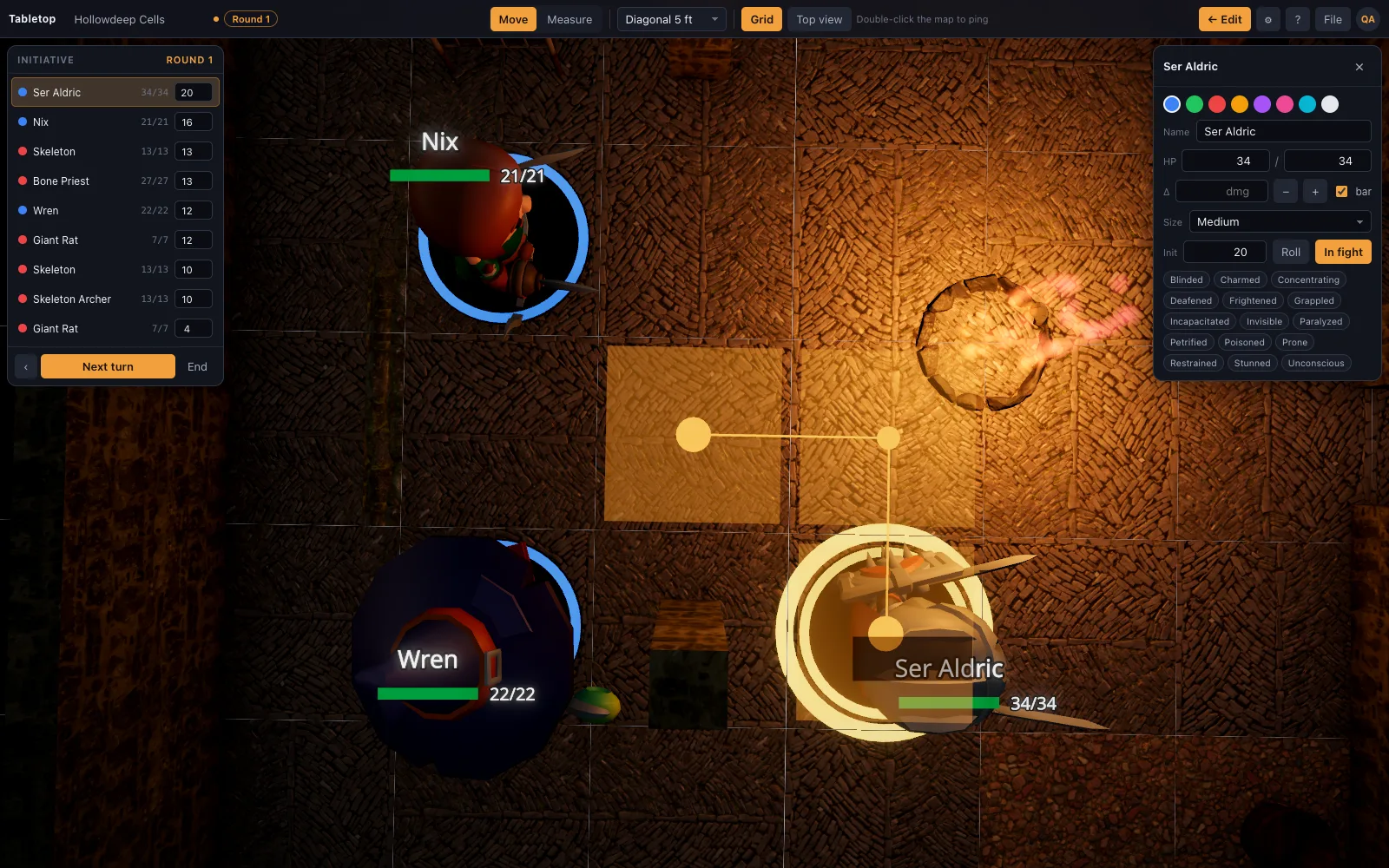
The ruler counts squares and reports feet with your table's diagonal rule (5e, 5/10/5 or true distance), follows waypoints round corners, and reports height alongside distance, so the archer on the wall is "30 ft · 10 ft up" rather than a discussion. Double-click pings a spot so everyone is looking at the same crate.
Prep with an AI assistant
Scene recipes are a small JSON format an AI assistant can write from a sentence ("a ruined shrine in a swamp with a collapsed roof"). Import the recipe and the app expands it into grid-correct floors, walls and props. It is the fastest way to turn a session's prep notes into maps.
What it leaves to your other tabs, on purpose
No monster stat blocks, no character sheets and no encounter-difficulty calculator, and no dice automation — nothing here rolls an attack from a stat block or applies its result for you. It does have a dice tray (d4-d20, notation like "2d6+3", advantage/disadvantage) that throws physics dice everyone at the table sees, but adjudicating what a roll means is still on you. Stat blocks, sheets and CR math live in the books and the tools you already use, and they change with every edition. TerrainTale is the table itself, so it pairs with any of them and replaces none of them.
Questions
Does it include an encounter builder or CR calculator?
No. Build the encounter's difficulty in your usual tool; build its map here.
Can I save encounters for later?
Yes. Scenes save in your browser and export as JSON, minis and initiative included, so a prepared fight is a file you open on the night.
Does it roll dice?
Yes — a built-in tray (d4-d20, notation like "2d6+3", advantage/disadvantage) throws physics dice everyone at the table sees. What it doesn't do is roll automatically from a stat block or apply the result for you; you still read the dice and update HP and conditions yourself.
Will it run on my laptop?
Any modern browser with WebGL 2. Integrated graphics run the low quality tier, which still has lighting and shadows on the minis.
Is it free for DMs?
Yes, with one saved scene and the built-in library; Premium ($6 a month) keeps up to 200 scenes and imports your own models. Play mode is the same on both plans, and the library is CC0/CC BY.
Keep reading
Battle Map Maker: Build a Map in Minutes
A fast battle map maker in the browser: drag a room, paint tiles, drop props and lights, then play on the same map with miniatures, a ruler and initiative.
Build with AI
Scene recipes, and how an assistant writes them.
Stat block generator
Describe a monster or NPC in a sentence and get a complete D&D 5e stat block in the 2024 Monster Manual format: AC, HP, saves, attacks, CR and XP, with the math checked.
D&D Virtual Tabletop in 3D
A 3D virtual tabletop built for Dungeons & Dragons: realistic battle maps, painted-miniature figures, a ruler in feet, initiative and HP.
D&D Initiative Tracker on the 3D Table
An initiative tracker that lives on the same 3D map as your minis: turn order, a round counter, HP with damage and heal buttons, conditions, size, and hostile/ally/neutral rings — no separate app.
From the blog
Lair actions in 5e: what changed in 2024, and how to use the map
How lair actions work in 5e, what the 2024 Monster Manual changed about initiative count 20, and how to write three lair effects that use the terrain on your battle map and move the party.
· 5 min read
Invisible creatures on a grid: the 2024 rules and how to run them without cheating
The D&D 2024 rules for invisible creatures on a battle map: advantage and disadvantage, guessing a square, why invisible is not hidden, and how to track an unseen enemy on the grid fairly.
· 5 min read
Improvised weapon damage in D&D 2024: the 1d4 default and what the environment does
Improvised weapon damage 5e rules for 2024: the 1d4 default, when a table leg counts as a club, proficiency and Tavern Brawler, and sensible damage for boiling oil, falling masonry and the fire pit.
· 6 min read
All articles on battle maps, grid rules and running the game
Ready to put a map on the table?
Open the builder and start, no account needed. Sixteen starter scenes are on the welcome screen; sign up free when you want to save one or play it with your group.