The battle map, without the rules engine
Fantasy Grounds is built around automation: licensed rulesets, character sheets that roll for you, effects that track themselves. TerrainTale goes the other way. It is a 3D table with real miniatures, a ruler in feet and a turn tracker, and the rules stay with the DM and the books.
Side by side
| Topic | TerrainTale | Fantasy Grounds |
|---|---|---|
| Install | Runs in the browser | Desktop application to download |
| The map | A 3D scene built from a realistic library, lit and shadowed | Image maps with tokens, lighting and line of sight |
| Rules automation | None, by design | Deep, per licensed ruleset |
| Character sheets | None; use paper or your usual tool | Built in and automated |
| Combat tracking | Initiative, HP, conditions, movement per turn | Combat tracker tied to sheets and effects |
| Measuring | Feet with diagonal rule, waypoints and height | Grid measuring on the map |
| Fog of war | Yes: a brush the DM paints; players are never sent what it hides; no automatic line of sight | Yes, with line of sight |
| Remote play | Shared rooms by link, players join in the browser | Yes, players connect to the host |
| Pricing | Free plan with one saved scene; Premium $6/month or $48/year | Software free since November 2025; licensed content is bought separately |
| Learning curve | Minutes | Considerable, especially for the DM |
Fantasy Grounds is a trademark of its owners and is not affiliated with TerrainTale. Feature notes describe the other product in general terms as we understand it at the time of writing; check its site for current details.
Less machinery, more table
Automation is a real benefit when a table wants it, and a cost when it does not: every effect has to be entered, every sheet maintained, every update tested. TerrainTale keeps only the parts of combat that a map has to know about: who is where, how far they moved, whose turn it is, how much HP is left.
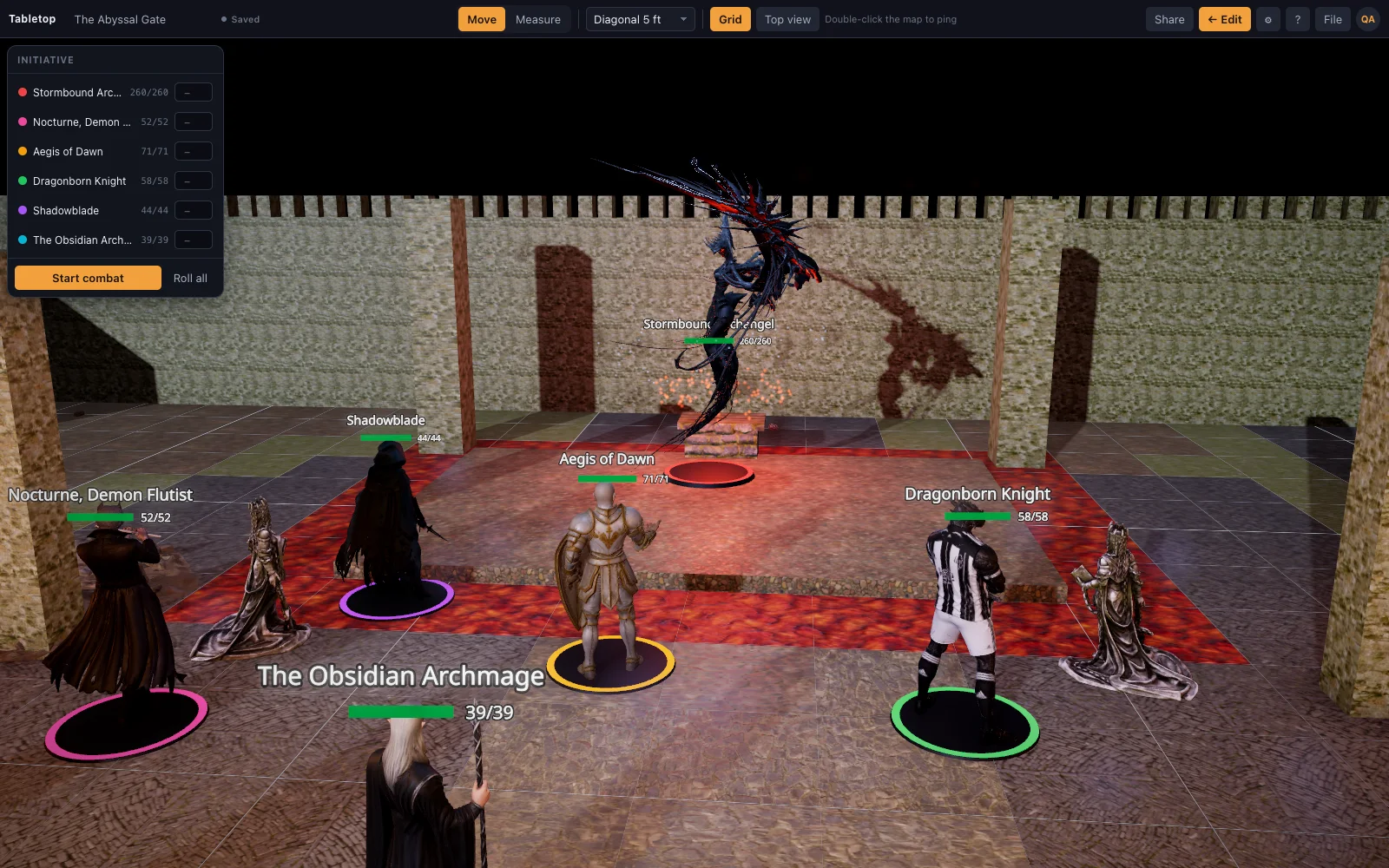
A map players lean in to look at
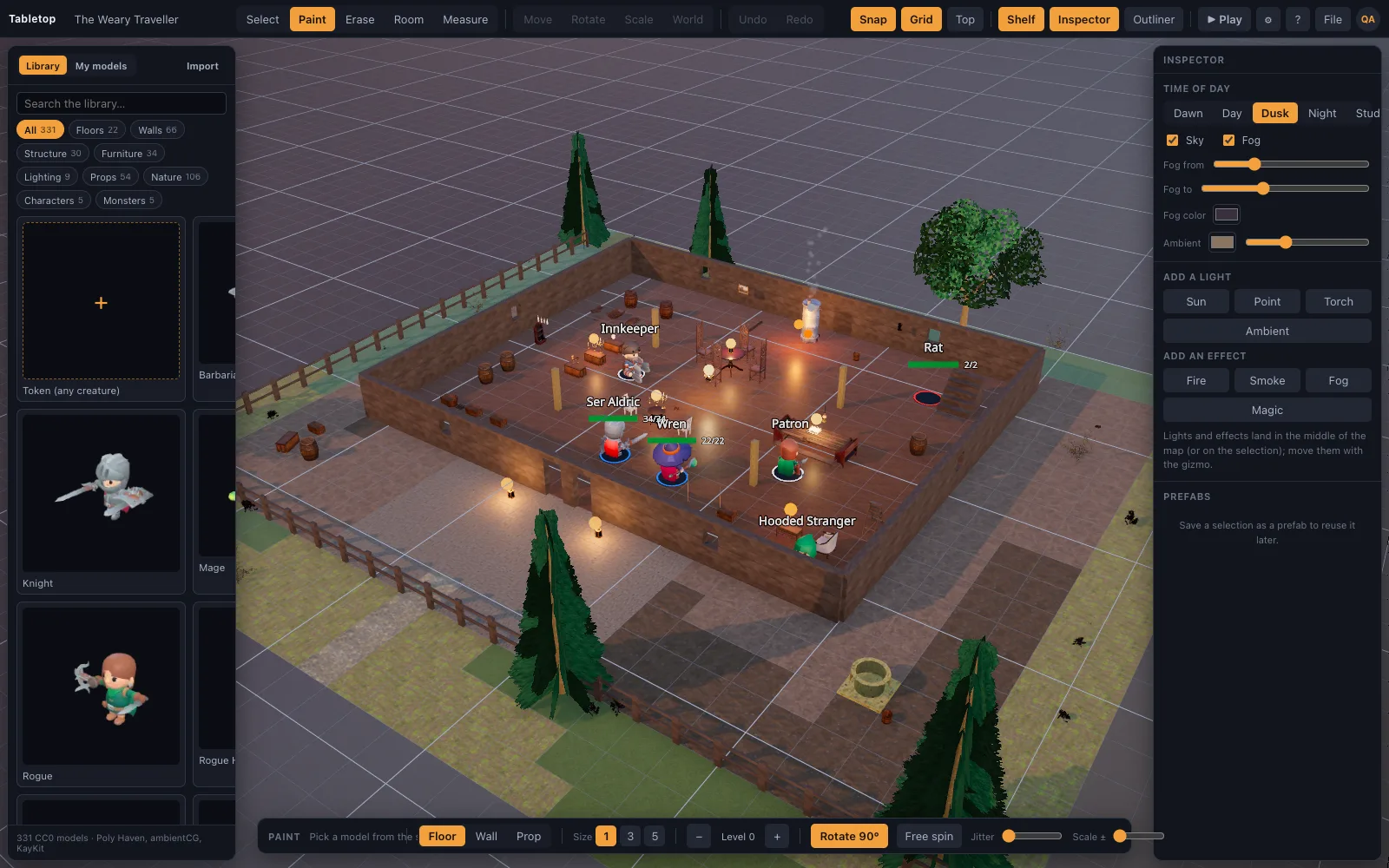
Walls with height, torches that throw light into a room, a sun that casts shadows across a courtyard. The room tool and the tile brush build a floored, walled space in a few drags, and the shelf dresses it with realistic props and miniatures.
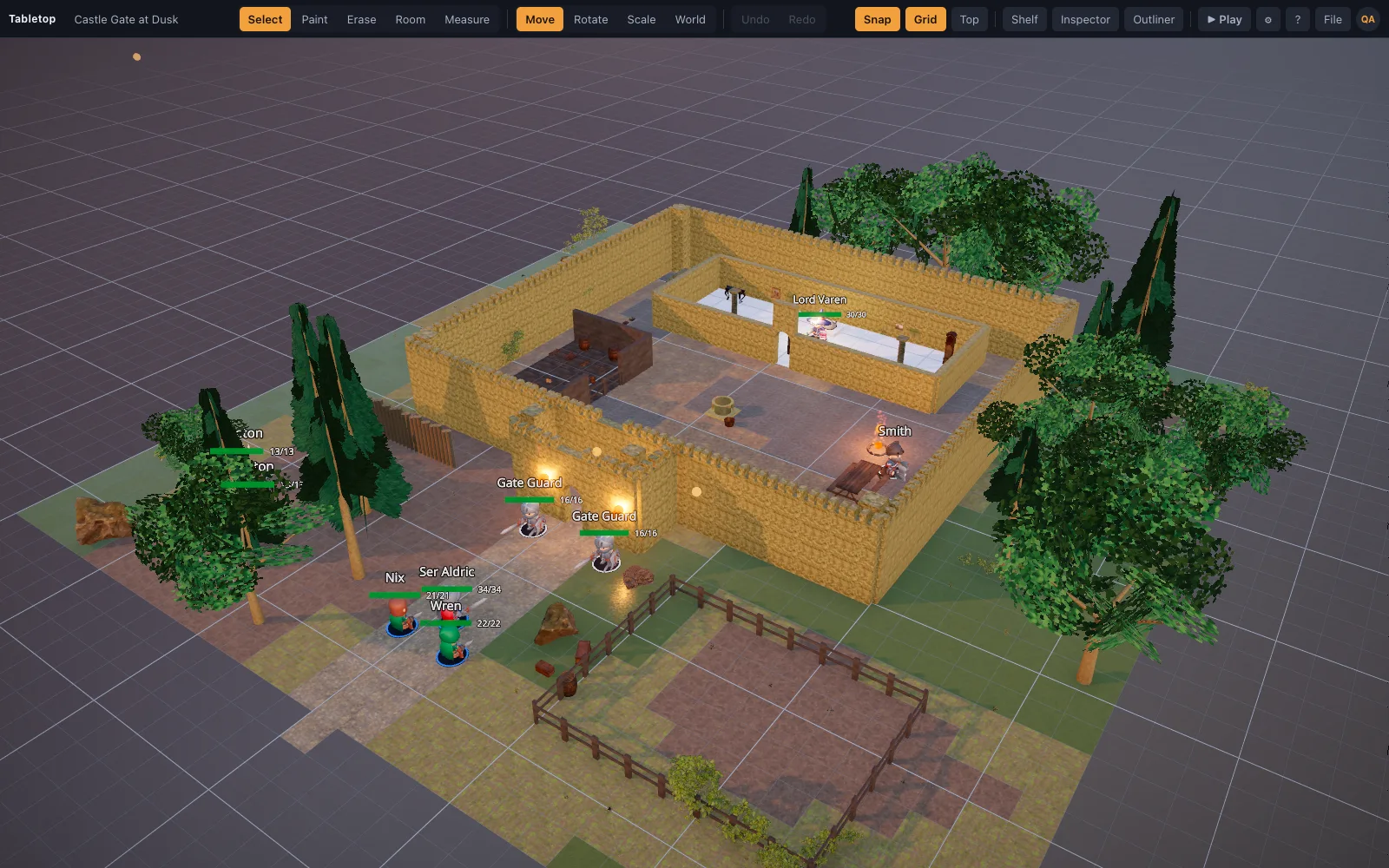
Where Fantasy Grounds is still the better pick
Tables that want the computer to do the arithmetic: automated attacks and saves, effects that expire on their own, official licensed adventures ready to run, and line of sight. If that is how your group plays, TerrainTale will feel bare, because it deliberately leaves the rules to the table.
Moving across
There is no Fantasy Grounds importer; campaigns, sheets and modules stay where they are. Many groups keep their sheets in one place and put the battle map on a shared screen or a TerrainTale room. Rebuild a key location with the room tool, start from a starter scene, or describe it to an AI assistant and import the scene recipe as JSON. Token art you own drops onto the table as a standee.
Questions
Does TerrainTale automate rules like Fantasy Grounds?
No. There is no rules engine and no character sheets. It tracks initiative, HP, conditions and movement, and the DM runs the rules.
Can I import my Fantasy Grounds modules?
No. There is no importer for Fantasy Grounds content. Image tokens you own can be dropped on the table as standees.
Do I need to download anything?
No. TerrainTale runs in a modern browser; the host can also self-host the single Node server.
Is there a dice roller?
Yes, there is a dice roller, though many tables keep rolling physical dice. It is not tied to character sheets.
Keep reading
Foundry VTT alternative
A lightweight Foundry VTT alternative: 3D battle maps out of the box, no modules to install or maintain, a free sign-up and a self-hostable server.
Roll20 alternative
A Roll20 alternative for groups who want a realistic 3D map and none of the overhead: no character sheets, no macros, a ruler in feet, initiative and HP.
D&D Virtual Tabletop in 3D
A 3D virtual tabletop built for Dungeons & Dragons: realistic battle maps, painted-miniature figures, a ruler in feet, initiative and HP.
D&D Initiative Tracker on the 3D Table
An initiative tracker that lives on the same 3D map as your minis: turn order, a round counter, HP with damage and heal buttons, conditions, size, and hostile/ally/neutral rings — no separate app.
Pricing
Free and Premium side by side, and what changes between them.
From the blog
Diagonal movement in 5e: three rules, and when to use each
Every diagonal as 5 ft, the 5/10/5 variant, and true distance — how each one plays, which one your table probably wants, and how to stop arguing about it mid-fight.
· 5 min read
Running combat online without slowing the game to a crawl
Why online fights take twice as long as table fights, and eight concrete changes — turn order, telegraphing, pre-rolled initiative, a shared timer — that get the pace back.
· 7 min read
Initiative tracking that stays out of the way
What an initiative tracker has to do (order, current turn, round count, HP) and everything it should refuse to do. Plus how to handle surprise, lair actions and mid-fight arrivals.
· 6 min read
All articles on battle maps, grid rules and running the game
Ready to put a map on the table?
Open the builder and start, no account needed. Sixteen starter scenes are on the welcome screen; sign up free when you want to save one or play it with your group.