How to play D&D online: the setup that actually works
You need three things to play D&D over the internet: a voice call, somewhere everyone can see the map, and dice the table trusts. Everything else is optional. Here is a setup that costs nothing, what each piece does, and the mistakes remote groups make in their first month.
Step one: voice, and video if you can
Discord is free and is what most online groups use: one voice channel for the session, one text channel for handouts, initiative and the inevitable "sorry, five minutes late". Cameras are optional but help more than people expect; a table reads faces. Push-to-talk keeps six kitchens out of the call.
Step two: the map
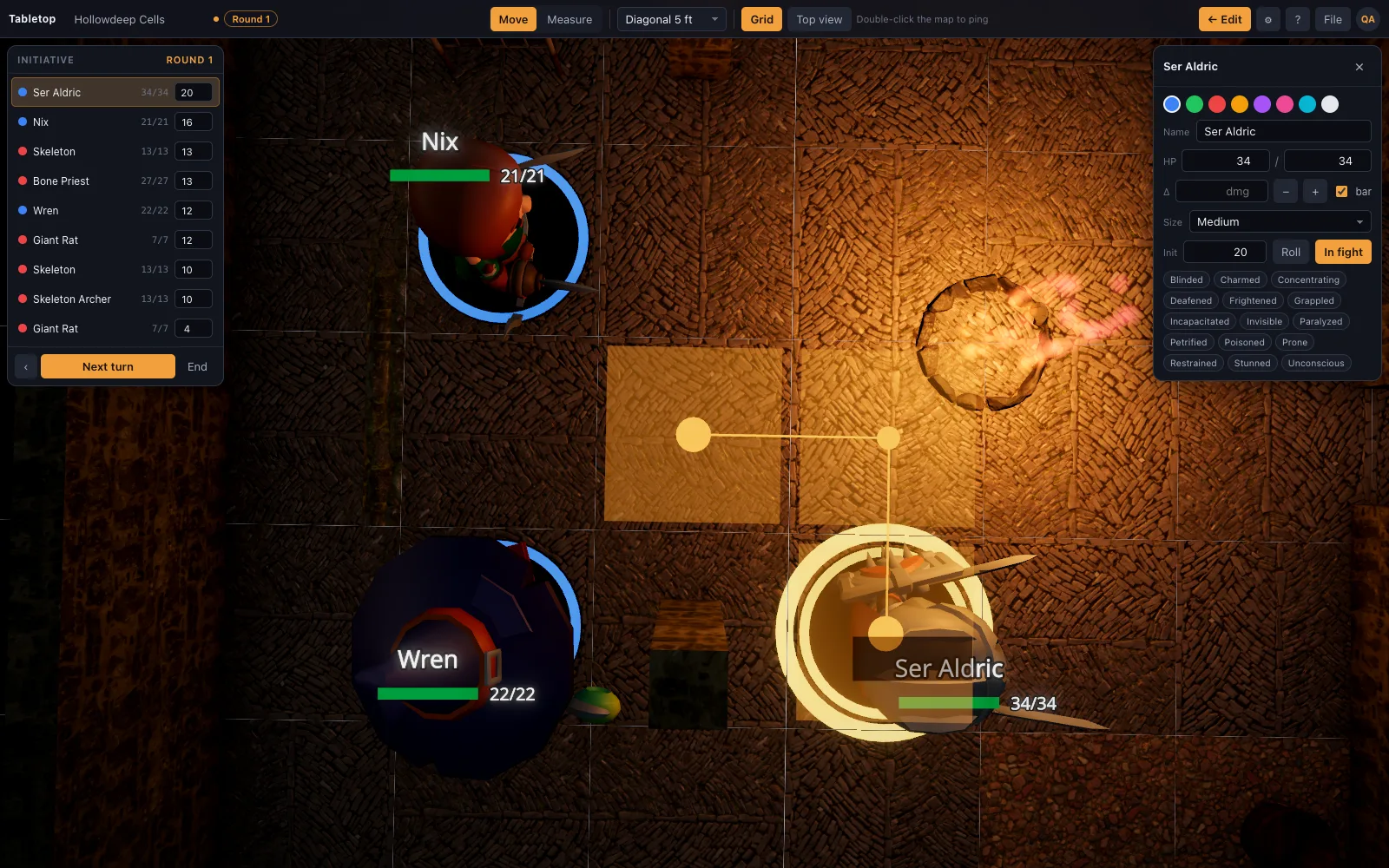
There are two ways to share a battle map online. A multiplayer VTT (Owlbear Rodeo, Roll20, Foundry) gives every player their own window and their own token to move. A single-screen tabletop is run by the DM and shown to the group over a screen share, the way a TV on a physical table is shown to the room. TerrainTale can do either: the DM shares the tab on Discord, or shares a saved scene by link so each player signs in and sees the table live on their own screen.
With a shared room, a player says "I move behind the cart and shoot" and drags their own mini; the ruler shows thirty feet, and double-click pings a spot so "that one" has a location. The DM still holds HP, conditions and the initiative tracker, and there is no voice, video or chat built in, so pair it with the Discord call either way.
Step three: sheets and dice
Character sheets: D&D Beyond's free tier, a PDF, or paper on camera all work. Dice: physical dice rolled on camera, a Discord dice bot, or a dice app with the result read out. The only rule that matters is that everyone rolls the same way and nobody minds. TerrainTale has its own physics dice tray if you'd rather roll there, but it does not automate rolls from a stat block or keep sheets; it is the map, the minis, the ruler and the turn order, and it stays out of the rest.
Step four: run shorter and tighter than in person
Online sessions tire people faster. Two and a half to three hours beats four. Start the session with the first scene already on the table rather than building it live. Recap in two sentences, not ten minutes. Call on quiet players by name; the cross-talk that carries an in-person table does not happen on a call. End on a hook.
A first-session checklist
Half an hour before you start:
- Voice channel tested with everyone, push-to-talk on
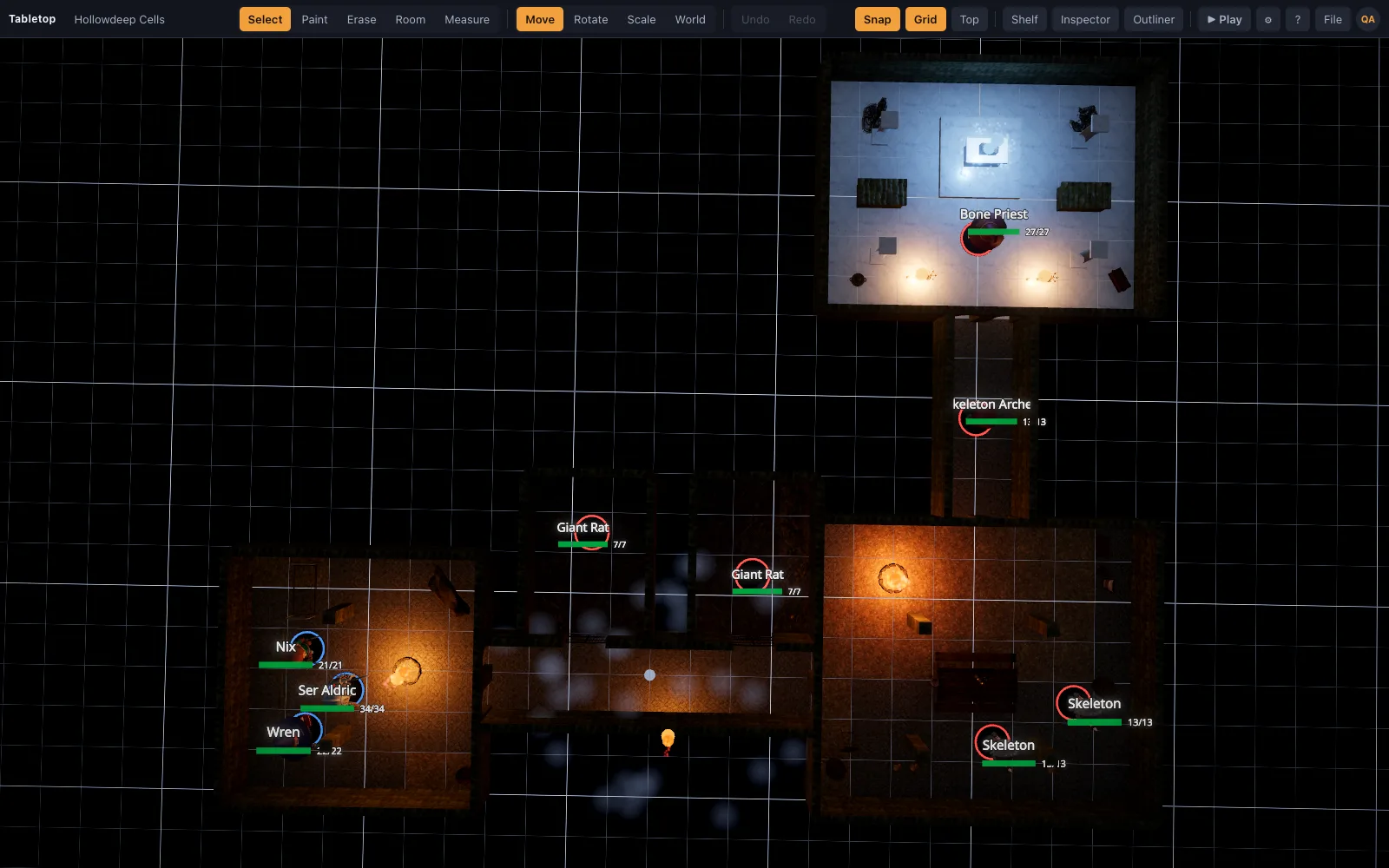
- The map for the first fight open in a tab, minis placed, initiative list ready
- Screen share tested at a resolution players can read on a laptop
- Sheets and dice agreed: where they live, who rolls what
- A text channel with the session's handouts already posted
What it costs
Nothing. Discord is free, the core rules are free, sheet tools have free tiers, and TerrainTale is free to play on with a CC0/CC BY library. If the DM shares a screen, players install nothing and sign up for nothing: they join the call and look at it. Joining a shared room to move their own mini is also free, but it does need a quick sign-in.
Questions
Is playing D&D online free?
Yes, with this setup: Discord, free core rules, a free sheet tool and TerrainTale, which is free with nothing to install.
Do my players need TerrainTale accounts?
Only if they join a shared room. For a shared-screen game, only the DM signs in; players just watch the call. To have players see the table live on their own devices and move their own minis, each one signs in for free when they follow the room link.
Can players move their own miniatures?
Yes, in a shared room: once the DM lets them in, players drag their own miniatures, with the same live ruler as the host. Over a plain screen share, the DM still moves them on request.
Is a 2D or a 3D map better for online play?
A 2D multiplayer VTT is better when everyone must move their own token. A 3D table over a screen share is better when you want light, height and cover to be part of the fight and the DM to hold the controls.
Does the screen share lag?
Discord's share is fine for a battle map; movement is a mini sliding a few squares, not a video game. Share the tab rather than the whole screen for the sharpest picture.
Keep reading
Play D&D with Friends: Start a Group and Run Your First Night
How to get a D&D group going with friends: who runs it, what to buy (almost nothing), a first adventure, a schedule that survives adult life, and a free 3D battle map for the first fight.
Free Virtual Tabletop: 3D Maps, No Download, No Seat Licences
A free virtual tabletop in the browser: open a 3D battle map, drag minis, measure in feet, run initiative.
Owlbear Rodeo alternative
Looking for an Owlbear Rodeo alternative with 3D maps? TerrainTale keeps the simplicity (no rules engine, nothing to install) and adds real miniatures, light and height.
What Is D&D? Dungeons & Dragons Explained in Plain Words
What Dungeons & Dragons is, how a session actually works, what a DM does, what you need to start (almost nothing), and where a battle map fits.
From the blog
Using Meshy AI-generated models on your virtual tabletop
What to do with a model generated by Meshy once you have it: how it imports, what happens to a dense AI-generated mesh automatically, and where it sits next to the library.
· 4 min read
Area of effect templates on a square grid, counted in squares
How many squares a fireball covers, how to lay cones, lines and cubes on a 5-foot grid, the DMG token method for spheres, and the fast rulings that keep a spell from stopping play.
· 6 min read
Boss fight arena design: how to build a battle map for the villain
What a boss battle map needs that an ordinary room does not: a stage for the villain, something to fight over, height, changes the map itself triggers, and floor enough for a Huge creature to move.
· 7 min read
All articles on battle maps, grid rules and running the game
Ready to put a map on the table?
Open the builder and start, no account needed. Sixteen starter scenes are on the welcome screen; sign up free when you want to save one or play it with your group.