Describe a scene. Import a map.
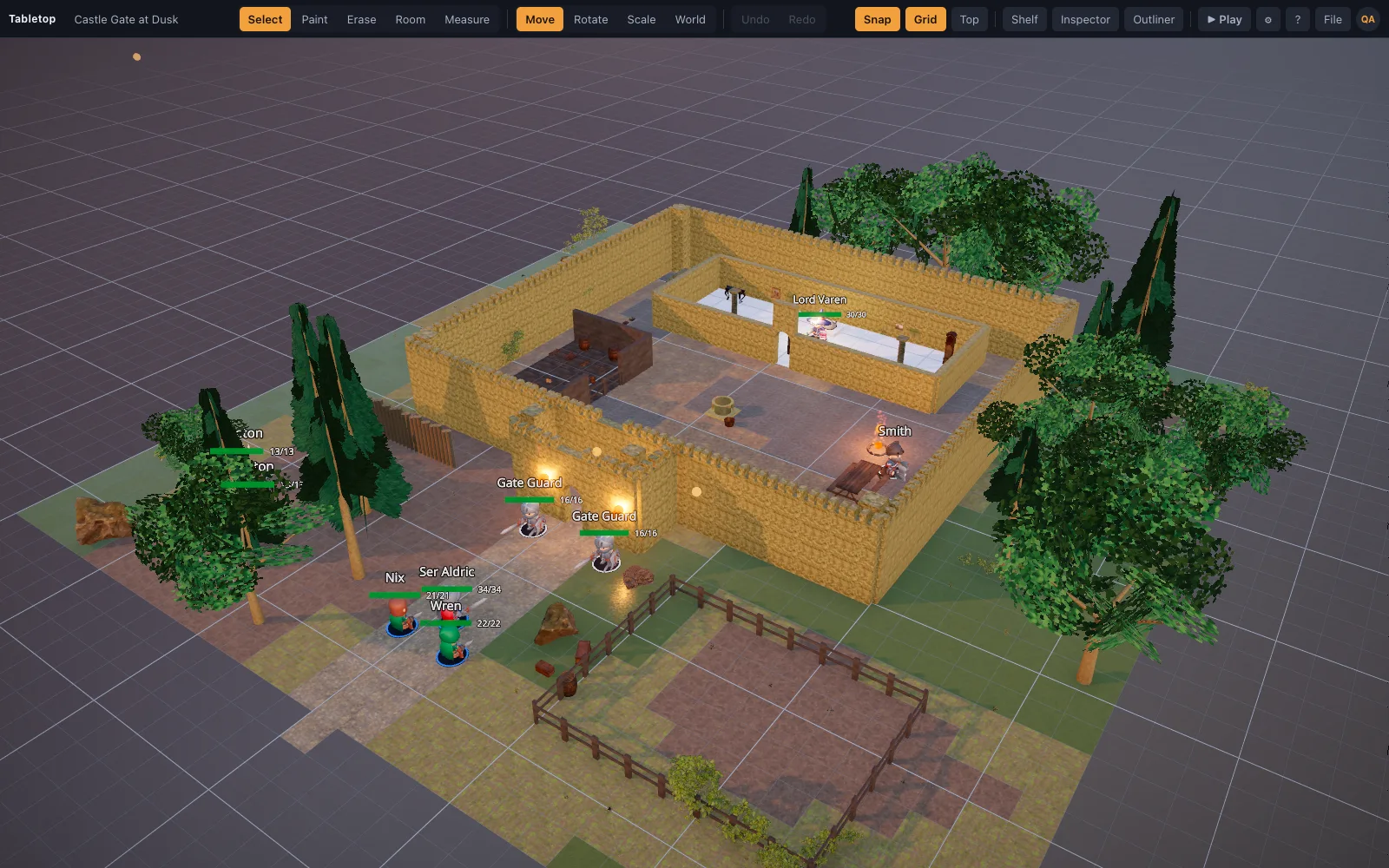
A recipe is a short JSON file of high-level operations. The app expands it into grid-correct geometry: floors tile, walls meet at corners, openings sit on edges. It is how the starter scenes are made, and it is small enough for an AI assistant to write from a sentence.
How it works
- Ask"A roadside shrine in a pine wood at dusk, with a rogue waiting by the road."
- The assistant writes a recipeUsing the shipped guides: the recipe schema, a building guide with a QA checklist, and the asset catalog with every id and its footprint.
- Import itFile ▸ Import Scene JSON. The models download from the library; the builder reports any warning.
- Dress and playIt is a normal scene now: paint, drag, add lights, press Play.
What a recipe looks like
Nine operations make a playable map. Rectangles are in grid cells, assets are library ids, and the builder handles the rest: the perimeter walls get correct corners, the scatter avoids the shrine, the torch lights the altar.
floorfills rectangles or follows a path, blending materials and randomising rotation for natural ground.wallsruns a wall family around a rectangle with gaps for doorways, or along chosen sides.prop,line,scatterandclutterplace things by cell, along a path, or randomly with avoidance.light,effectandminiadd torches, fire and smoke, and tokens with HP and rings.
The repository's ai/ folder has the schema, the building guide and the full catalog. With Claude Code the whole flow is one command: /create-scene.
Questions
Which AI does it work with?
Any assistant that can read the guides and write JSON. The guides are written for Claude Code, which has a /create-scene command in the repository, but the format is plain.
What if the AI uses an asset that does not exist?
The builder validates every id against the library and reports what is missing. The starter scenes are tested to zero warnings.
Can I write recipes by hand?
Yes, and it is quicker than it looks: the shrine above is nine lines of intent. The tests in the repository check any recipe you drop into the examples folder.
Keep reading
Starter scenes
Sixteen finished battle maps with real screenshots.
A Realistic 3D Asset Library for D&D Maps
A free library of realistic 3D battle-map pieces: PBR-generated floors and walls, Poly Haven photoscanned props, and D&D minis and furniture made in Meshy.
3D Battle Maps for Tabletop RPGs
Make 3D battle maps in the browser from a realistic, CC0/CC BY library: PBR floors and walls, photoscanned props, trees and lights.
From the blog
Boss fight arena design: how to build a battle map for the villain
What a boss battle map needs that an ordinary room does not: a stage for the villain, something to fight over, height, changes the map itself triggers, and floor enough for a Huge creature to move.
· 7 min read
How to make a D&D battle map without losing a weekend
A repeatable method for building battle maps fast: block the shape, floor and wall it, light it, then dress it. With the three mistakes that cost the most table time.
· 8 min read
AI-generated battle maps: what works, what does not, and why
Image models make pretty maps you cannot play on. A structured scene recipe an assistant writes — rooms, walls, props on a real grid — is the version that survives contact with a table.
· 7 min read
All articles on battle maps, grid rules and running the game
Import your first recipe
Open the builder, File ▸ Import Scene JSON. No account needed to build.