Everything on the table
A builder that is fast, a play mode that plays like a table, and rendering tuned for the hardware you have.
The builder
Room tool
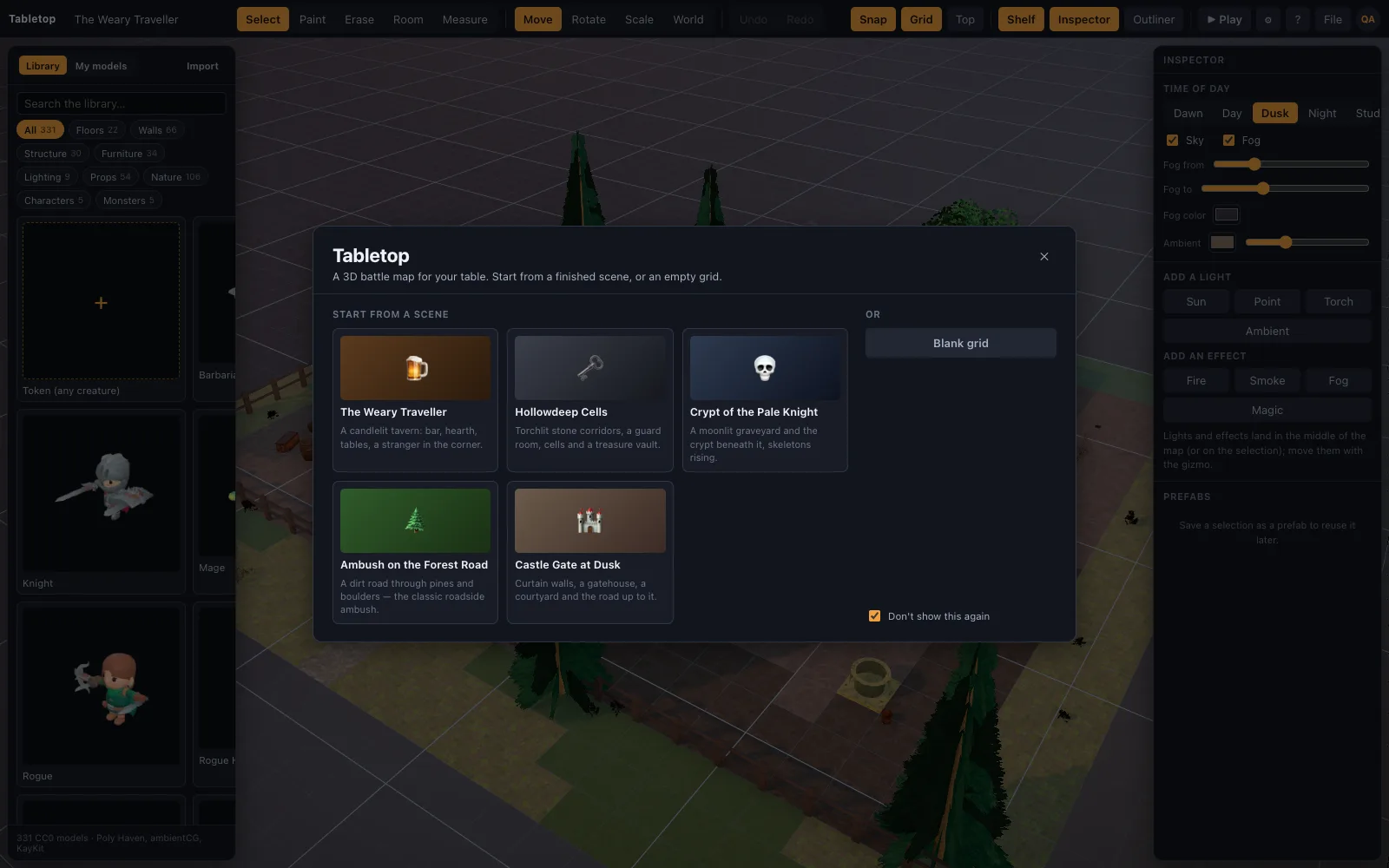
Press O, pick a kit, drag a rectangle. Floor and walls arrive with correct corners as one undo step. Seven kits: Dungeon, Castle, Tavern, Crypt, Cave, Manor, Cottage. Click a floor or wall on the shelf to change the materials.
Tile brush
Press B to paint floors and walls. Walls snap to grid edges and auto-orient; doorway and archway pieces replace a wall segment. Erase with E. Random tile rotation makes ground look natural.
Drag from the shelf
Furniture, lighting, props, nature and characters. A character arrives as a miniature with a base and a name. Turn with , and ., Shift for 90°.
Scene recipes
Describe a scene as high-level ops and import the JSON, or let an AI write one.
Play mode
Move and measure
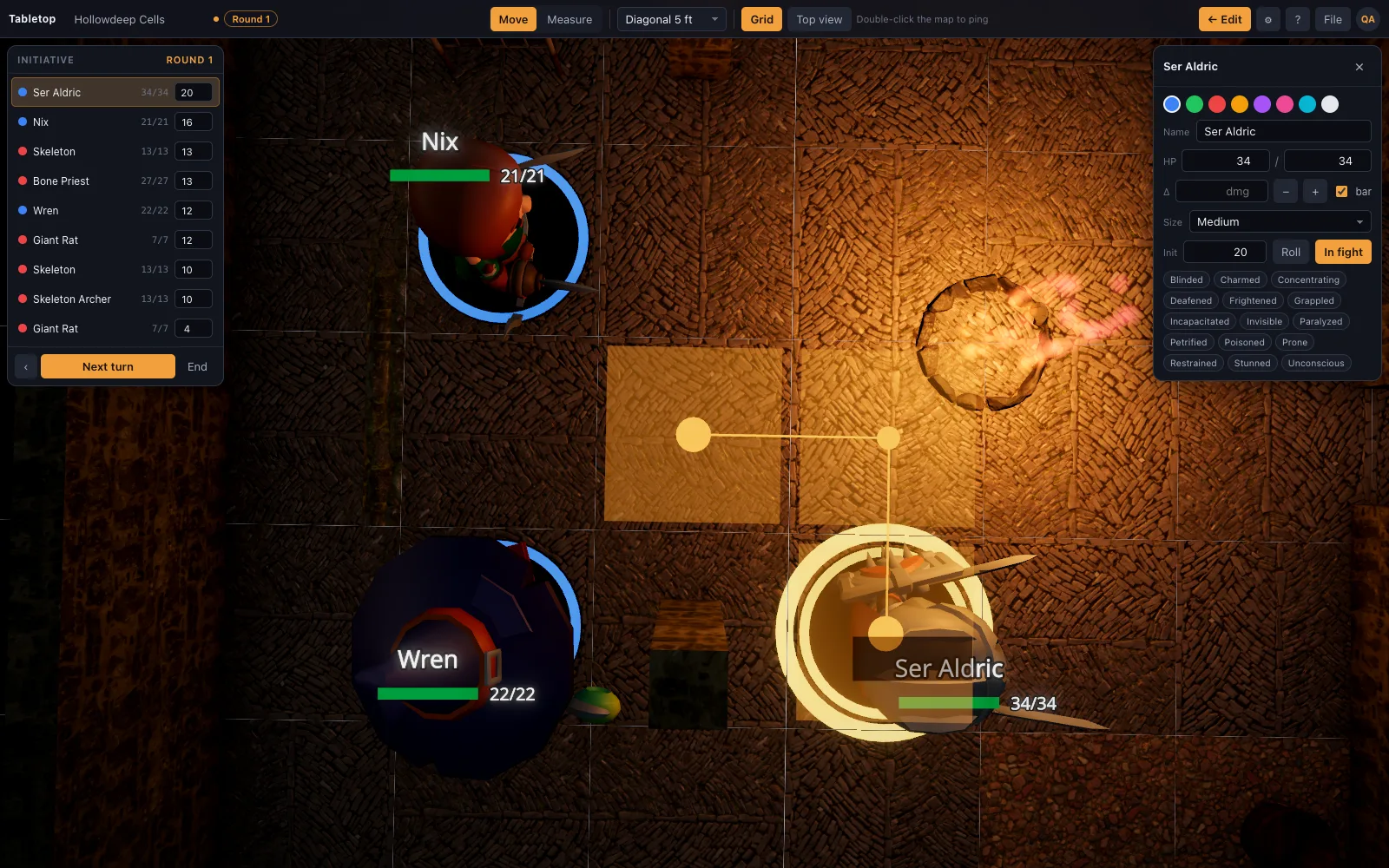
Drag a mini and the ruler counts the feet as it goes: 5 ft a square, diagonals by your table's rule. Space, W or a right-click mid-drag adds a waypoint. Movement accumulates per turn and shows next to the name. Measure (M) between any two points on any surface; heights count. More on the distance ruler page.
Initiative
Start combat, roll, next turn (N), round counter. The current token glows; its movement resets when its turn begins. Full details on the initiative tracker page.
Token card
HP with quick damage and heal, conditions, size (Large tokens take 2×2), portrait.
Reading the table
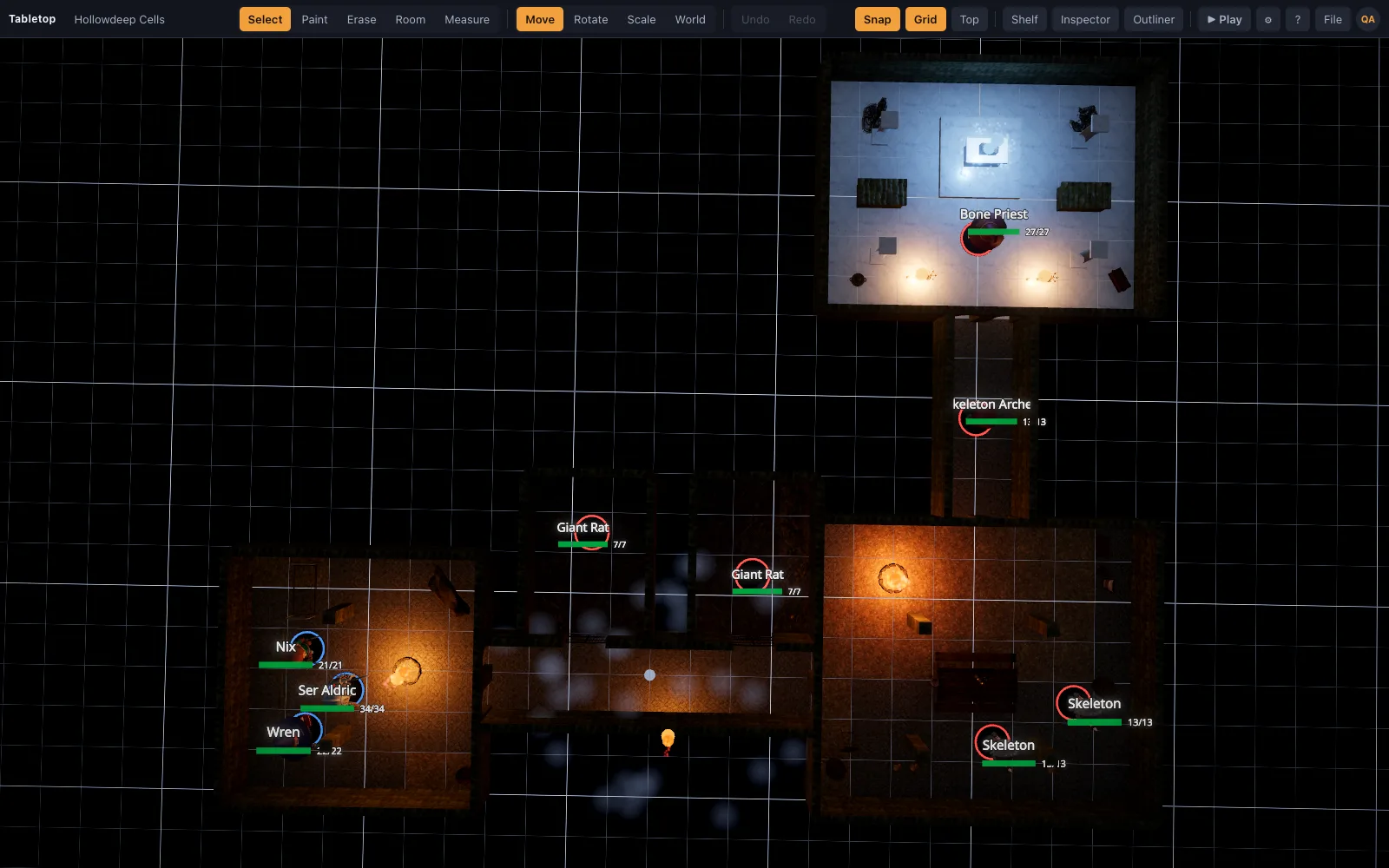
Top-down view (T), pings (double-click), a faint grid you can switch off, base rings for ally, hostile and neutral.
The library
Surfaces and structure
125 pieces: PBR floor tiles (grass, forest floor, mud, cobbles, flagstones, marble, planks), wall families with matching doorways, archways, windows, parapets and battlements, pillars, columns, stairs, a dais, fences, gravestones, an altar, a sarcophagus, a well, and trees.
Props
439 photoscans: furniture, barrels, crates, chests, lanterns, candles, tools, weapons, statues, paintings, shrubs, plants, flowers, rocks, cliffs, a modular fort and a pier.
Characters
31 realistic minis made in Meshy: a full adventuring party (fighter, cleric, ranger, druid, bard, warlock, monk, sorcerer and more), low-CR monsters (goblins, kobolds, orcs, wolves, zombies, ghouls, a giant spider) and the heroes of the Abyssal Gate, plus tavern and dungeon dressing to match.
Your files (Premium)
Drop .glb, .obj, .fbx, .stl, .ply, Collada, 3MF or USDZ files onto the window: Meshy, Sketchfab and Blender exports work as-is, Draco and meshopt included, and heavy models are simplified to a detail budget so they never stall the table. Use any image as a standee token, including a Hero Forge screenshot. More on the 3D model import page.
The full library, piece by piece, is on the realistic asset library page.
Rendering tuned for the table
Quality tiers are auto-picked from the GPU: integrated Intel parts get 1× resolution and no ambient occlusion; discrete GPUs get AO, MSAA and 4K shadows. A time-of-day slider moves the sun across the sky and every shadow on the map follows it; the sky and its light change with the hour. Soft shadows, bloom on flames, cutout foliage. More on the lighting and dynamic shadows page.
Rendering is instanced: entities are grouped by asset and drawn with one call per mesh part, so a 1600-tile floor is one draw call. Rigged imports get their own animation mixers.
Saving and sharing
Projects save in the browser with Cmd/Ctrl+S. Export a scene as JSON; import it anywhere and the library models download automatically. Save groups of objects as prefabs. More on the saving and sharing scenes page.
Shortcuts
| Keys | Does |
|---|---|
| V / B / E / O / M | Select / Paint / Erase / Room / Measure |
| G / S | Move / Scale gizmo |
| R / Shift+R | Turn selection 90° (Shift = the other way) |
| , / . | Turn selection (Shift = 90°) |
| Arrows | Step selection one square (charges movement in play) |
| Cmd/Ctrl + D / A / S / Z | Duplicate / Select all / Save / Undo |
| F / T / P | Focus selection / Top-down view / Play |
| N / Shift+N | Next / previous turn |
| Space, W, right-click (mid-drag) | Add a waypoint to the ruler |
| Double-click | Ping |
From the blog
Climbing rules in 5e combat: what it costs, when to roll, and fighting from a ledge
The D&D 2024 climbing rules in combat: 1 extra foot per foot climbed, when a DC 15 Athletics check is warranted, what a ledge gives the creature on it, and what happens when a climber is shoved.
· 5 min read
Squeezing in D&D 2024: the rule that became Difficult Terrain, and what to do about the missing penalties
The squeezing rules 5e uses in 2024: a narrow opening one size too small is Difficult Terrain and nothing more, the 2014 penalties are gone, which gaps count, and a house rule that keeps it tactical.
· 5 min read
Mounted combat rules in 5e: mounts on a grid without the arguments
The 2024 mounted combat rules in 5e on a battle map: the shared space, controlled versus independent mounts, what mounting and dismounting cost, falling off, opportunity attacks and charging.
· 5 min read
All articles on battle maps, grid rules and running the game
Ready to put a map on the table?
Open the builder and start, no account needed. Sixteen starter scenes are on the welcome screen; sign up free when you want to save one or play it with your group.