Ambush on the Forest Road
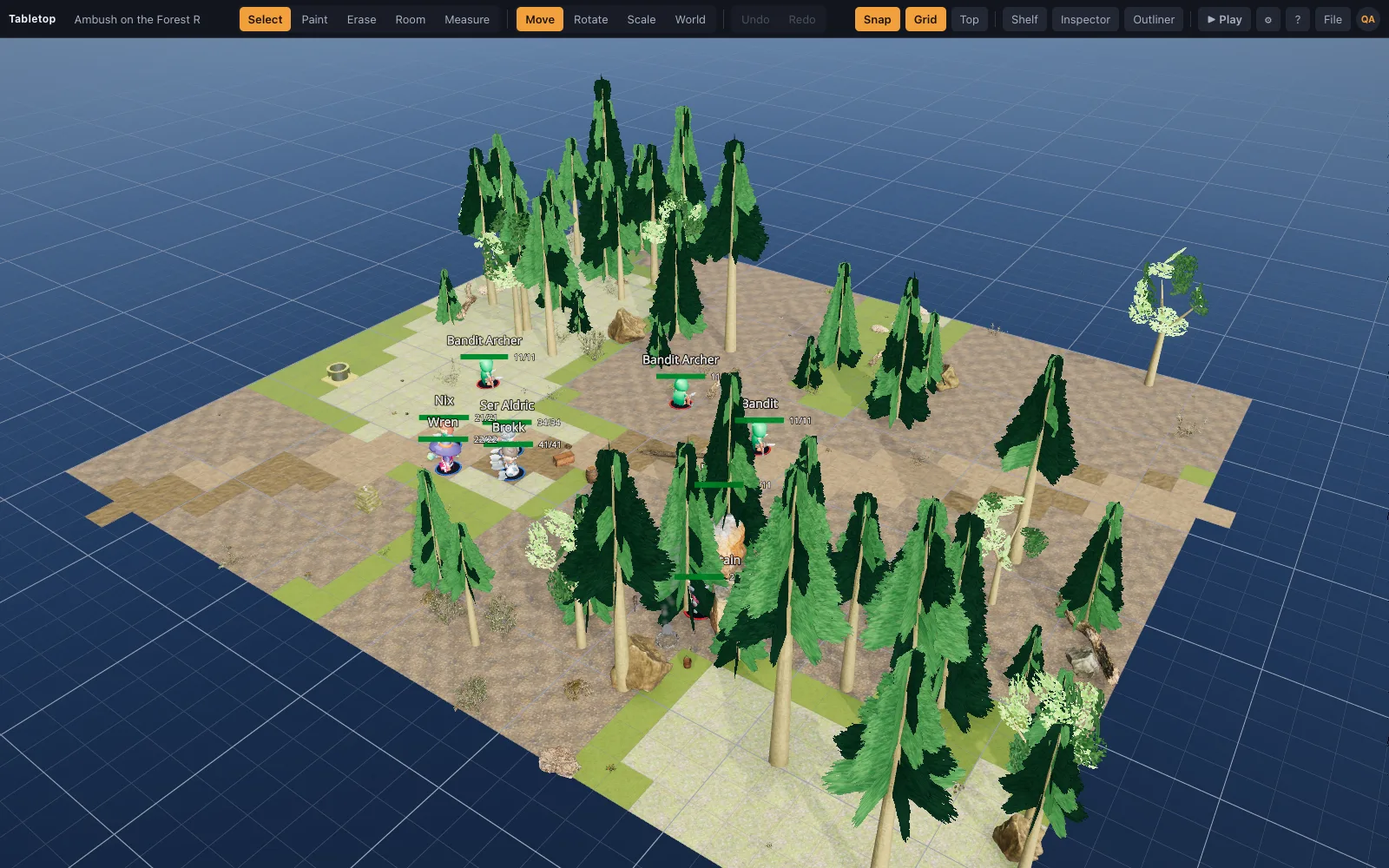
A felled pine across a forest road at dawn: goblins in the trees, a ford ahead.
It builds in your browser in a few seconds, models, lights and miniatures included. No sign-up needed to try it.
The place
Setting: Dawn under the trees, a campfire still smouldering in the rocks
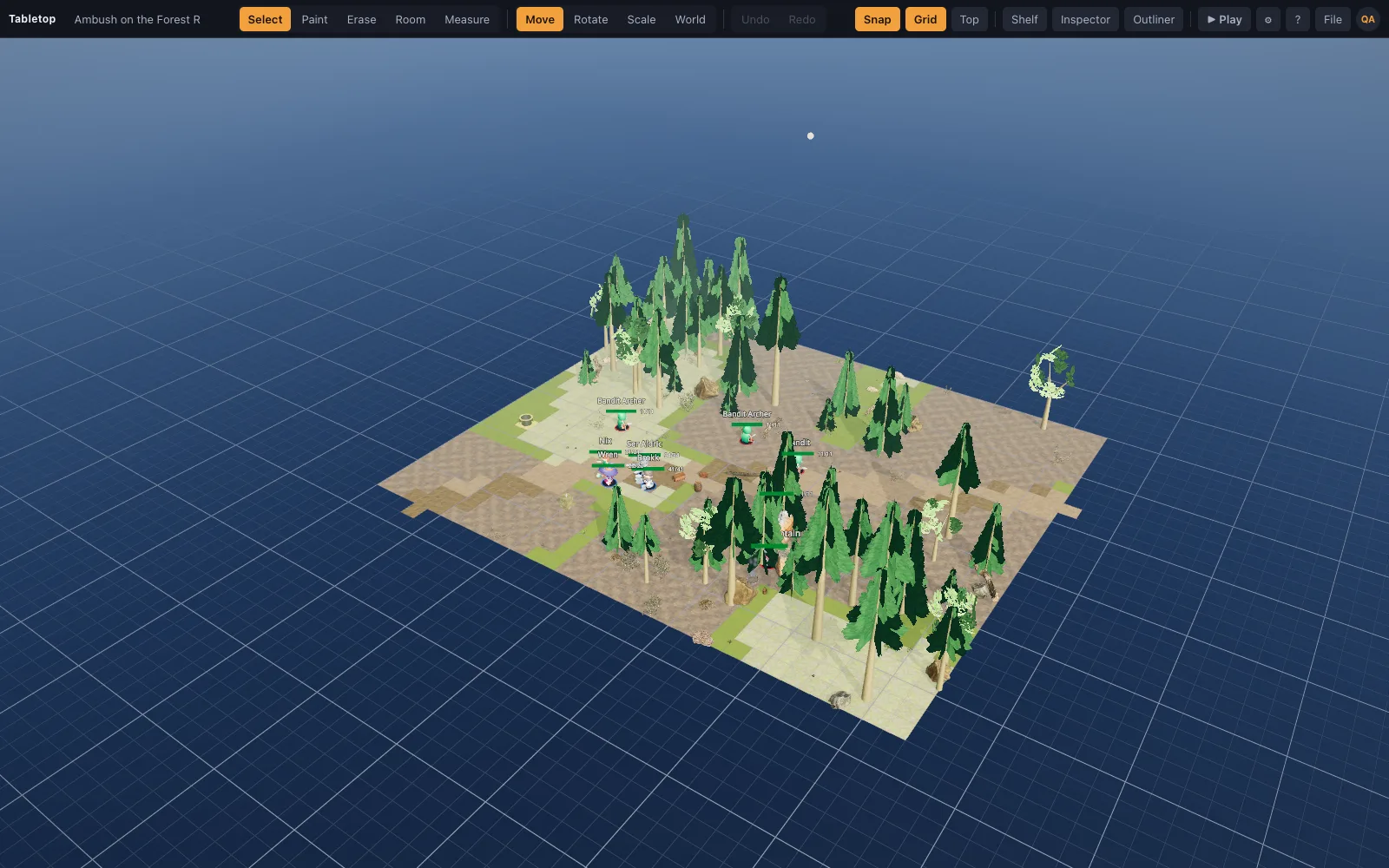
A rutted road winding through fir and pine at dawn, climbing past a pine felled across it, then dipping to the ford of the Ashbrook, which cuts a gully through the forest from north to south with morning mist lying in it. The merchant's cart has pulled up short of the felled tree with its cargo tumbled at the verge. Nowhere to run except into the trees, and the trees are where the ambushers are. Cover is real: boulders and fallen logs block lines, the trunks split the party, and the road is the only clear ground.
The ambushers are placed: a goblin boss at the camp in the trees, two goblins and a goblin archer hidden in the woods to the north, two wolves in the brush to the south and a bugbear waiting at the ford. The party of four, a fighter, a cleric, an elf ranger and a sorcerer, is escorting the merchant. Off the road lies the goblins' camp with a smouldering fire pit, a straw bed and their loot, and across the ford stands a woodcutter's cottage under a mossy roof, furnished inside, with old Hobb at home and smoke rising from the chimney.
What the recipe places
- 1 floor and road ops
- 40 props, lines and scatters
- 5 lights and effects
- 13 miniatures
Encounters it was built for
- The ambush springs: goblins from the trees on both sides, and the cart is cover and the prize.
- A wolf pack circling in from the brush while the party protects the merchant.
- The ford: the bugbear waits where the water slows everyone, and in the 2024 rules a bugbear warrior reaches 10 feet.
- Follow the tracks: after the ambush the survivors flee to the camp in the trees, and the fight continues by the fire pit.
- The woodcutter's cottage as a refuge: hold the door while old Hobb bars the shutters.
Tips
- Mark the goblins Hidden from players and show them when the ambush springs; players do not receive hidden minis until then.
- Wolves move 40 feet in 5e, eight squares; drag one and the ruler shows how far that reaches through the trees.
- In Play, press U to lift the cottage roof and see inside.
- Drag the time-of-day slider to noon for a very different mood with no other changes.
- The scatter and line ops in a scene recipe placed these trees; it is easy to grow the forest.
Other starter scenes
The Weary Traveller
A roadside inn at dusk: bar, hearth and long tables, a stranger in the corner.
Hollowdeep Cells
Torchlit stone corridors, a guard room, cells and a treasure vault.
Crypt of the Pale Knight
A moonlit graveyard above a black mere, its crypt standing open and the dead rising.
Castle Gate at Dusk
A moated castle at dusk: gatehouse, wall walk, bailey and the keep's great hall.
Smugglers' Cove
A golden-hour beach: smugglers' bonfire, a boathouse, a sea cave, a ship at anchor.
Neon Alley
A rain-soaked neon street at night: a noodle bar, a corporate checkpoint and a warmech.
Rooftop Run
A cyberpunk heist across rain-slick rooftops: stairs, a gangway, a gap to leap, a mech.
Sunwell Caravanserai
A desert caravanserai by a palm-ringed spring, its market raided by gnolls off the dunes.
Ashgrave Cemetery
A walled cemetery in a storm: a necromancer's circle, ghouls, the dead clawing up.
The Witch of Blackfen
A foggy swamp at dusk: wisps over black pools, a witch's hut, spiders in the dead wood.
Wolf's Tooth Bandit Camp
A bandit palisade in the pines: the chief's hall, campfires, captives, a watchtower.
The Drowned Tower
A wizard's tower on a misty lake isle: standing stones, a drowned causeway, a jetty.
Market Day at Millbrook
A cobbled market square on a bright morning: stalls, a fountain, a church, a smithy.
Frostfall Hamlet
A snowbound hamlet at dusk: a mead hall, a frozen pond and wolves at the palisade.
Raiders' Fjord
A fjord at cold dawn: a longhouse on the shingle, raiders running their longboat ashore.
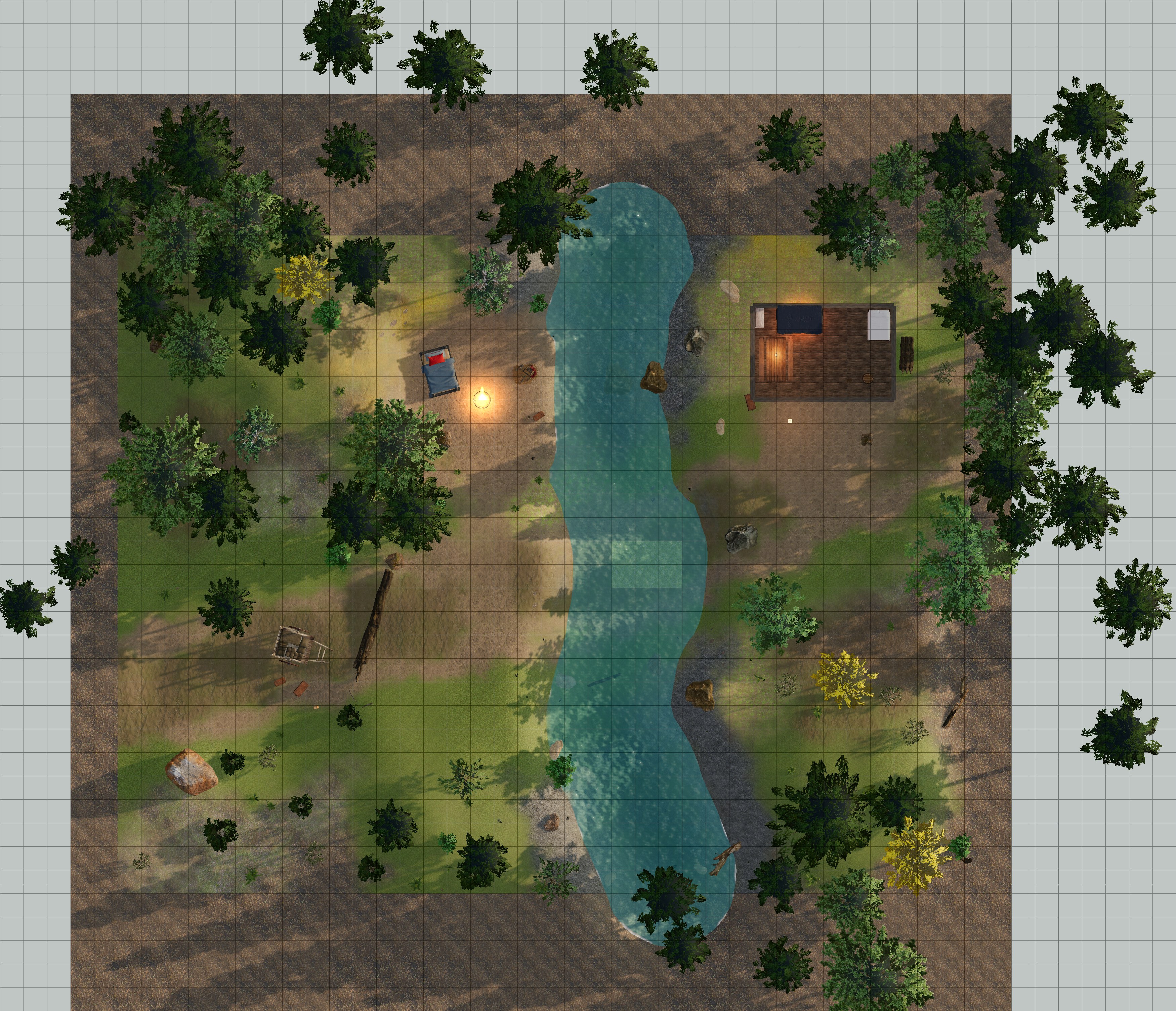
Free top-down battle map
A flat, gridded version of Ambush on the Forest Road for any other tabletop: straight down, north up, 50 by 43 squares at 70 pixels per 5-foot square, with no miniatures on it. Set your tabletop's grid to 70 px and it lines up.
Free under CC BY 4.0: use it, share it and change it, in paid work too, as long as you credit TerrainTale. Some buildings in it are other artists' CC BY models, credited on the About page.
Questions
Can I change Ambush on the Forest Road after loading it?
Yes. A template is a normal scene once built: paint, drag, delete and add to it, then save it as your own project.
How long does it take to load?
A few seconds. The recipe compiles instantly and the models it uses download from the built-in library on first use, then stay cached.
Can I make my own template?
Write a recipe (see Build with AI) and import it with File ▸ Import Scene JSON, or save any scene as a project and reopen it from the welcome screen.
From the blog
Surprise rules in D&D 2024: Disadvantage on initiative instead of a lost turn
The 5e 2024 surprise rules explained: surprised creatures roll initiative with Disadvantage instead of losing a turn, how Hide and Invisible feed in, and where ambushers must stand on the map.
· 5 min read
Building a caravan ambush battle map: wagon spacing, high ground and where the bandits stand
How to build a caravan ambush battle map for D&D: wagon spacing in squares, the wagon bed as high ground, draught animals as obstacles, the bandits' firing line, and the 2024 rules the fight leans on.
· 6 min read
Forest ambush encounters that are not a coin flip
Building the road-through-the-woods ambush so it is tense rather than a surprise-round execution: sightlines, cover, escape routes, and giving the party something to do on round one.
· 6 min read
All articles on battle maps, grid rules and running the game
Open Ambush on the Forest Road on your table
One click builds it in your browser with every model, light and miniature in place. Sign up free to save it and bring your players to the table.