The battle map maker that is also where you play
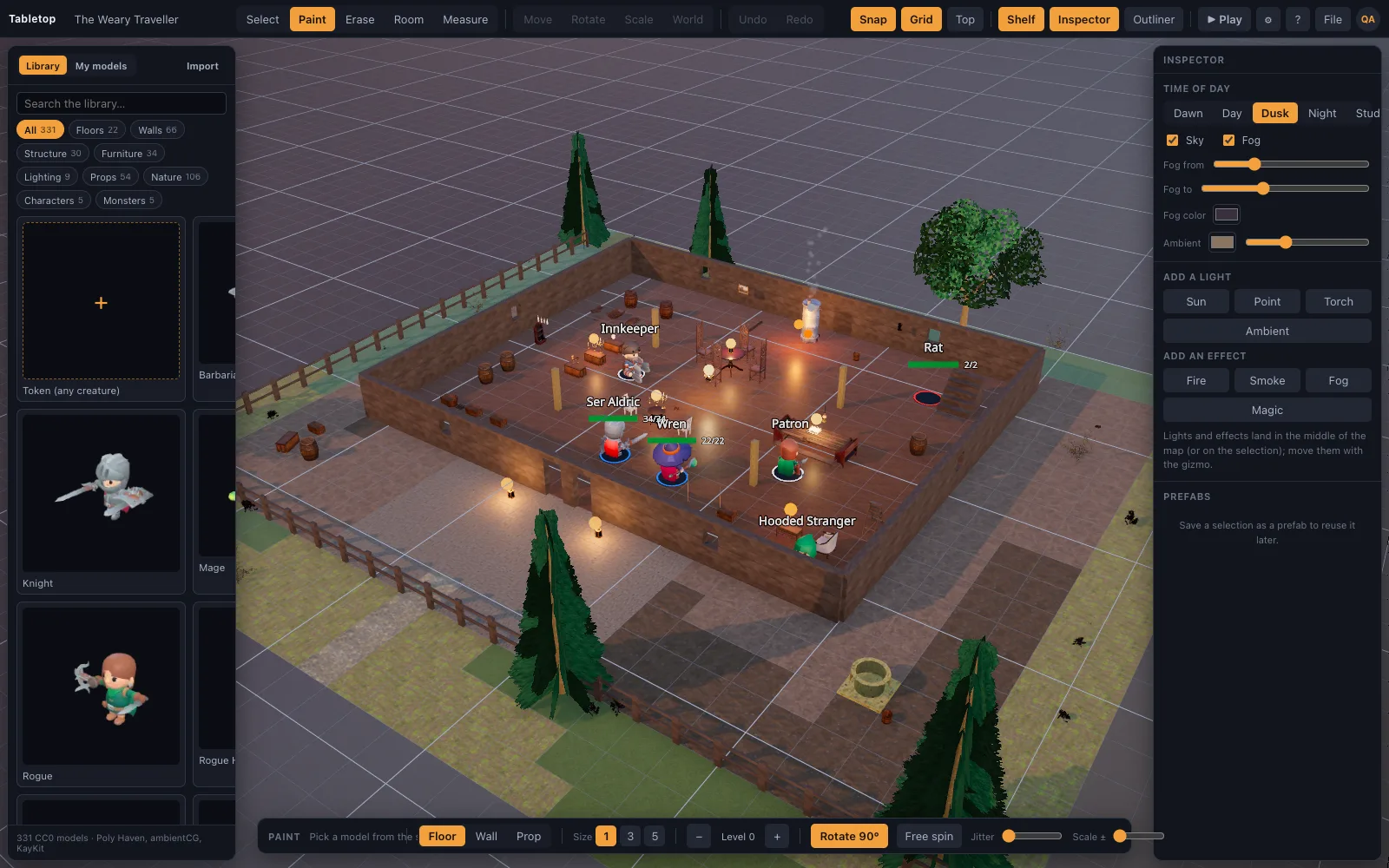
Most map makers export a picture you then upload somewhere else. TerrainTale builds the map and runs the fight in the same window, so the door you placed is the door the rogue opens, and the balcony you built is the balcony the archer climbs.
The five-minute workflow
Start from a template or a blank grid. Drag rooms with a kit. Paint to extend or vary floors and walls. Dress it from the shelf. Add characters. Press Play. A worked example is a small crypt. Pick the dungeon kit and drag a hall 6 squares by 8, which is 30 by 40 feet, then a 4 by 4 side chamber beside it. Put a doorway on the edge between them; openings sit on wall edges, so it lines up with the wall it replaces. Paint a strip of rubble floor with the brush, drop two sarcophagi and a brazier, attach a torch light to the brazier, and set a goblin mini on each side of the door. That is a first encounter in about five minutes, and every piece stays editable during the session.
- Room tool (O): pick a kit, drag a rectangle, get floor and walls with correct corners
- Tile brush (B): paint floors and walls; erase (E) mistakes; Shift-turn props by 90°
- Shelf: furniture, lighting, props, nature, characters, all drag-and-drop
- Undo and redo for everything, including whole rooms and brush strokes
Save, share, reuse
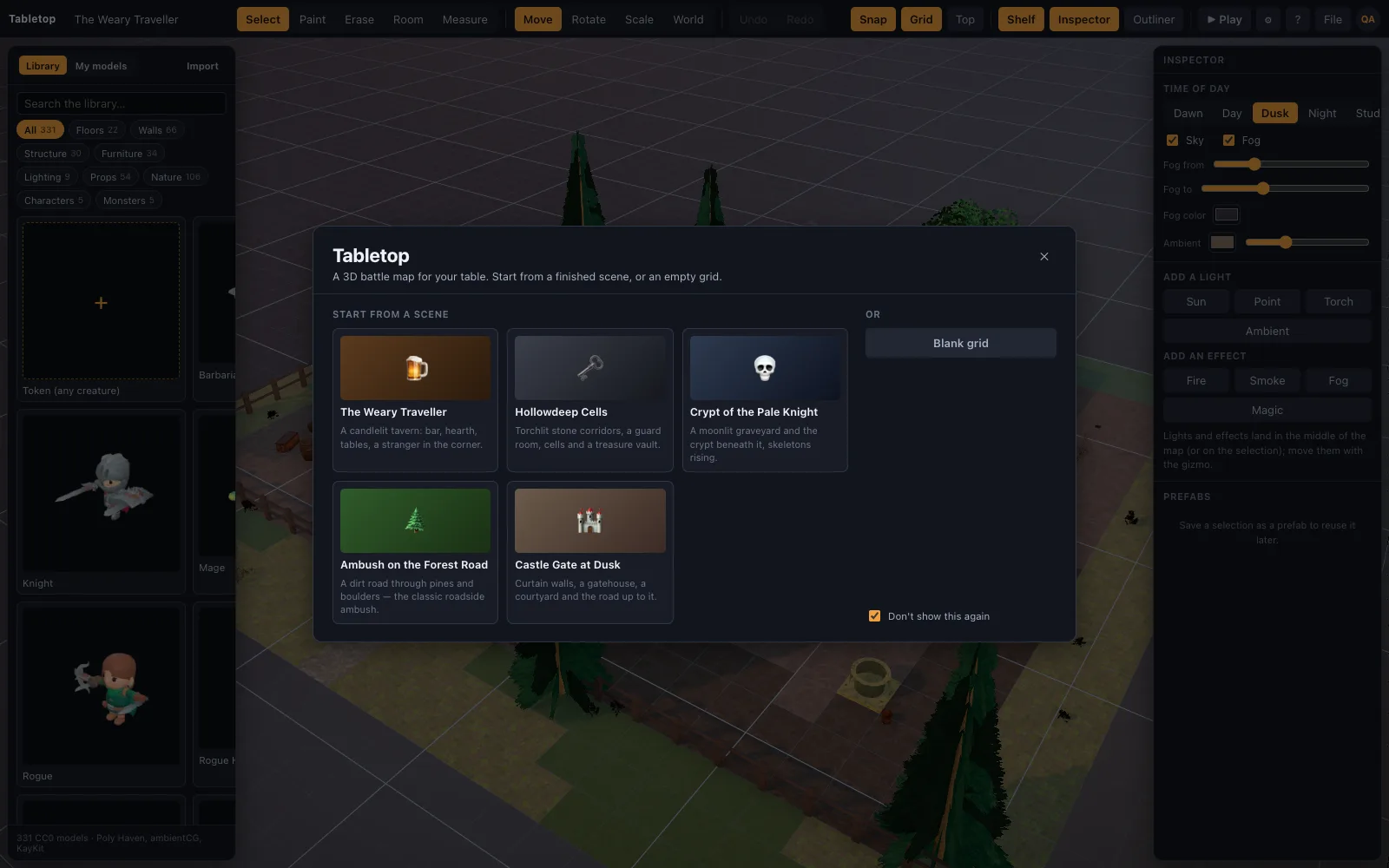
Scenes save themselves to your account as you work and reopen from the welcome screen on any device. Export a scene as JSON to share it with another DM; they import it and the models download from the built-in library automatically. Save a group of objects as a prefab and drop it into the next map. A prefab suits anything you build more than once: a market stall with its awning and crates, a campfire ring with logs and a light, a four-pillar shrine. The free plan keeps one saved scene, so export finished maps as JSON files to keep an archive on your own disk; Premium keeps 200 scenes in your account. Once a scene is saved you can also share it by link as a live room, where players join from their own browsers and move their own minis.
Describe a map and let an AI build it
Scene recipes are a small JSON format for describing a map at a high level. The repository ships a guide and an asset catalog written for AI assistants, so "a gothic castle inside a forest with a river" can become a grid-correct recipe you import in one step. A recipe works in squares, not coordinates: fill this rectangle with flagstones, wall this perimeter with castle stone, put a gate on the south edge, scatter trees outside. The scene builder turns that into tiles that meet, walls with correct corners and openings on wall edges, and it stands everything on the terrain. The AI chooses the composition; the builder keeps the geometry right. You then review the result in the editor and fix what you dislike with the same tools as a hand-built map.
Questions
Can I print or export the map as an image?
The top-down view (T) with the grid on is a clean overhead; a browser screenshot captures it at your screen resolution. Scene JSON export carries the full 3D map. For a handout, switch to top-down, turn the grid on, frame the room and take the screenshot. The resolution is your screen's, so it suits handouts and reference sheets better than a printed full-size 1-inch mat.
Does it support hex grids?
Not yet. The grid, brush and ruler are built around the 5-foot square. Both 5e and Pathfinder 2e describe tactical combat on squares, so that is the default here. If your table needs hexes for combat or overland travel, this tool does not cover that today.
Is there fog of war?
Yes. The DM brushes fog on and reveals it, in the editor or mid-game; players see black there and are not sent what stands in it. There is no automatic line of sight. A useful pattern is to press Fog everything before the session, then reveal each room as the party opens its door. Fog is saved with the scene, so a dungeon explored halfway stays half revealed for next week.
Keep reading
3D Dungeon Map Maker: Rooms, Corridors and Torchlight in Minutes
Make a 3D dungeon map in the browser: drag rooms with the Dungeon kit, paint corridors with the tile brush, add doorways, torches, a treasure chest and a skeleton, then play on it.
3D Battle Maps for Tabletop RPGs
Make 3D battle maps in the browser from a realistic, CC0/CC BY library: PBR floors and walls, photoscanned props, trees and lights.
A Realistic 3D Asset Library for D&D Maps
A free library of realistic 3D battle-map pieces: PBR-generated floors and walls, Poly Haven photoscanned props, and D&D minis and furniture made in Meshy.
Build with AI
Scene recipes, and how an assistant writes them.
Starter scenes
Sixteen finished battle maps with real screenshots.
From the blog
Building a caravan ambush battle map: wagon spacing, high ground and where the bandits stand
How to build a caravan ambush battle map for D&D: wagon spacing in squares, the wagon bed as high ground, draught animals as obstacles, the bandits' firing line, and the 2024 rules the fight leans on.
· 6 min read
Difficult terrain: what it costs, how to mark it, and when to use it
How difficult terrain works in D&D 5e — double movement cost, stacking with diagonals, climbing, swimming and crawling — and how to mark it on a battle map so nobody has to ask.
· 6 min read
How to make a D&D battle map without losing a weekend
A repeatable method for building battle maps fast: block the shape, floor and wall it, light it, then dress it. With the three mistakes that cost the most table time.
· 8 min read
All articles on battle maps, grid rules and running the game
Ready to put a map on the table?
Open the builder and start, no account needed. Sixteen starter scenes are on the welcome screen; sign up free when you want to save one or play it with your group.