If Maps is the flat version, this is the one with height
D&D Beyond Maps is a good answer to "put the official map on a screen and move some tokens". TerrainTale answers a different question: what if the map were a place? Walls you can hide behind, a balcony an archer wants, a corridor that is dark past the last torch. It keeps the same light touch: no rules engine, no install, five minutes to learn.
Side by side
| Topic | TerrainTale | D&D Beyond Maps |
|---|---|---|
| The map | A 3D scene built in the app from a realistic library, lit and shadowed | A 2D image: official adventure maps or your own upload |
| Tokens | Realistic miniatures with bases; image standees for anything else | Image tokens, synced from your D&D Beyond library |
| D&D Beyond integration | None | Characters, monsters and purchased maps sync in |
| Measuring | Feet on the grid with waypoints, diagonal rule and height | Ruler over the image |
| Initiative and HP | Built in: tracker, HP, conditions, round counter | Encounter tools tied to the D&D Beyond sheet |
| Fog of war | Yes: a brush the DM paints; players are never sent what it hides; no automatic line of sight | Yes |
| Remote play | Shared rooms: a link, players sign in and see the table live | Yes, players join free |
| In person on a TV | Play mode and top-down view | Spectator mode |
| Price | Free sign-up | Free for D&D Beyond users |
| Building the map | Room tool, tile brush and shelf, in minutes | Upload an official or custom image |
| Lighting | A time-of-day slider, torches, soft shadows | Baked into the map image or its own lighting tools |
D&D Beyond and D&D Beyond Maps are trademarks of Wizards of the Coast and are not affiliated with TerrainTale. Feature notes describe the other product in general terms as we understand it at the time of writing; check its site for current details.
Use both, if you like
Many tables keep sheets, spells and monsters in D&D Beyond and want only a better battle map. That is the whole of what TerrainTale does. Put it on the TV or a screen share for the fight, keep D&D Beyond open for the rules, and nothing has to sync because the map does not need to know the sheet.
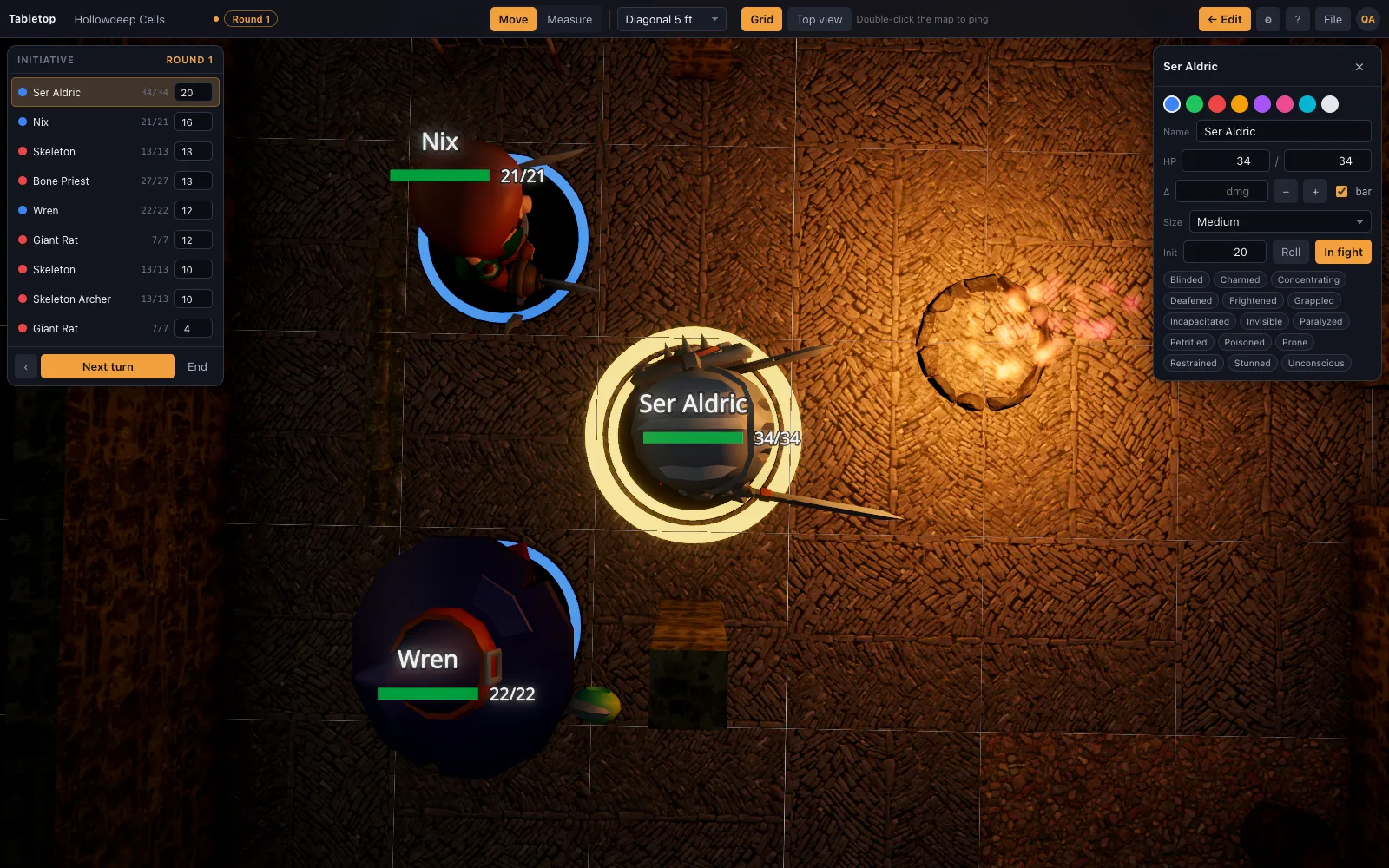
What 3D adds to a 5e fight
Cover, height and light become things on the table rather than rulings from memory. The ruler reports "30 ft · 10 ft up" from the giant on the ledge to the fighter below. The rogue is actually behind the crate. The party sees the torch at the end of the corridor and decides whether to walk into it.
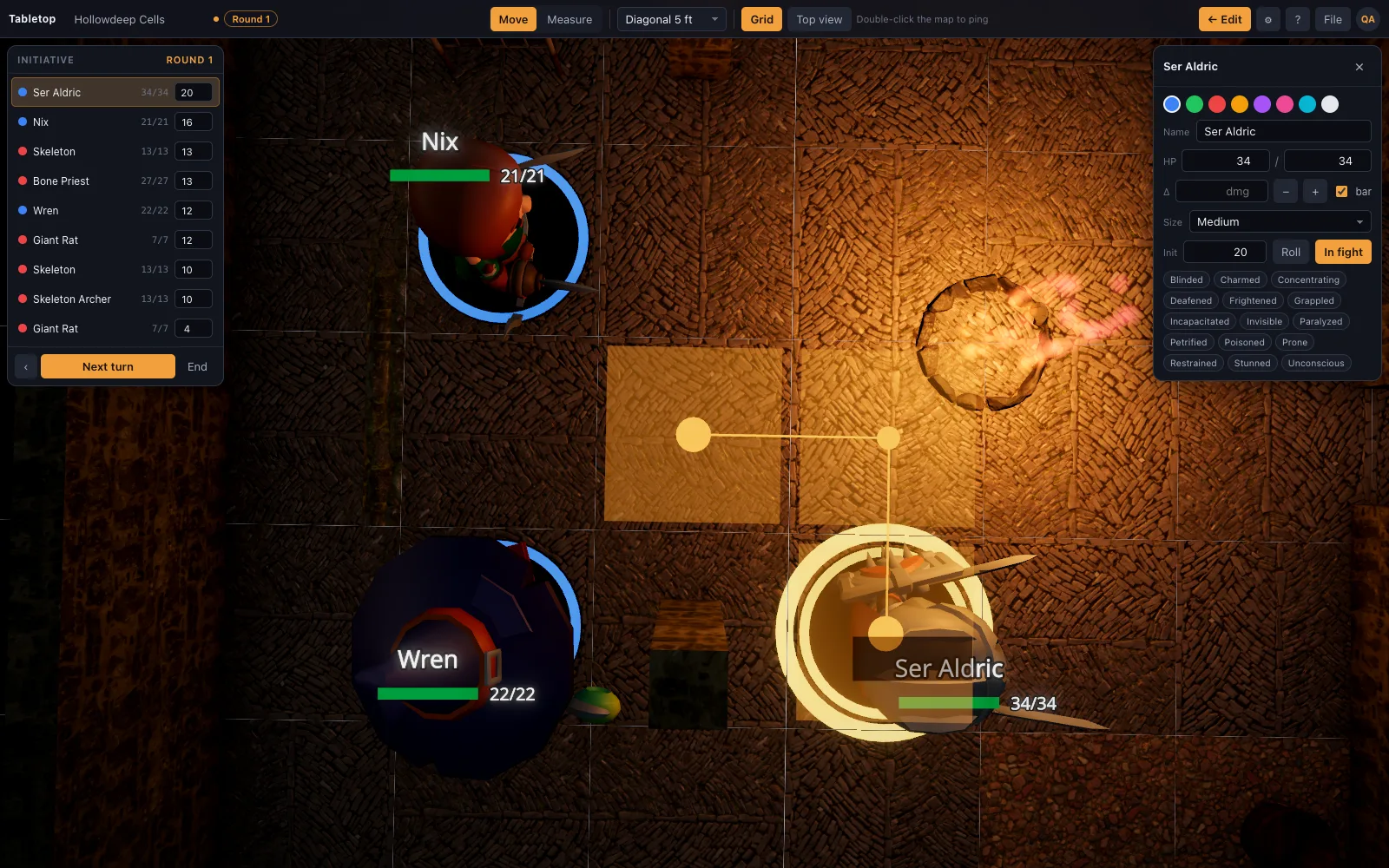
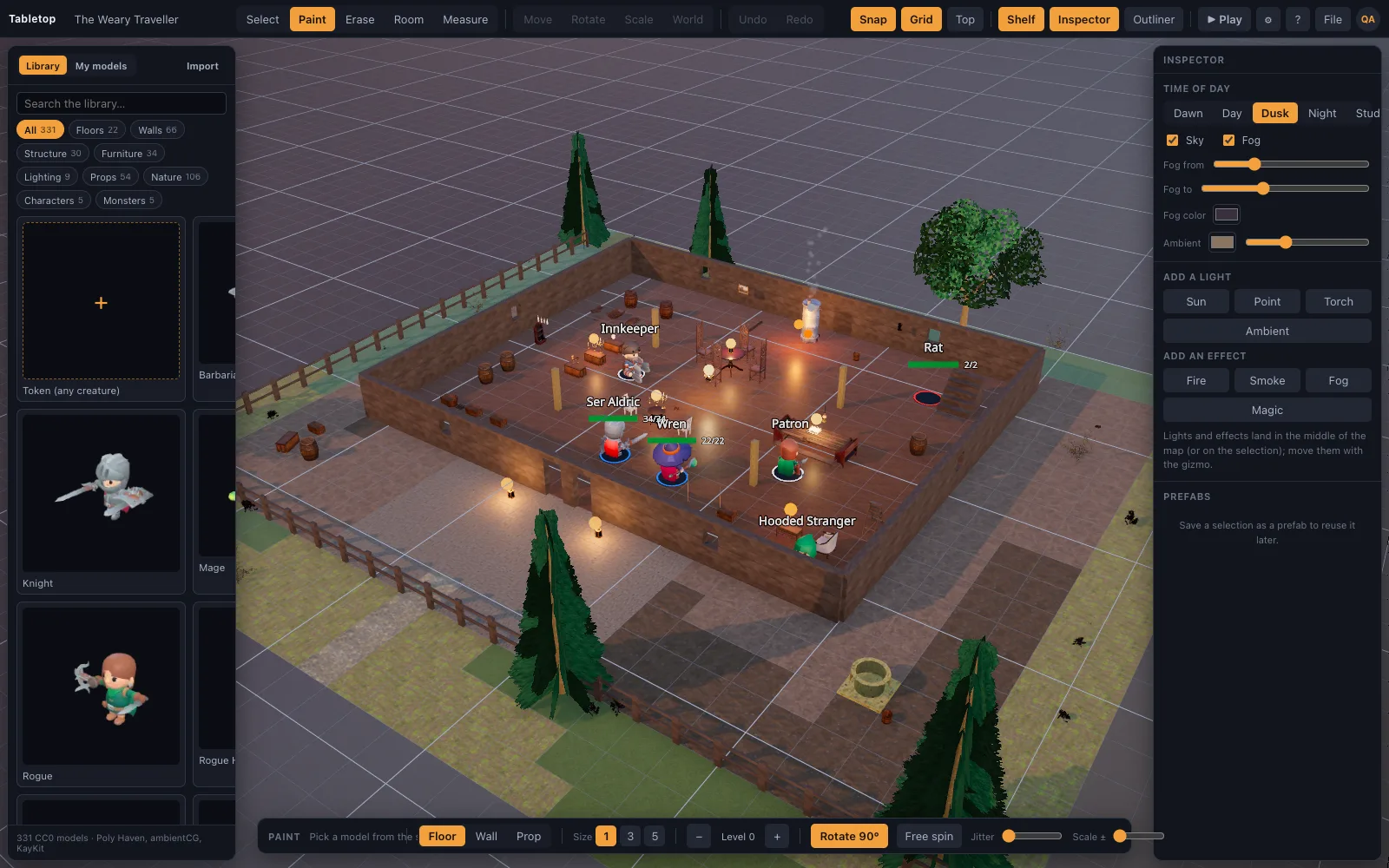
Building instead of uploading
You will not upload the adventure's map as a floor, at least not yet: TerrainTale builds scenes from a realistic library. The room tool drags a floored, walled room with a kit, the tile brush paints the rest, and the shelf dresses it. Sixteen starter scenes cover the usual places, and scene recipes let an AI assistant build "the goblin cave from chapter one" from a description.
Where D&D Beyond Maps is still the better pick
Line-of-sight fog, the official adventure maps and monster art from books you bought, and encounter tracking tied to your D&D Beyond character sheets. TerrainTale's shared rooms now put a remote party on one live table, but it is still rules-free and image-free by design: no sheet sync, and no uploading the printed map as-is.
Why people switch from D&D Beyond Maps
The usual trigger is a fight the official map cannot show: a tower with three floors, a chase across rooftops, a cellar the party has to feel their way through in torchlight. A 2D map with fog of war answers "where is everyone"; a 3D one also answers "what does the archer on the balcony see" and "is the door actually behind cover". Groups that want that keep D&D Beyond open for the character sheet and put the fight on a table built in three dimensions.
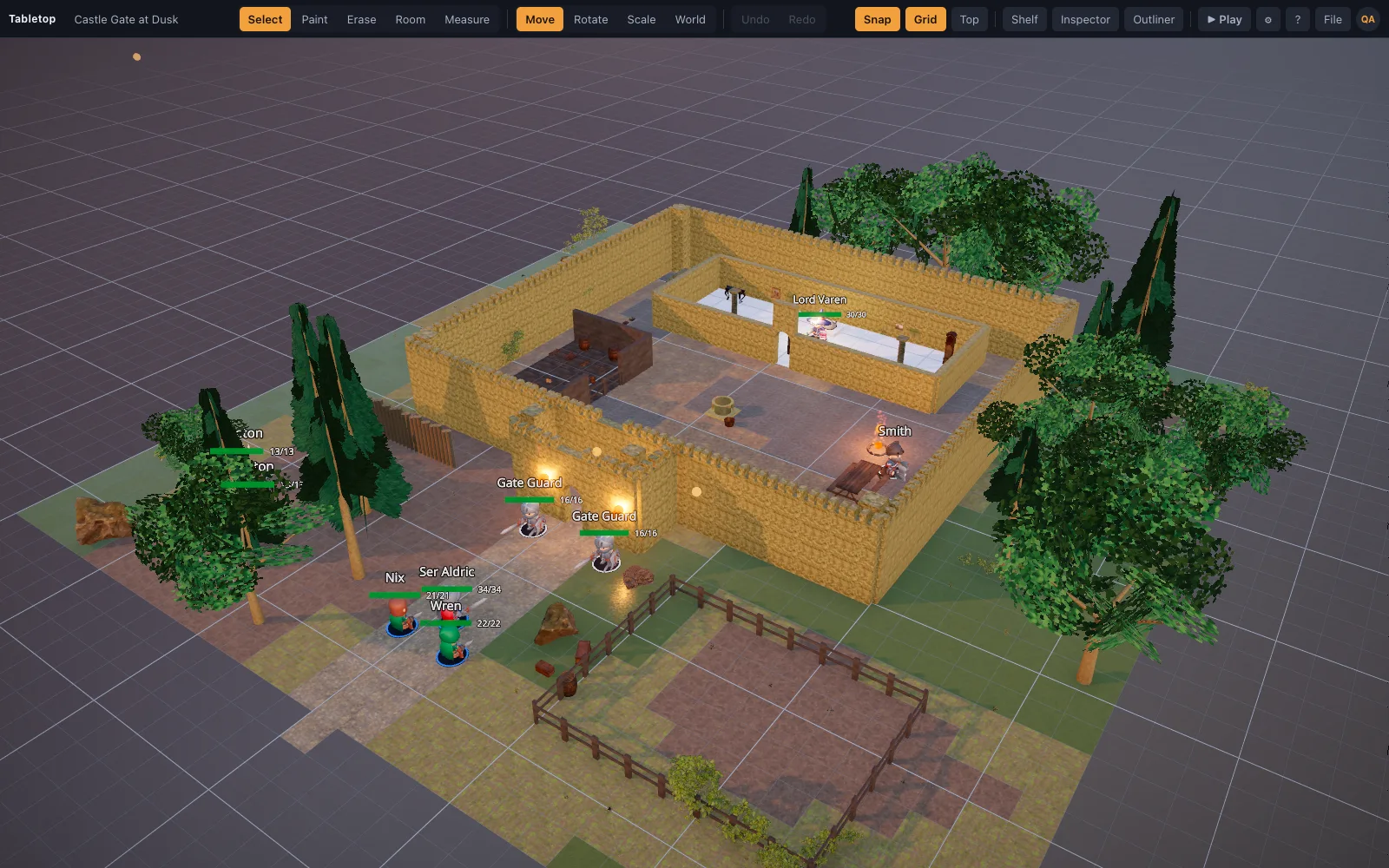
Moving your maps across
D&D Beyond Maps does not export a file TerrainTale reads, and an adventure's official map is not a floor type here yet, so a map is rebuilt rather than uploaded. The room tool drops a floored, walled room from a kit in one drag, the tile brush fills in anything irregular, and the shelf carries matching props, lighting and nature to dress it to the scene. Monster art and token portraits you already have become standee tokens by dropping the image on the window, and a scene recipe (hand-written or drafted by an AI assistant from a description of the encounter) compiles straight to a grid-correct room.
Questions
Does TerrainTale sync with my D&D Beyond characters?
No. It tracks HP, conditions and initiative on the token, entered by you. There is no integration with any rules platform.
Can I use official adventure maps as the floor?
Not yet. Image maps as a floor type are on the roadmap; today the library is built for 3D scenes and images are used as standee tokens.
Can I use monster art from D&D Beyond as tokens?
Any image you have becomes a standee token with a base by dropping it on the window. Whether you may use a particular image is a question for its licence.
Is it free like Maps?
Yes: sign-up is free, the whole table is included, and the library is CC0/CC BY. The free plan keeps one saved scene; Premium ($6 a month) keeps up to 200 and imports your own models. No D&D Beyond account is needed.
Can my party play remotely like they do on D&D Beyond?
Yes. Share a saved scene by link; players sign in, ask to join, and once let in they see the table live and can drag their own minis. There is no character-sheet sync alongside it.
Keep reading
Sigil alternative
D&D Beyond's Sigil 3D VTT closes at the end of October 2026.
Owlbear Rodeo alternative
Looking for an Owlbear Rodeo alternative with 3D maps? TerrainTale keeps the simplicity (no rules engine, nothing to install) and adds real miniatures, light and height.
D&D Virtual Tabletop in 3D
A 3D virtual tabletop built for Dungeons & Dragons: realistic battle maps, painted-miniature figures, a ruler in feet, initiative and HP.
A Virtual Tabletop for In-Person Games
Use a 3D virtual tabletop on a TV or projector for in-person D&D: top-down view, big grid, drag miniatures, measure in feet, run initiative.
Save, Export and Import D&D Scenes as JSON
Scenes autosave to your account and are also plain JSON: export a scene to a file, import one back, or hand a recipe to an AI assistant.
D&D Beyond Maps vs Roll20
D&D Beyond Maps vs Roll20 compared for running D&D online: free tiers, subscriptions, character sheet links, official content, maps and setup.
From the blog
CC0 assets for D&D maps: where good free models actually come from
ambientCG and Poly Haven explained — what CC0 means for a map you publish, why the minis are made rather than downloaded, and why a library authored to one grid beats a bigger library that is not.
· 6 min read
Self-hosting a virtual tabletop: what it really takes
A realistic account of running your own VTT — the box, the bandwidth, TLS, accounts, backups — and when self-hosting is worth it versus using a hosted table.
· 7 min read
Forest ambush encounters that are not a coin flip
Building the road-through-the-woods ambush so it is tense rather than a surprise-round execution: sightlines, cover, escape routes, and giving the party something to do on round one.
· 6 min read
All articles on battle maps, grid rules and running the game
Ready to put a map on the table?
Open the builder and start, no account needed. Sixteen starter scenes are on the welcome screen; sign up free when you want to save one or play it with your group.