If you only use Roll20 for the map, this is the map
Many tables use a full-featured VTT for one thing: a battle map with tokens. TerrainTale is that one thing, done in 3D with real miniatures and light, and it leaves character sheets, dice and macros to the books and the people at the table.
Side by side
| Topic | TerrainTale | Roll20 |
|---|---|---|
| Maps | 3D scenes from a built-in realistic library; build in minutes | Image maps; a marketplace of art |
| Character sheets and dice | None, by design | Extensive, per system |
| Combat tracking | Initiative, HP, conditions, movement per turn | Turn tracker and sheet-driven automation |
| Measuring | Feet with diagonal rule, waypoints and height | Ruler on a flat grid |
| Remote play | Shared rooms: a link, players sign in and see the table live | Yes, with voice and video |
| Learning curve | Five minutes | Considerable for the DM |
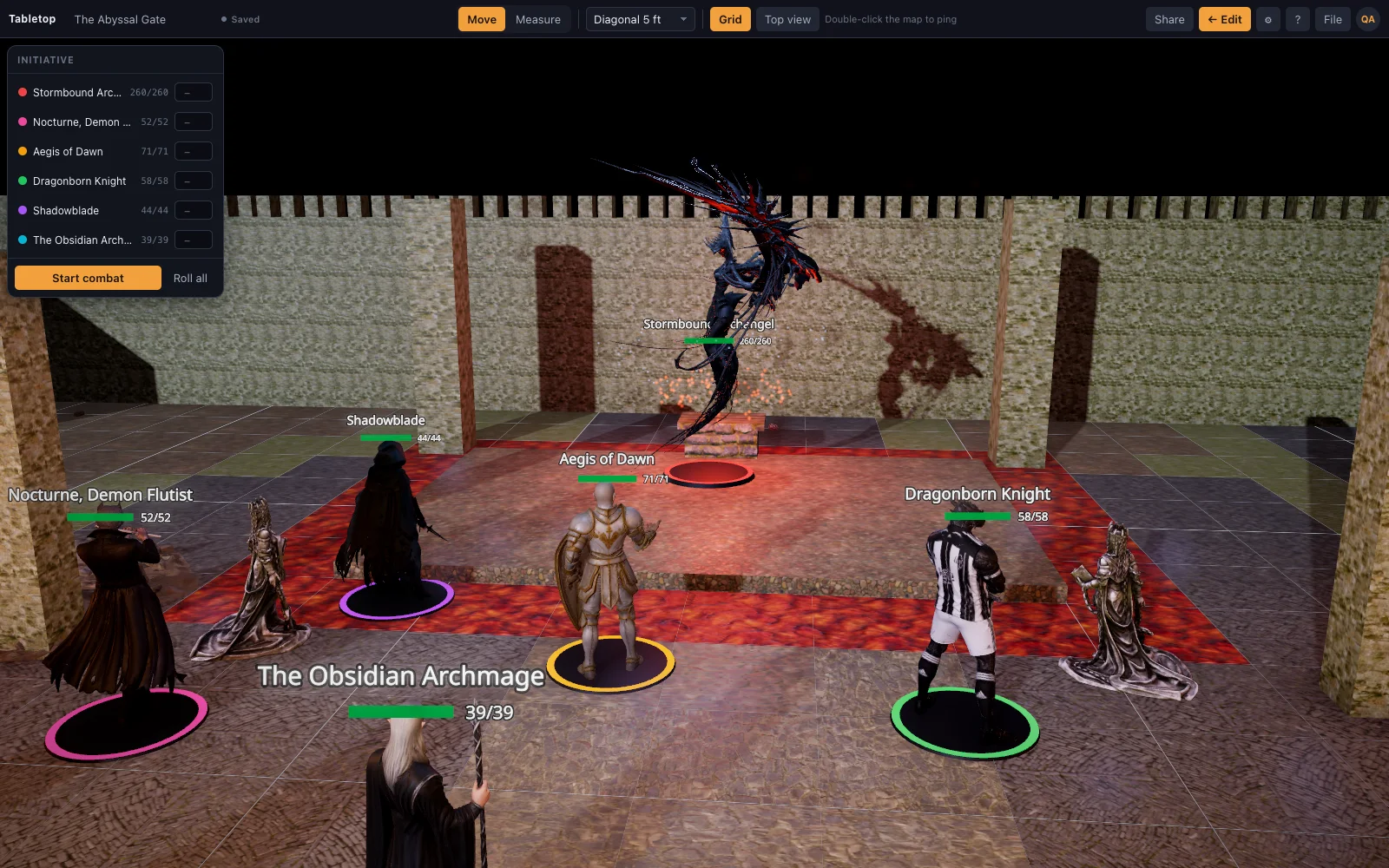
| The look of the table | A 3D room with real walls, torches and shadows | A flat image, however good the art |
| Saving and sharing maps | A scene exports as one JSON file; import it anywhere | Saved to your Roll20 game and its marketplace assets |
| Custom miniatures | Drop a .glb model on the table (Premium) | Upload token art |
| Setup | Free sign-up, or self-host the single Node server | Account sign-up, in the browser |
| Hardware | Quality picked from the GPU; runs on integrated graphics | Runs in any browser |
Roll20 is a trademark of its owners and is not affiliated with TerrainTale. Feature notes describe the other product in general terms as we understand it at the time of writing; check its site for current details.
Less to prepare
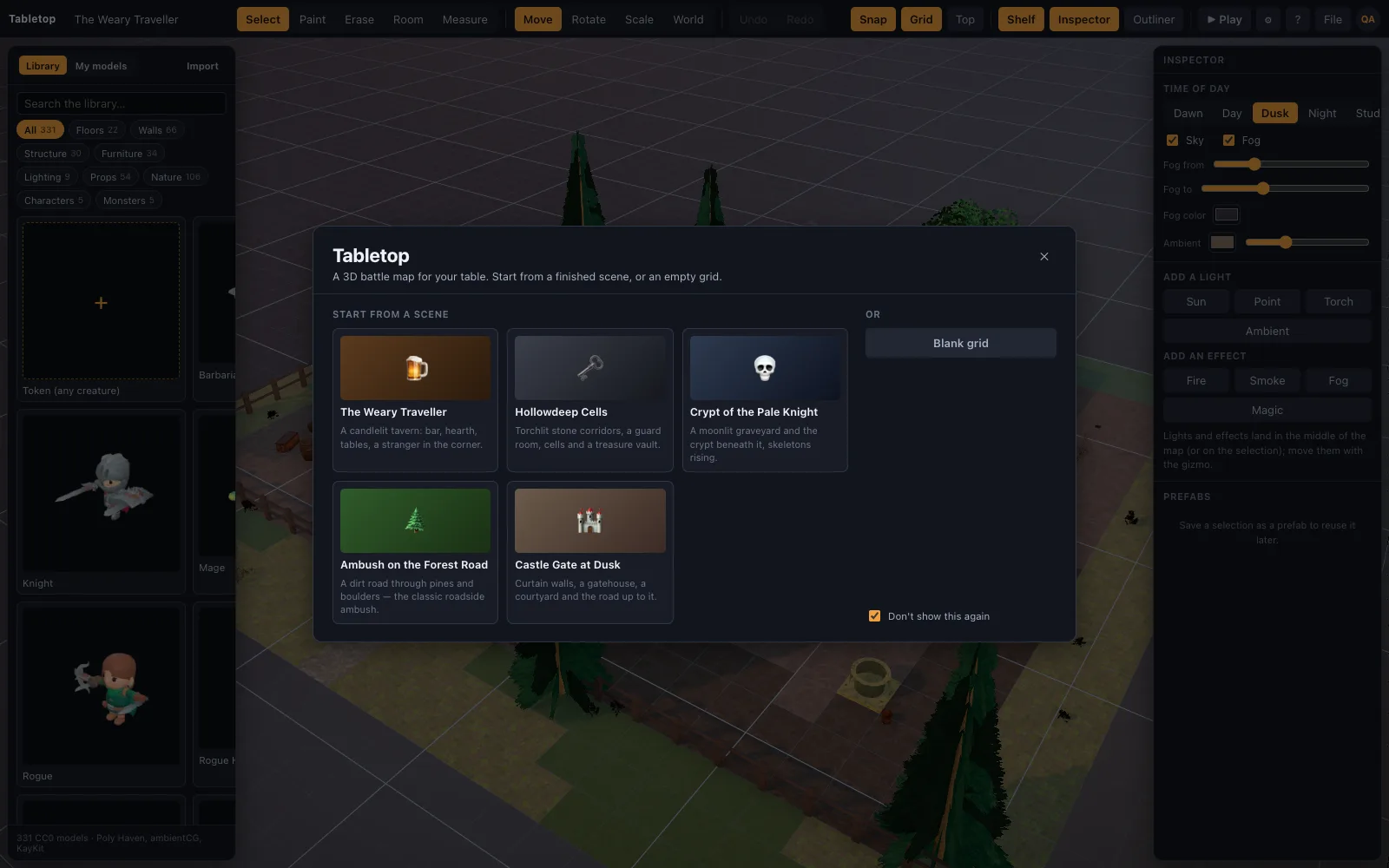
No sheets to build, no macros to fix, no marketplace to browse. Drag a room, dress it, drop the party in. The starter scenes exist so that session one is a click.
A map players look at
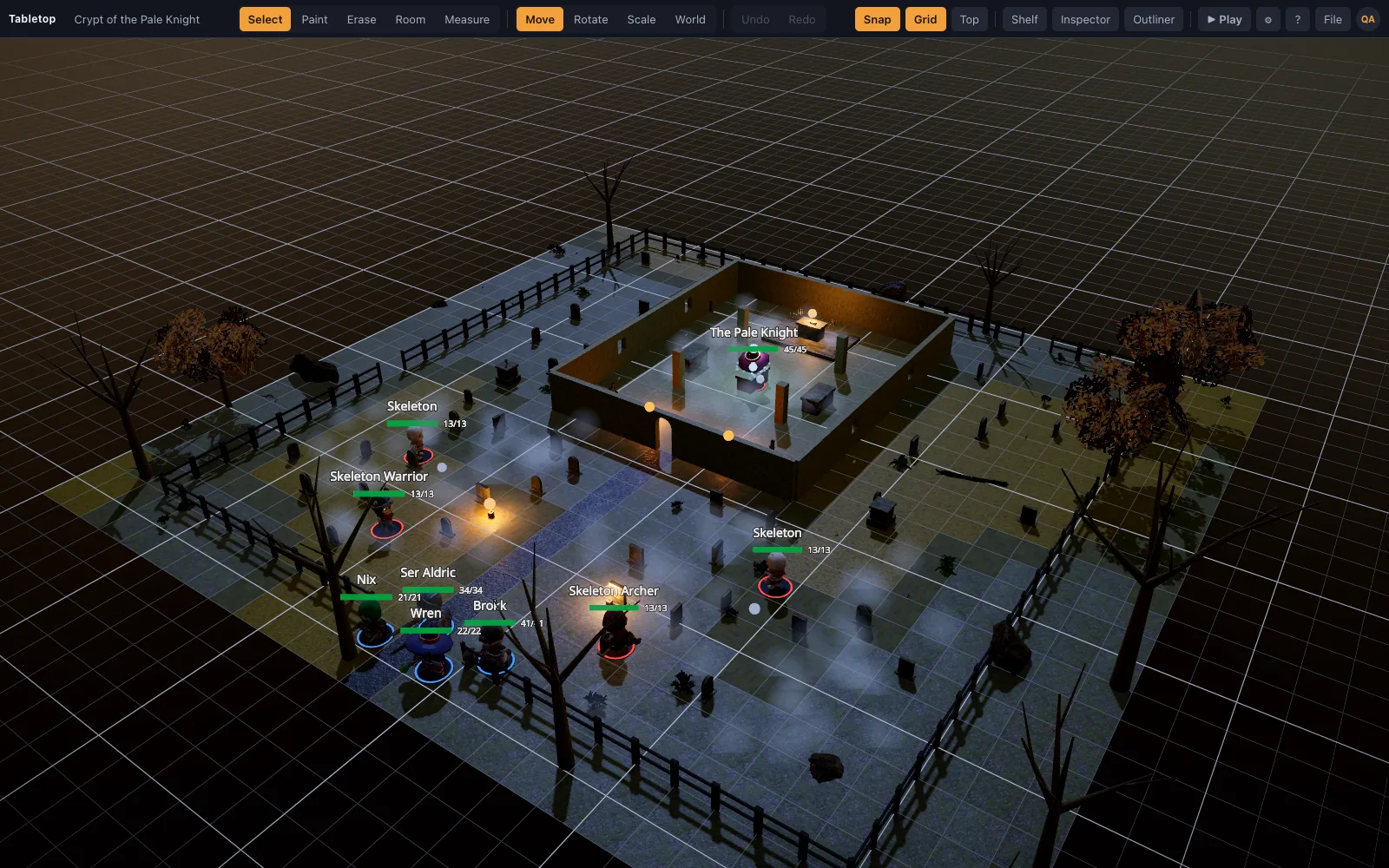
Torchlight in a corridor, a hearth with a fire in it, a moon over a graveyard. Realistic materials and painted-miniature figures are the whole product, not an add-on.
Where Roll20 is still the better pick
Tables that want sheet-driven automation, a compendium of purchased content, or voice and video built into the same window. TerrainTale's shared rooms now cover a remote party looking at one live table, but they do not carry voice, video or character sheets — that stays with the books and whatever call your group already uses.
Why people switch from Roll20
The groups that move over are usually the ones who noticed they only open Roll20 for the map: sheets live on D&D Beyond or on paper, dice get rolled in hand or through a bot, and the marketplace subscription is paying for macros nobody uses. What is left is a flat image with a ruler on it, for a price. TerrainTale is built to be that one thing done well, with a 3D room instead of a picture, and a free plan that keeps the whole table.
Moving your maps across
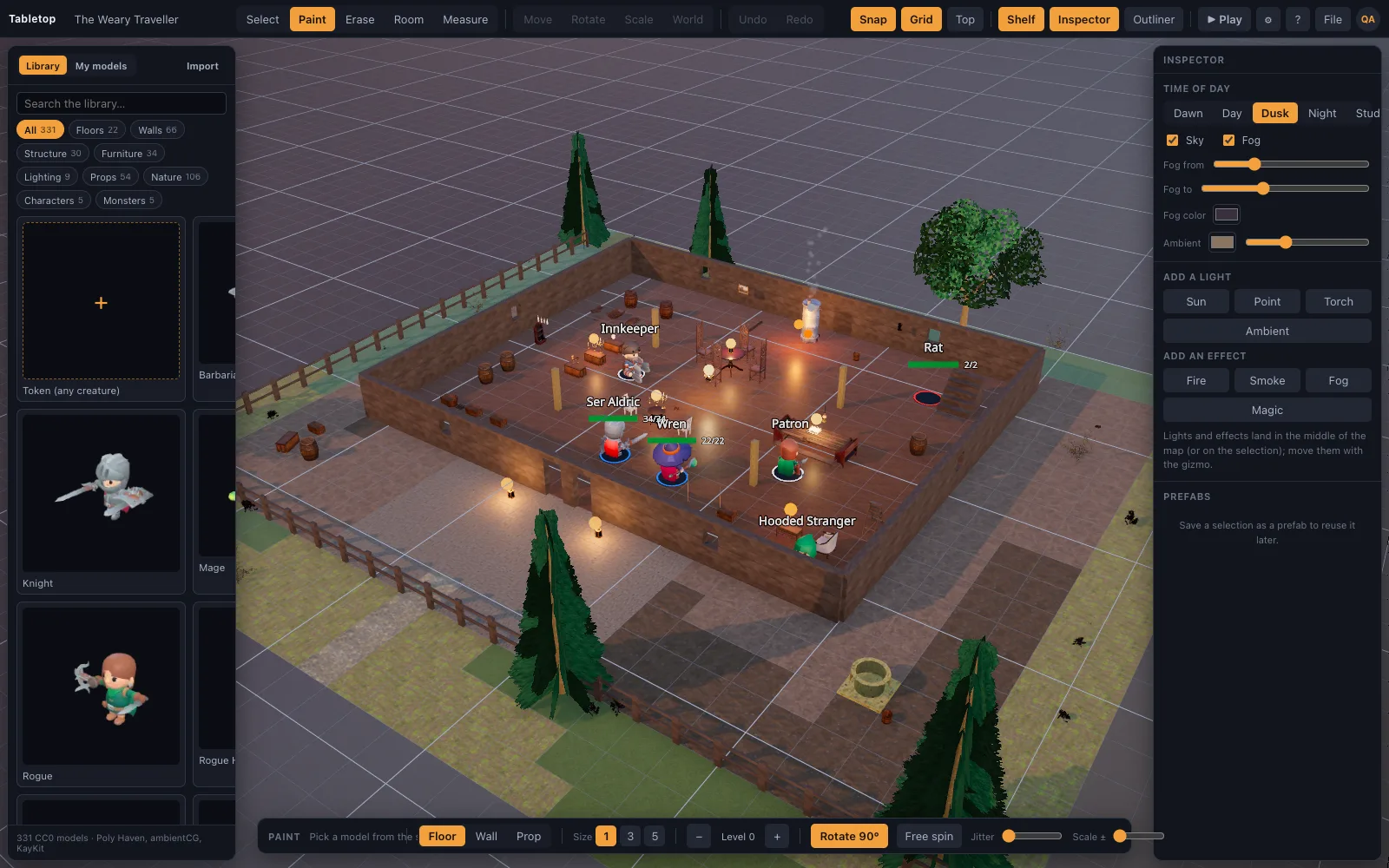
Roll20 scenes do not import directly; there is no reader for its format. The room tool rebuilds the shape fast (drag a rectangle, get a floored and walled room with correct corners in one motion), the tile brush fills in anything irregular, and the shelf dresses it with matching props. A scene recipe, hand-written or drafted by an AI assistant from a description of the room, compiles straight to a grid-correct map. Any token art you already own becomes a standee by dropping the image on the window, so the prep is not wasted, only rebuilt in 3D.
Questions
Can I use TerrainTale alongside Roll20?
Yes. Many groups keep sheets and dice in one tool and put the battle map on a shared screen in another. TerrainTale on a TV or a screen share works well for that.
Does it have a compendium?
No. It is not a rules product.
Can my remote group play together like on Roll20?
Yes. Share a saved scene by link; players sign in, ask to join, and once let in they see the table live and can drag their own minis, measure and ping. There is no voice or video built in.
Can I bring my Roll20 token art over?
Yes. Any image you own the rights to becomes a standee token with a base by dropping it on the window; there is no Roll20 importer for maps or sheets.
Keep reading
Owlbear Rodeo alternative
Looking for an Owlbear Rodeo alternative with 3D maps? TerrainTale keeps the simplicity (no rules engine, nothing to install) and adds real miniatures, light and height.
D&D Beyond Maps alternative
Want more than a flat map? A D&D Beyond Maps alternative that builds the battle map in 3D: real walls, torchlight and height, realistic minis, a ruler in feet and initiative.
Free Virtual Tabletop: 3D Maps, No Download, No Seat Licences
A free virtual tabletop in the browser: open a 3D battle map, drag minis, measure in feet, run initiative.
D&D Virtual Tabletop in 3D
A 3D virtual tabletop built for Dungeons & Dragons: realistic battle maps, painted-miniature figures, a ruler in feet, initiative and HP.
Save, Export and Import D&D Scenes as JSON
Scenes autosave to your account and are also plain JSON: export a scene to a file, import one back, or hand a recipe to an AI assistant.
Roll20 vs Foundry VTT
Roll20 vs Foundry VTT compared honestly: price, setup, automation, hosting and who each one suits, plus where a 3D browser table fits in.
From the blog
The best free virtual tabletops in 2026
What each free VTT is actually good at — Roll20, Foundry, Owlbear Rodeo, Alchemy, TerrainTale — and how to pick by what your table does on a Tuesday night rather than by feature count.
· 9 min read
Running combat online without slowing the game to a crawl
Why online fights take twice as long as table fights, and eight concrete changes — turn order, telegraphing, pre-rolled initiative, a shared timer — that get the pace back.
· 7 min read
Height and verticality: using the third dimension in combat
Climbing, flying, falling, ranged attacks from above and the rules that govern them — and how to build maps with height that players actually use instead of ignore.
· 7 min read
All articles on battle maps, grid rules and running the game
Ready to put a map on the table?
Open the builder and start, no account needed. Sixteen starter scenes are on the welcome screen; sign up free when you want to save one or play it with your group.