Using Meshy AI-generated models on your virtual tabletop
Text-to-3D and image-to-3D generators like Meshy are the fastest way to get a specific miniature that doesn't exist anywhere else — the exact boss you described, the NPC nobody sculpts. The question that matters isn't whether the generator is good, it's whether the file it hands you actually lands on the table.
· 4 min read · TerrainTale
Meshy exports import directly
Meshy generations import directly, the same as a wide range of other formats — .glb, .gltf, .obj, .fbx, .stl, .ply, .dae, .3mf, .usdz and more, including Draco- and meshopt-compressed files. Whichever format Meshy hands you, drop it on the window and it lands on the table without a conversion step in between.
AI-generated meshes tend to be heavy, and that's handled
Generated meshes are often denser than they need to be for a real-time table — more triangles than the shape actually requires, textures larger than a browser needs to render smoothly. That's exactly what the automatic simplification pass on import is for: everything is converted to a GLB and simplified to the detail budget set in Settings (triangle count and texture size), so a dense Meshy export doesn't slow the table down the way it would left untouched. If it's still heavier than you'd like, it can be reduced further from its own menu afterward.
This is also where a generator's output tends to differ most from a scan or a hand-modelled asset: generated geometry sometimes has odd, uneven density in places a human modeller wouldn't have bothered with, and the simplification pass smooths over that inconsistency the same way it handles any other heavy import, without needing to know anything about where the file came from.
Where a generated model fits next to the built-in library
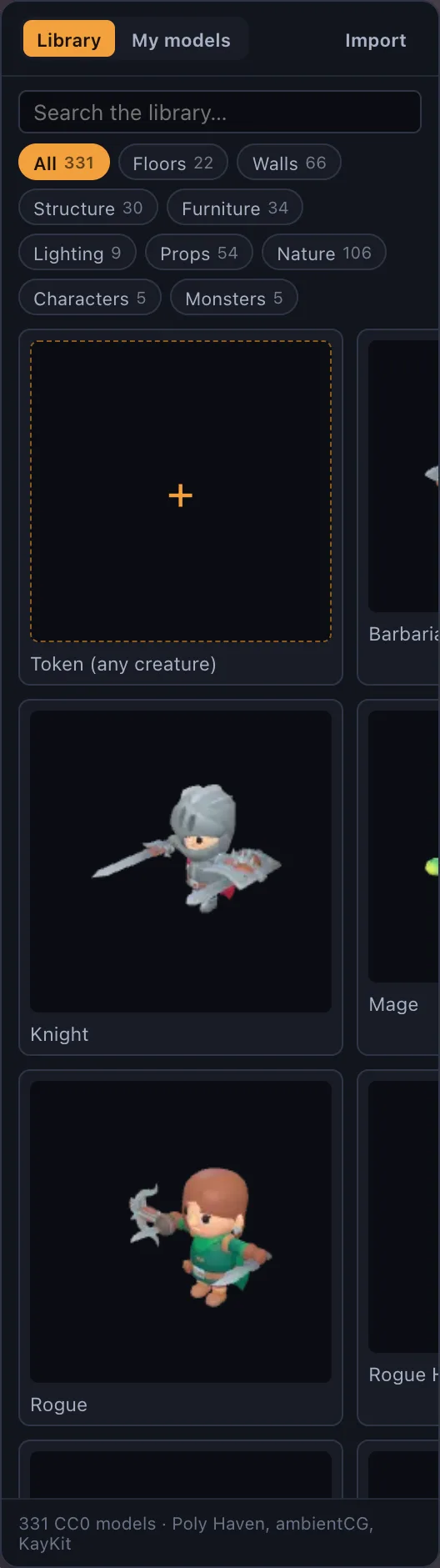
The built-in library is realistic-only — PBR surfaces, Poly Haven photoscans, KayKit characters — which is exactly the gap a generator fills well: something specific that isn't in any stock library at all. A generated boss or NPC sits on the same 5-foot grid as everything else once imported, so it doesn't look or scale differently from the rest of the table.
Where this sits on the plans
On the hosted site, importing your own model files — including a Meshy generation — is a Premium feature ($6/mo or $48/yr); the rest of the table is the same on both plans. On a self-hosted copy, model import is open on every plan unless billing is explicitly turned on.
What a generator is good for, and what it isn't
A generator is at its best for the one-off: the specific boss the campaign needs this week, a unique NPC, a piece of set dressing nobody makes stock assets of. It's not a replacement for the built-in library's consistency — a whole battle map generated piece by piece will look and scale less coherently than one built from a matched library, because nothing guarantees two separate generations agree on style or proportion the way an authored asset pack does.
The practical pattern that works well: build the map itself from the library — floors, walls, lighting, the terrain everyone stands on — and reach for a generator specifically for the thing the library doesn't have. That keeps the table's baseline consistent while still getting the one specific model a session actually needs.