Using a virtual tabletop on a TV at an in-person game
Virtual tabletops are marketed at remote play, but the setup that changes an in-person game the most is a television lying flat on the table with the map on it. It costs one cable and it replaces a drawer of printed maps.
· 6 min read · TerrainTale
The hardware, honestly
A 43-inch 4K set laid face-up on the table is the sweet spot: big enough that a 5-foot square is around 3 cm, cheap enough second-hand, and light enough for one person to lift. Anything under 40 inches makes a 20-square room feel cramped; anything over 55 makes the far side unreachable.
Put it on the table, not in it, until you are sure — a recessed build is a weekend of carpentry and a permanent decision.
Set the scale once
Measure a square on screen, then buy or print bases that match it. If your minis are 25 mm, target a 25 mm square and lock the zoom. A map whose scale drifts between sessions makes physical minis useless, which defeats the point.
Read it from a chair, not from above
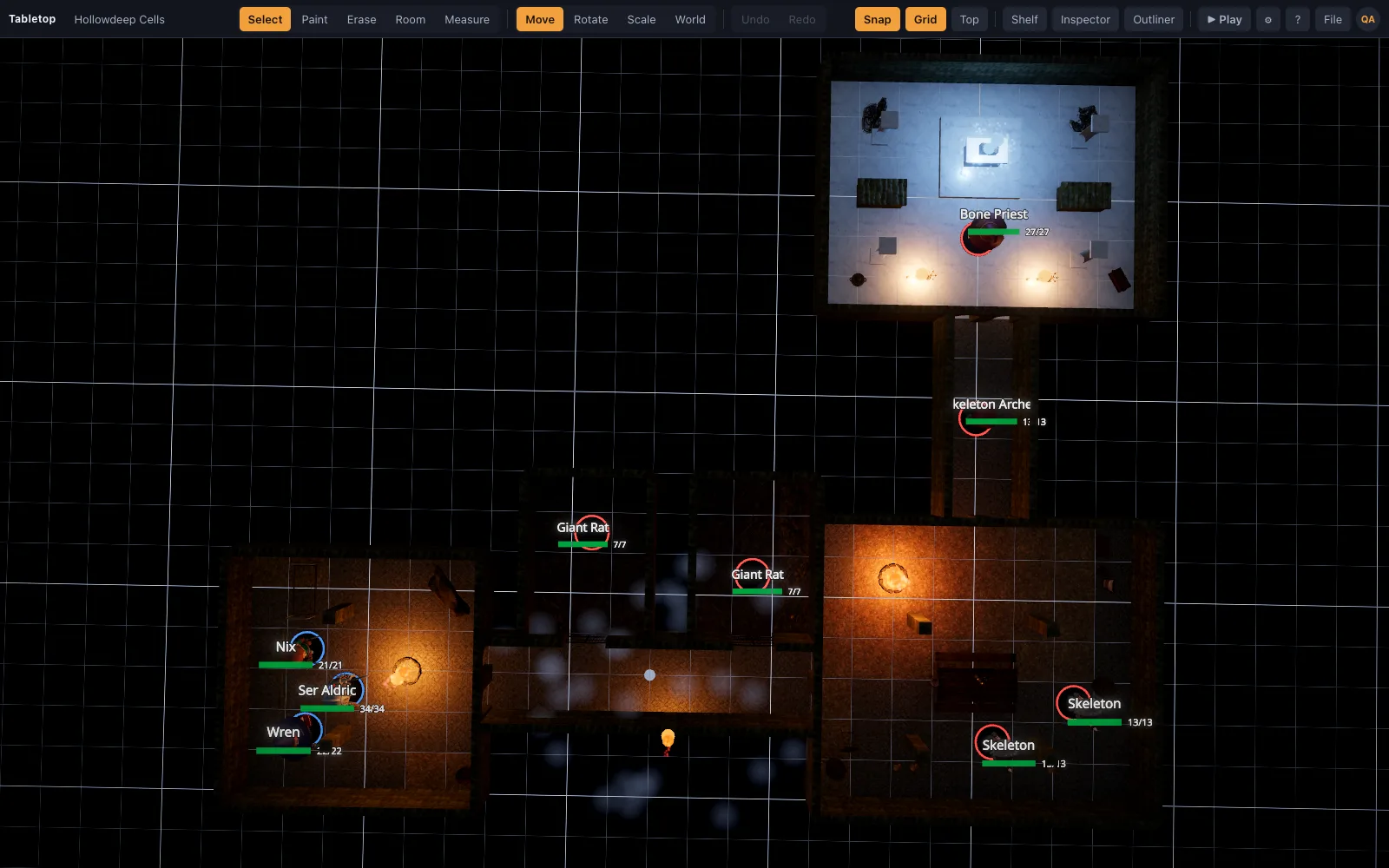
Everything is viewed at a steep angle, so contrast and size matter more than detail. Use a top-down camera, turn labels up, and prefer strong silhouettes over fine texture. This is one place a 3D table needs care: a low camera looks superb on a monitor and is unreadable flat on a table.
- Top-down camera, locked.
- Brightness up, matte screen or a lamp behind the players.
- Bigger token rings than you would use on a monitor.
- One tap to reset the view when someone bumps the mouse.
Who drives
The DM drives from a laptop beside the TV, with the TV as an extended display showing only the map. Players move physical minis on the glass. Nobody needs an account, nobody needs a device, and the phone-checking problem drops considerably.
The settings that make or break readability
Two things ruin a table TV, and both are settings rather than hardware. The first is the panel's own picture processing: turn off motion smoothing and any dynamic contrast, and switch the picture mode to Game or PC, which also drops input lag to something a mouse feels sane on. The second is the operating system's scaling — a 4K set at 100% renders interface text at a size nobody can read from a chair, so scale to 150% or 200% and let the map fill the screen.
Then hide everything that is not the map. A second display showing the DM's panels means the table screen can be map-only, which is the whole point: players look at a board, not at software.
- Picture mode: Game or PC. Motion smoothing off.
- OS scaling at 150–200% so labels survive the viewing distance.
- Map-only on the table display; tools on the laptop.
- A wireless mouse the DM can reach without leaning over the board.
What it costs, and what it replaces
A used 43-inch 4K set runs to well under two hundred euros in most markets, plus a sheet of acrylic and an HDMI cable. Against that, it replaces printed map packs, a laminator, a drawer of terrain, and the twenty minutes at the start of each session spent drawing a room on a battle mat with a wet-erase pen.
It also quietly fixes the thing nobody budgets for: storage. Modular dungeon terrain is wonderful and lives in four boxes; a television lives on the table you already own.