Running initiative without losing track of HP and conditions
Turn order is the easy part of running combat; most groups can manage a d20 roll and a sorted list on a napkin. What actually falls apart mid-fight is everything attached to each name in that list — how much HP a creature has left, whether it's still prone from two turns ago, who's still concentrating. A tracker that only sorts names doesn't help with any of that.
· 5 min read · TerrainTale
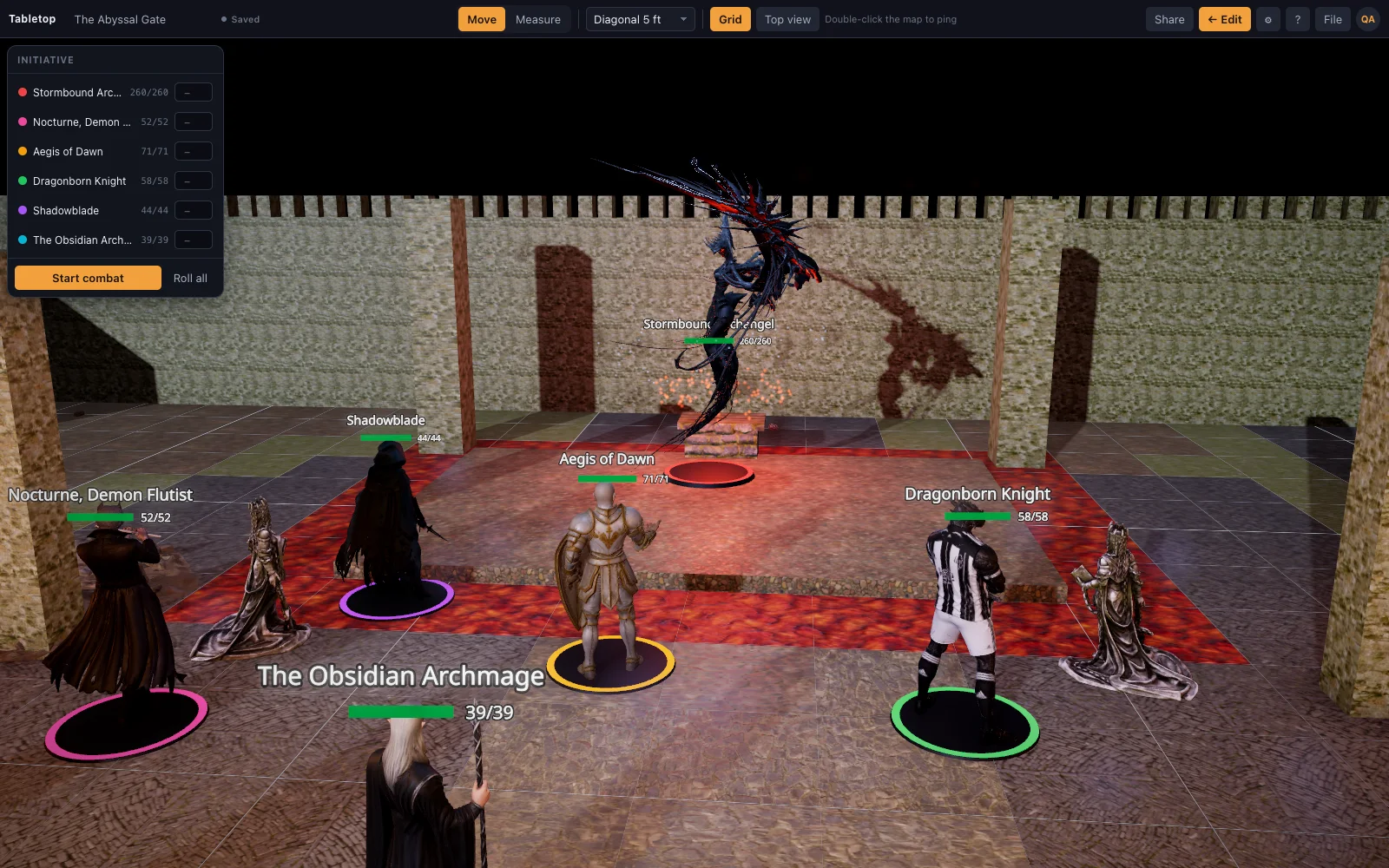
The list isn't the problem, the bookkeeping is
A sheet of paper or a phone note can hold a turn order just fine. Where it falls apart is the columns next to each name — current HP against max, a growing list of conditions, which creature is concentrating on what — because those numbers change every round and a paper tracker has no way to keep them next to the thing they describe.
TerrainTale's initiative tracker starts from the miniatures already on the table: every one joins the order automatically when combat starts, and its HP, conditions and size live on the same token card you select to look at it. There's no second document to keep synced with the map — the map and the tracker are the same view.
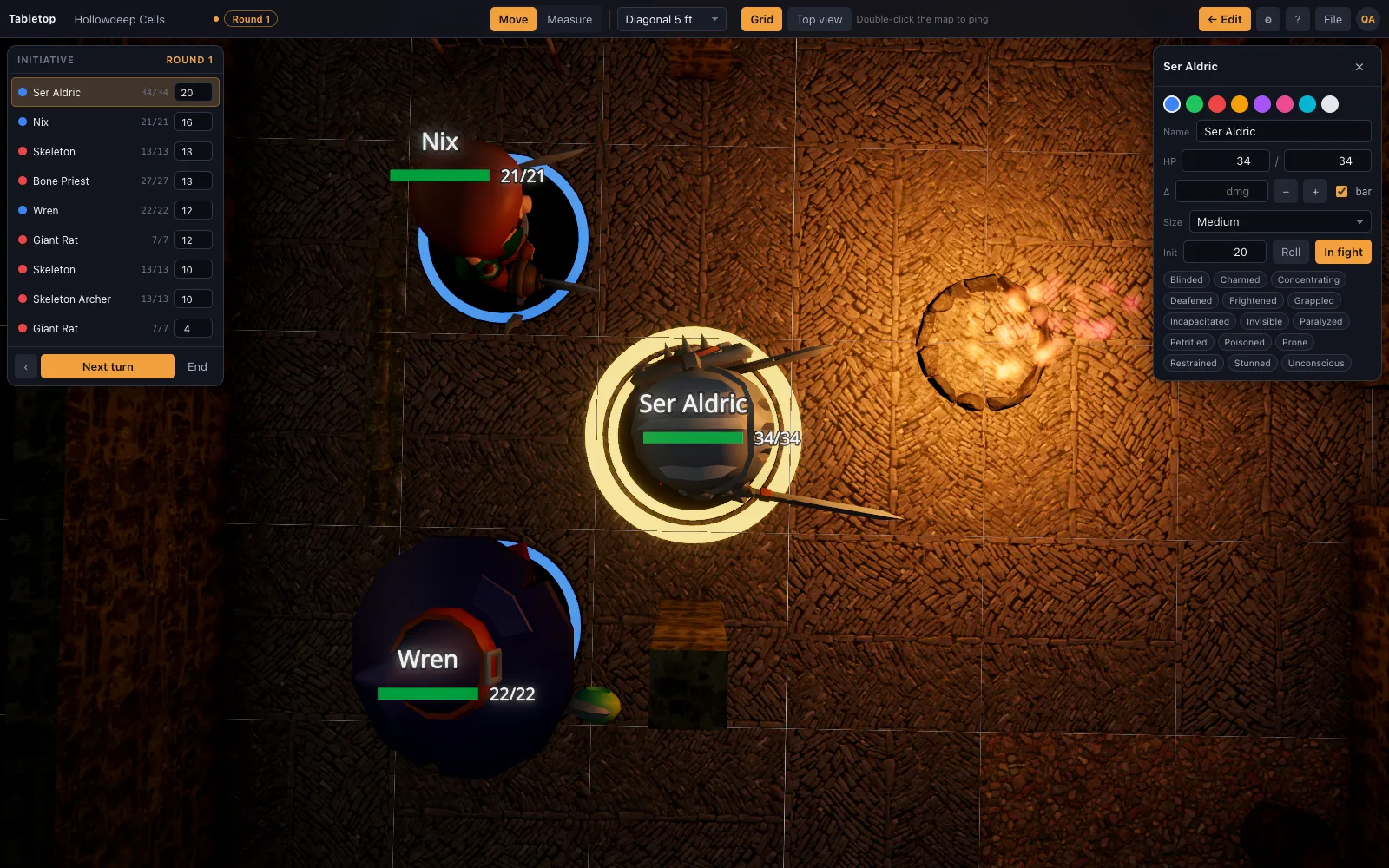
Damage and healing as buttons on the token
Selecting a mini opens a card with HP and quick damage/heal buttons right there, so applying a hit doesn't mean tabbing away from the map to a separate combat app and back. That matters most in a fast exchange — three attacks against the same target in one round — where re-finding a name in a different window each time is exactly the kind of friction that slows a table down.
- Round counter and turn pointer in the top bar, so "whose turn is it" never needs asking
- Damage and heal buttons directly on the selected token's card
- Hostile, ally and neutral rings on the bases make the order readable without opening a card at all
Turn order without re-adding anyone
Because the order is built from what's already on the map, a monster you drop into the fight mid-combat — reinforcements bursting in round three — joins the same way the initial encounter did, not through a separate "add combatant" step that's easy to forget under pressure. Press N for the next turn and the current token's ring glows while its movement resets for the new turn (dragging a mini charges the move it makes against that allowance, so "how far have they gone this turn" has an answer next to their name).
What it deliberately doesn't do
The tracker tracks; it doesn't referee. It won't roll an attack, apply damage automatically from a hit, or resolve any rule for you — the damage and heal buttons are a click you make after you've decided the number. That's a deliberate line: the DM's judgment stays in the loop for anything the rules actually adjudicate, and the tool just makes sure the bookkeeping around that judgment doesn't drift.
The same view for everyone at the table
In Play mode the tracker is visible on a shared table exactly as it is for the DM alone, so players watching a shared screen or a shared room see the turn order and pings update live rather than hearing the DM read HP totals off a private screen. A double-click ping points at something on the map without touching a mini, which covers the "look over here" moment that otherwise interrupts a turn.