How TerrainTale's scene recipes work, and why they're grid-correct
Ask an image model for a battle map and you get a picture that looks right and plays wrong — walls that don't quite meet, a grid that drifts, a door that isn't on an edge. TerrainTale's scene recipes sidestep that by never generating a picture at all: they describe intent, and a separate, tested piece of code turns that intent into geometry that's correct by construction.
· 6 min read · TerrainTale
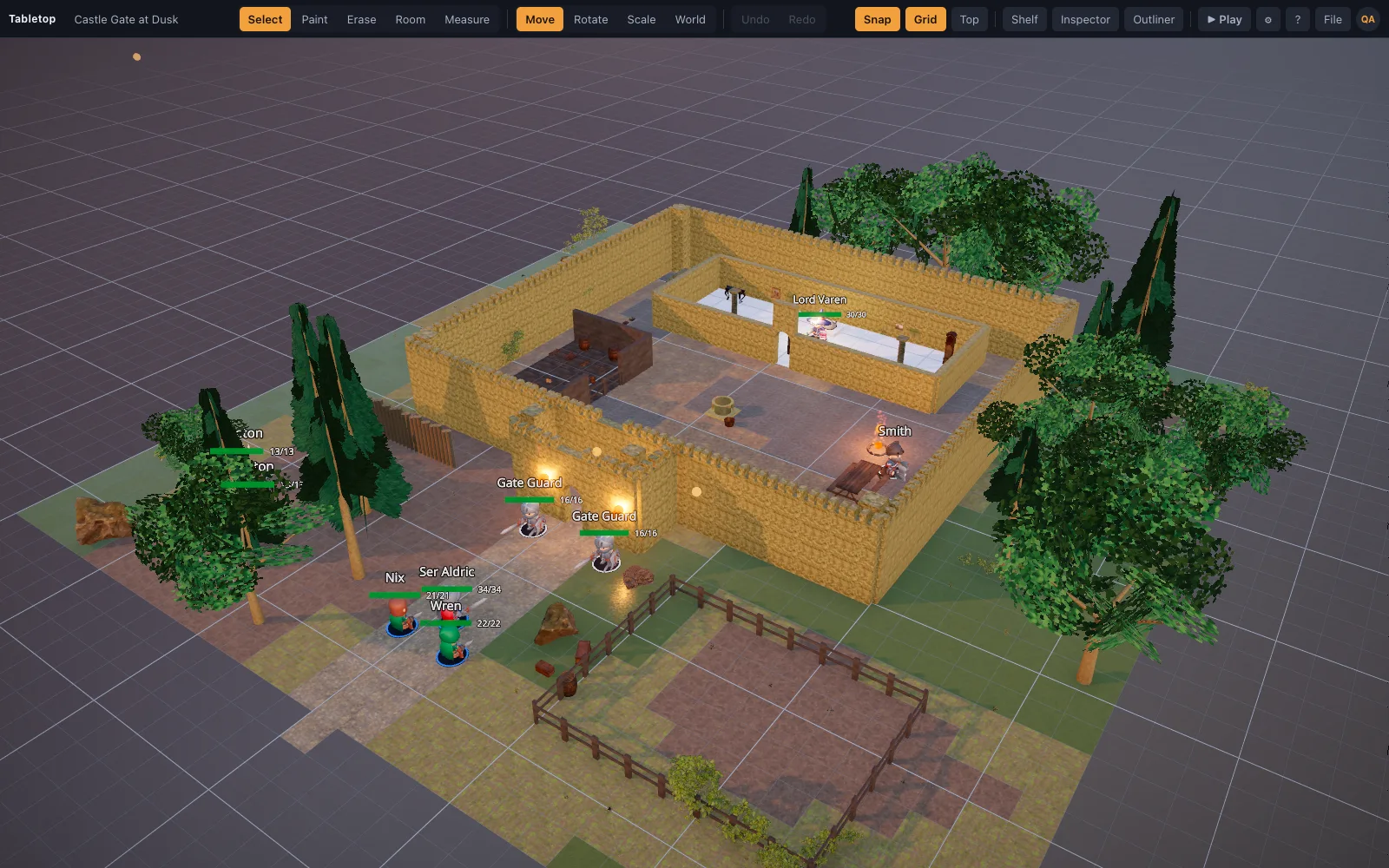
A recipe is JSON, not an image
A recipe is a JSON file: a short header (name, a random seed, an environment preset) and an ordered list of operations like floor, walls, prop, scatter, light and mini. Nothing in it is a picture — it's a description of what should exist on the grid, in the same vocabulary a DM would use to describe a room out loud: fill this area with flagstone, wall this perimeter with a gap for a door, scatter a few trees along that edge.
One rule for the whole coordinate system
Every horizontal number is a grid cell and every vertical number is a world unit, with north fixed as −Z — one rule that every operation in a recipe follows, so a floor's rect, a wall's perimeter and a prop's placement all agree on the same grid without any unit conversion between them. That single rule is most of what makes a recipe simple to write and simple to expand correctly.
Correct by construction, not by luck
The app expands a recipe's ops with `src/lib/sceneBuilder.ts`, a pure, unit-tested function with no dependency on React or the renderer — floors tile with no gaps because each op fills whole cells, walls are edge-based and auto-rotate to meet at corners because they sit on the canonical line between two cells rather than as freestanding objects, and roads pick the correct junction piece and rotation from the shape of their own path. None of that is something an assistant writing the recipe has to get right by hand; it falls out of the builder's rules once the intent is stated.
- floor — fills cells; later floor ops in the same slot replace earlier ones, so a base layer can be overwritten deliberately
- walls — edge-based, auto-rotating, with named gaps for doors and archways
- prop / scatter / light / effect / mini — placed at a cell or across an area, with randomization seeded for reproducibility
A bad op can't sink the load
Every op is applied independently, and a malformed or misspelled one is skipped with a warning in the browser console rather than failing the whole import. That matters for a recipe an AI assistant writes: a hundred good ops and one typo in the hundred-and-first still produce a usable scene, instead of an import that fails outright over a single mistake.
From recipe to table with one import
A finished recipe is saved as a `.json` file and loaded with File ▸ Import Scene JSON — every model id it references is pulled automatically from the built-in library, so nothing needs to be added by hand first. The same recipe format is what backs the app's own starter scenes (the tavern, dungeon, crypt, forest road and castle gate templates), which exist as tested recipe files in the repository, not hand-authored one-offs.