Day, dusk, night: setting the mood with lighting presets
The floor plan of a tavern doesn't change between the party's first friendly visit and the ambush that happens there three sessions later — but it should feel like a different place. The fastest way to get there isn't rebuilding the map, it's changing the light.
· 5 min read · TerrainTale
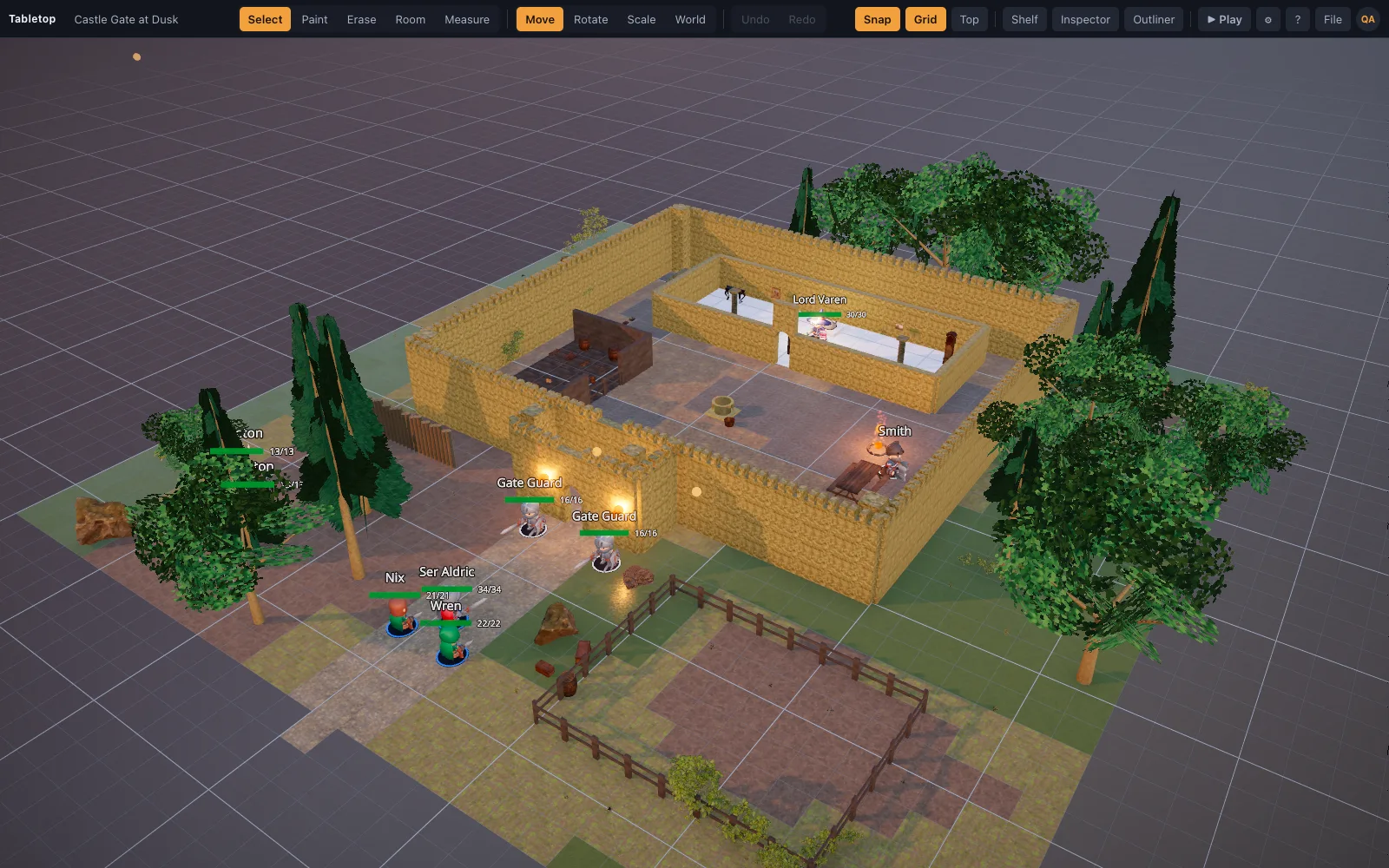
A preset is a whole lighting setup, not a filter
TerrainTale's time-of-day presets pick image-based lighting for the scene along with a sun whose shadow frustum is fitted to the map, so switching from day to night changes the actual light sources illuminating every surface, not a color overlay dropped on top of a fixed picture. The same tavern that reads warm and busy at midday goes genuinely dark and close at night, because the light doing the work has changed, not just its tint.
That distinction matters because a real light change also changes what a room hides. Corners that were fully lit at midday fall into shadow at night, and that's not decoration — it's a difference a player can use to duck out of a torch's radius or a DM can use to make an ambush plausible.
Picking a preset for the encounter, not just the hour
Day suits an encounter that should feel exposed and open — a market square fight, a courtyard duel — where visibility is part of the tension. Dusk sits between the two: enough light to navigate by, enough shadow for it to matter tactically, which makes it a natural default for most indoor encounters. Night pushes hardest into darkness and light-source tactics, where torches and darkvision start doing real work rather than just looking nice.
- Day: exposed, high-visibility encounters — courtyards, market squares, open fields
- Dusk: the default middle ground — most dungeon rooms and interiors read well here
- Night: darkness is a mechanic, not a mood — pairs with torch placement and darkvision play
It's part of the scene, not a session-time setting
The lighting preset is saved with the scene, so a map built at dusk stays at dusk the next time it's opened rather than resetting to a default. That makes it easy to keep a location's usual mood — a crypt is always dim — while still switching it deliberately for a specific session, like lighting that same crypt at night for the one encounter that's supposed to feel worse than usual.
One map, reused for a different beat
Because switching presets doesn't touch a single tile or wall, the same floor plan can serve more than one encounter across a campaign: the tavern at day for a friendly first visit, the same tavern at night for the brawl that happens there later, with no rebuilding between the two. That's a real time saver over keeping two separate maps of the same room just to get two different feelings out of it.
Runs the same regardless of hardware
Quality tiers are picked automatically from the GPU: integrated graphics get a lighter lighting path, discrete GPUs get ambient occlusion, MSAA and higher-resolution shadows — so a preset looks and behaves consistently whether it's opened on a gaming laptop at the table or a modest machine running the game from a couch. There's nothing to configure by hand for it to work.
Pairing a preset with torch placement
A preset sets the ambient mood, but it's rarely the only light in a finished scene — a night-set crypt usually still wants a torch or two placed deliberately, both for visibility and because a light source a player can point at is more tactically interesting than uniform darkness. See the piece on torch lights and dynamic shadows for how those two layers work together on the same scene.